
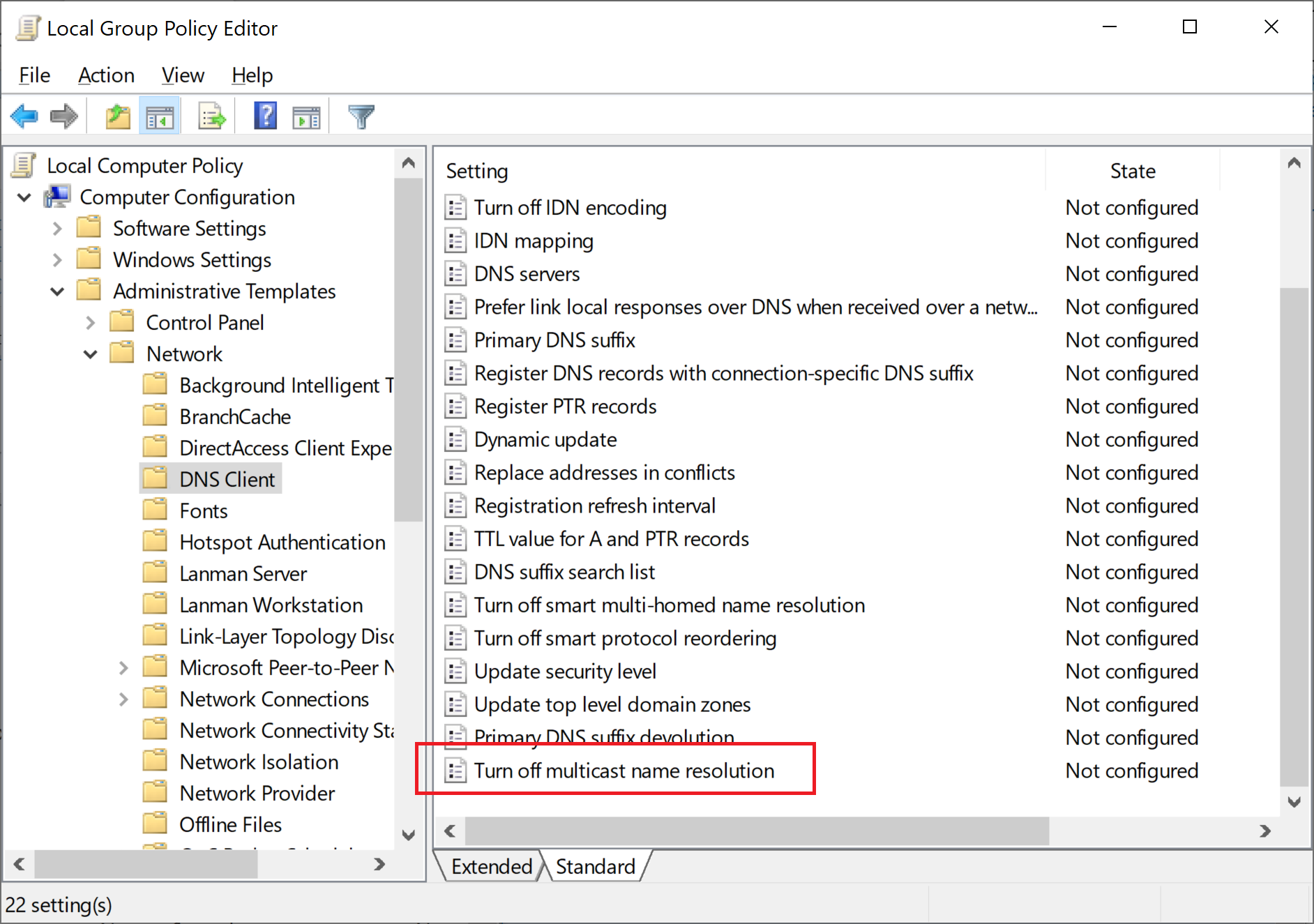
You could set this one to Enabled
If you enable this policy setting, LLMNR will be disabled on all available network adapters on the client computer.
--please don't forget to Accept as answer if the reply is helpful--
This browser is no longer supported.
Upgrade to Microsoft Edge to take advantage of the latest features, security updates, and technical support.
' cx='32' cy='32' r='32' /%3E%3Ctext x='50%25' y='55%25' dominant-baseline='middle' text-anchor='middle' fill='%23FFF' %3EA%3C/text%3E%3C/svg%3E)
Hi, I understnad that mDNS works in small networks when there is no DNS servers which is not the case in my networks. I have a win AD with DNS. Recently, while I was in a wirshark session, I noticed recently, that different devices in my network flooding the network with mDNS messages every 60 seconds or less as you can notice in the snapshot. I have the service Dnscache/DNS client always running but no registry key. So 1st question, if it is a cache service, why devices are sending this? 2nd q, how can I disable it as I have a DNS server? ![40714-mdns.jpg][1] [1]: /api/attachments/40714-mdns.jpg?platform=QnA
Also, can somebody tell me where does eliassal.local come from, it seems that it is a like a host from DNS but I have no machines with such name
You could set this one to Enabled
If you enable this policy setting, LLMNR will be disabled on all available network adapters on the client computer.
--please don't forget to Accept as answer if the reply is helpful--
' cx='32' cy='32' r='32' /%3E%3Ctext x='50%25' y='55%25' dominant-baseline='middle' text-anchor='middle' fill='%23FFF' %3EBC%3C/text%3E%3C/svg%3E)
This GPO does not solve the problem! You will continue to see mDNS traffic.
This person has created an extensive and helpful solution https://f20.be/blog/mdns
It involves setting a registry setting and mDNS parameters.
' cx='32' cy='32' r='32' /%3E%3Ctext x='50%25' y='55%25' dominant-baseline='middle' text-anchor='middle' fill='%23FFF' %3EAF%3C/text%3E%3C/svg%3E)
Have a look here: https://f20.be/blog/mdns
Thanks for this fix and all of the time you spent on documentation!!!
Glad to hear it helps.
Is it something related to a recent update by microsoft?
not that I'm aware of.
I've applied a GPO to disable mDNS. I've double-checked the GPO on the local client. The GPO is correct and applied to Computer settings.
Turn off smart multi-homed name resolution - enabled
Turn off multicast name resolution - enabled
I've also checked the TCP/IP WINS settings disable NetBT so no NetBIOS over TCP/IP. I've disabled this on both network adapters Wired and Wireless. I've removed IPv6 as it's not needed.
When I use Wireshark and ping bob.local I can see MDNS traffic. Why is this protocol still working !!!!
I've used this URL as a reference and have disabled and checked all settings according to this article, even checking the registry!!
http://woshub.com/how-to-disable-netbios-over-tcpip-and-llmnr-using-gpo/
I need to fully disable this protocol per our InfoSec Dept.
Ok, yes enabling this key is preventing now this multicast. But still wondering, why I am having this since last week? Is it something related to a recent update by microsoft?