I recently set up Remote Credential Guard so users could access a Remote Desktop Session Host without needing to enter their credentials (the whole redirecting Kerberos back to the local client etc), but now once my users get in and try running an application over the network, they get this error:
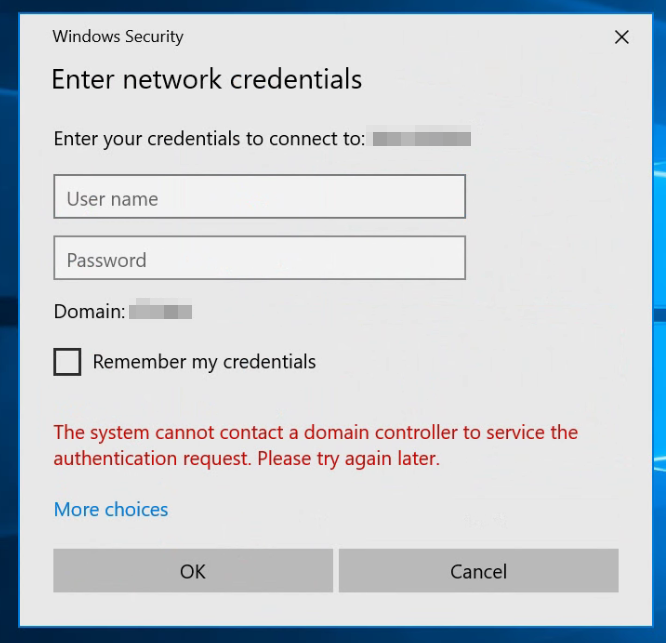
If they enter their domain credentials here, it authenticates successfully, so I'm not sure why it's having trouble doing it the first time on its own. The only difference here is that I set up Remote Credential Guard.
How I did it:
- RD Session Host: Enabled "Computer Configuration > Policies > Administrative Templates > System > Credentials Delegation >"Remote host allows delegation of non-exportable credentials"
- Workstations: Enabled "Computer Configuration > Policies > Administative Templates > System > Credentials Delegation > 'Restrict delegation of credentials to remote servers: Require Remote Credential Guard'"
Any help is greatly appreciated. :)


' cx='32' cy='32' r='32' /%3E%3Ctext x='50%25' y='55%25' dominant-baseline='middle' text-anchor='middle' fill='%23FFF' %3EA%3C/text%3E%3C/svg%3E)