Azure Logic Apps
An Azure service that automates the access and use of data across clouds without writing code.
This browser is no longer supported.
Upgrade to Microsoft Edge to take advantage of the latest features, security updates, and technical support.
' cx='32' cy='32' r='32' /%3E%3Ctext x='50%25' y='55%25' dominant-baseline='middle' text-anchor='middle' fill='%23FFF' %3EAR%3C/text%3E%3C/svg%3E)
Hi,
I want to download the workflow runs from logic app and display to client the details of the Runs (Success or Failure).
To get the Workflow details we have an API to get the information. But there is a process to get the Token , using the credential. I tried to create the token from posting by sending request
https://login.microsoftonline.com/:tenant/oauth2/v2.0/token
I am getting below error while sending request. Do i need to add any other information to get the Token to extract my workflow. Please advice
How to get the Token from Logic app using postman collection to get the Latest Run from workflow

' cx='32' cy='32' r='32' /%3E%3Ctext x='50%25' y='55%25' dominant-baseline='middle' text-anchor='middle' fill='%23FFF' %3ESM%3C/text%3E%3C/svg%3E)
@Aboorva Ramar Thanks for reaching out. You can follow below steps to retrieve the access token and query the logic app workflow. First step is to register you application with the Azure AD tenant and note down the values of tenant ID, client ID, and client secret. You will use these values latest when testing the REST API using the Postman tool.
Sign in to the Azure portal.
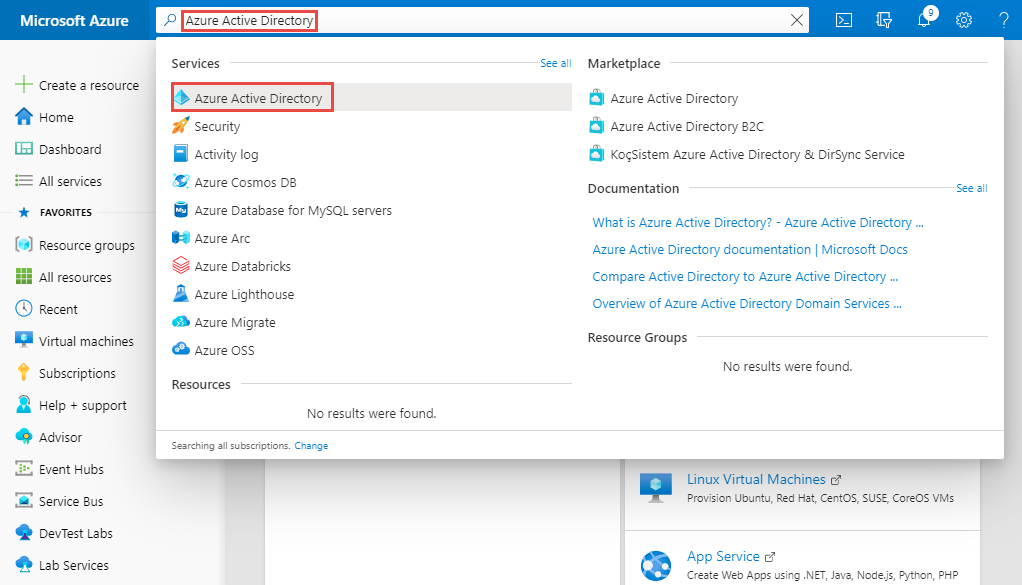
In the search bar, search for Azure Active Directory, and select it from the drop-down list.
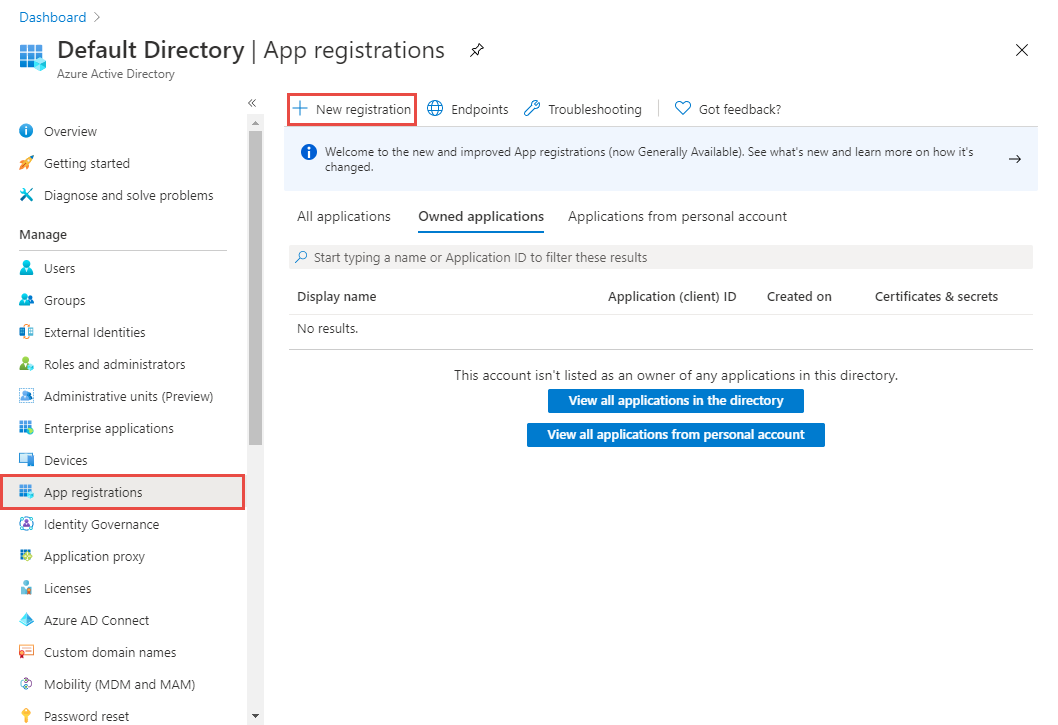
On the Azure Active Directory page, select App Registrations link on the left menu, and then select + New registration on the toolbar.
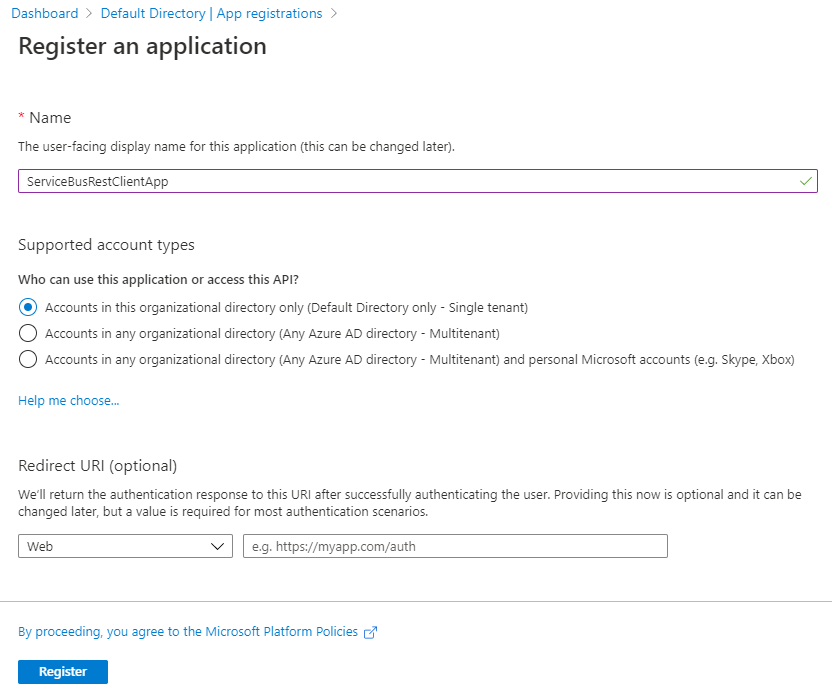
Enter a name for the app, and select Register.
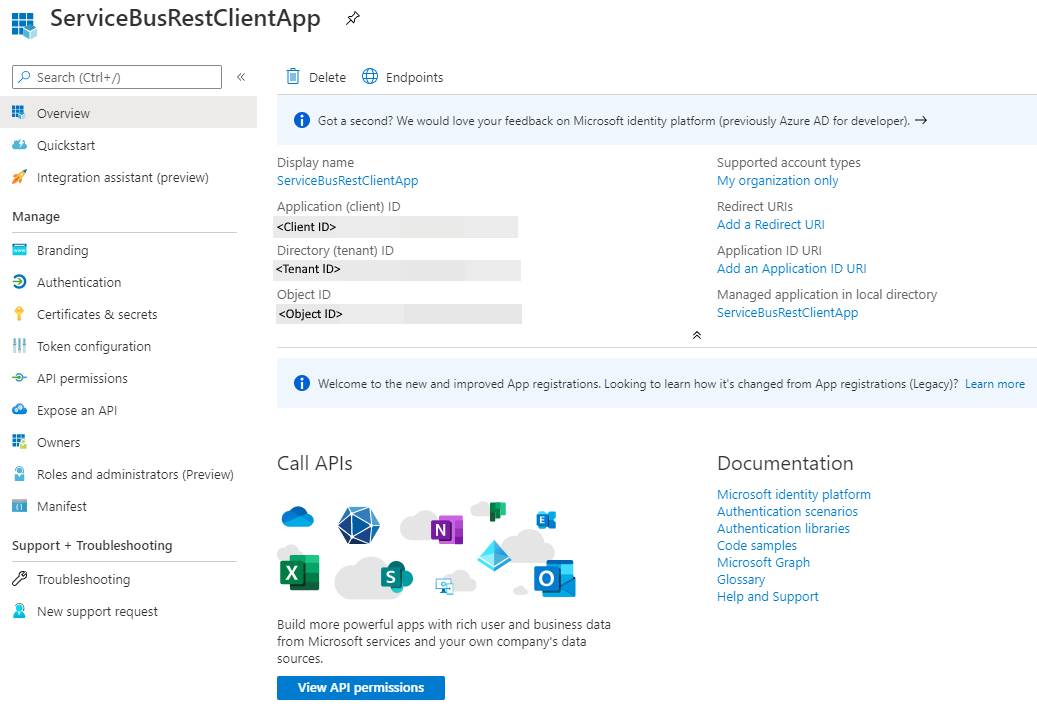
On the home page for the application, note down the values of Application (client) ID and Directory (tenant) ID. You will use these values to get a token from Azure AD.
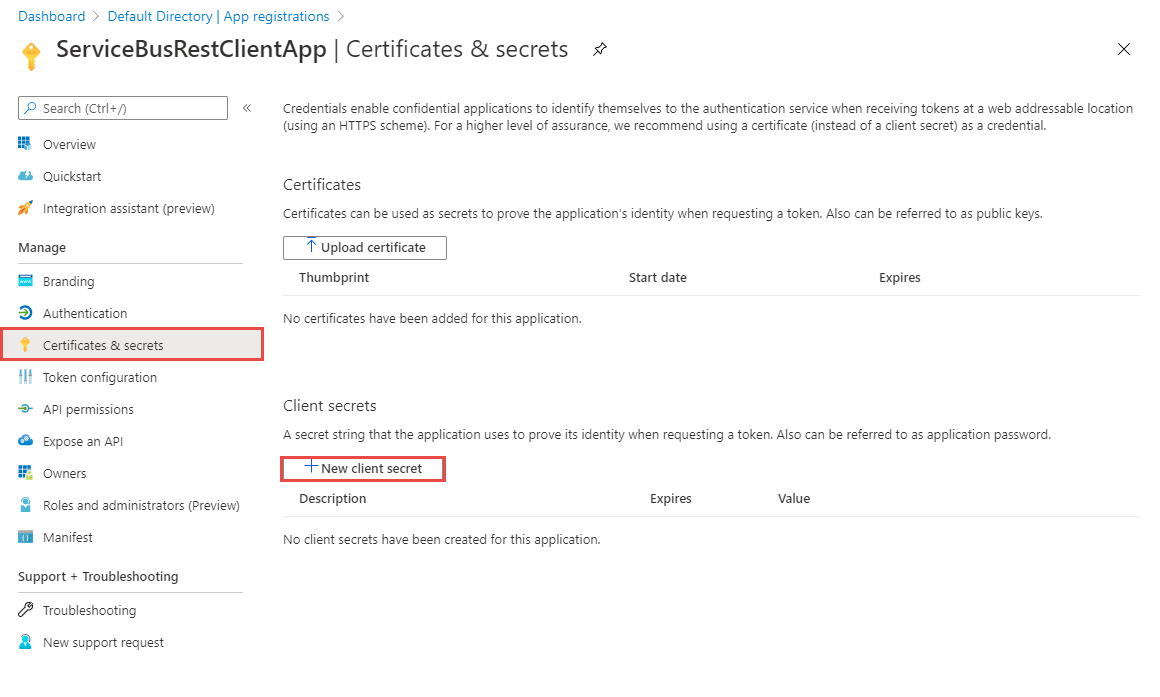
Now, select Certificates & secrets on the left menu, and select + New client secret.
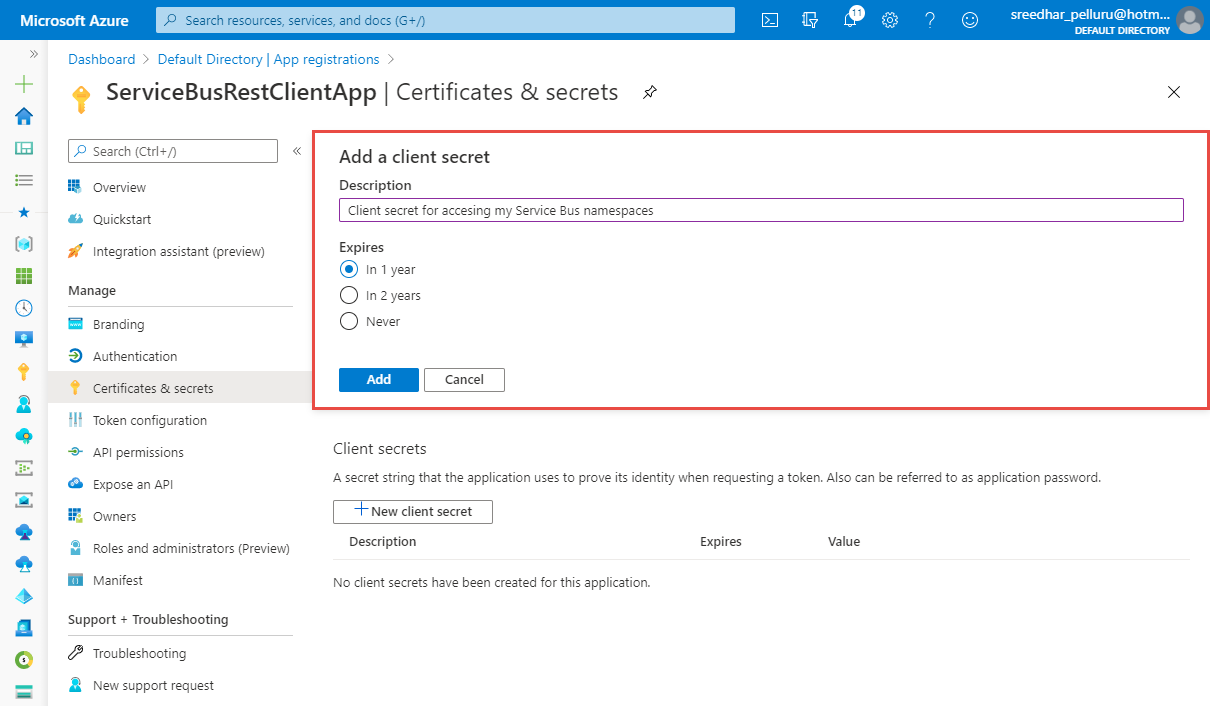
Enter a description, select when the secret will expire, and select Add.
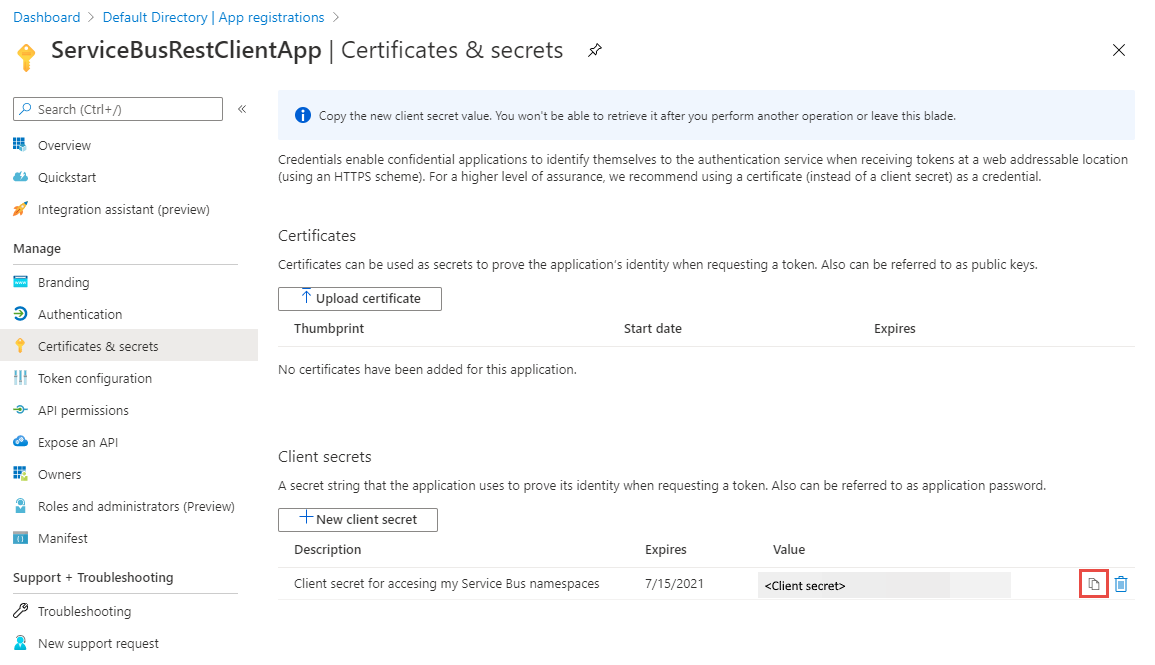
Select the copy button next to the secret value in the Client secrets list to copy the value to the clipboard. Paste it somewhere. You will use it later to get a token from Azure AD.
After creating the application, assign minimum permission roles to the application using role assignment to access logic app.
Querying in Postman:
https://login.microsoftonline.com/<TENANT ID>/oauth2/token. Replace <TENANT ID> with the tenant ID value you copied earlier.application/x-www-form-urlencoded for the value. 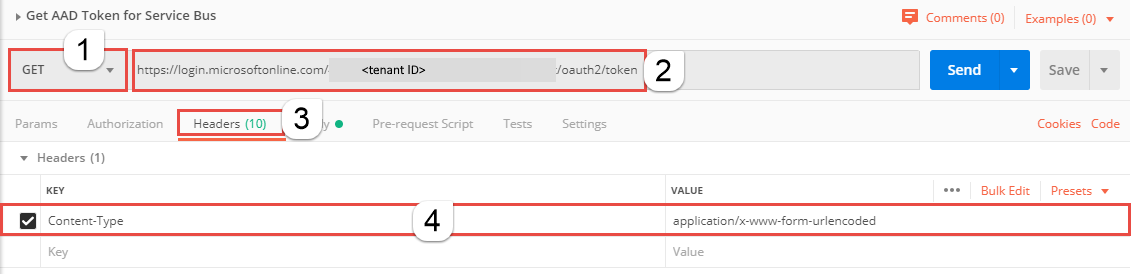
grant_type key, and type client_credentials for the value.client_id key, and paste the value of client ID you noted down earlier.client_secret key, and paste the value of client secret you noted down earlier.resource key, and type https://management.azure.com for the value. 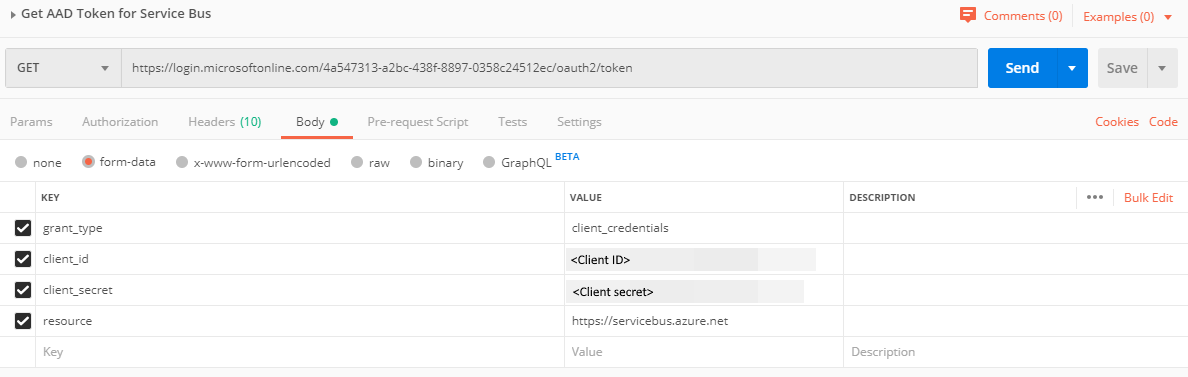
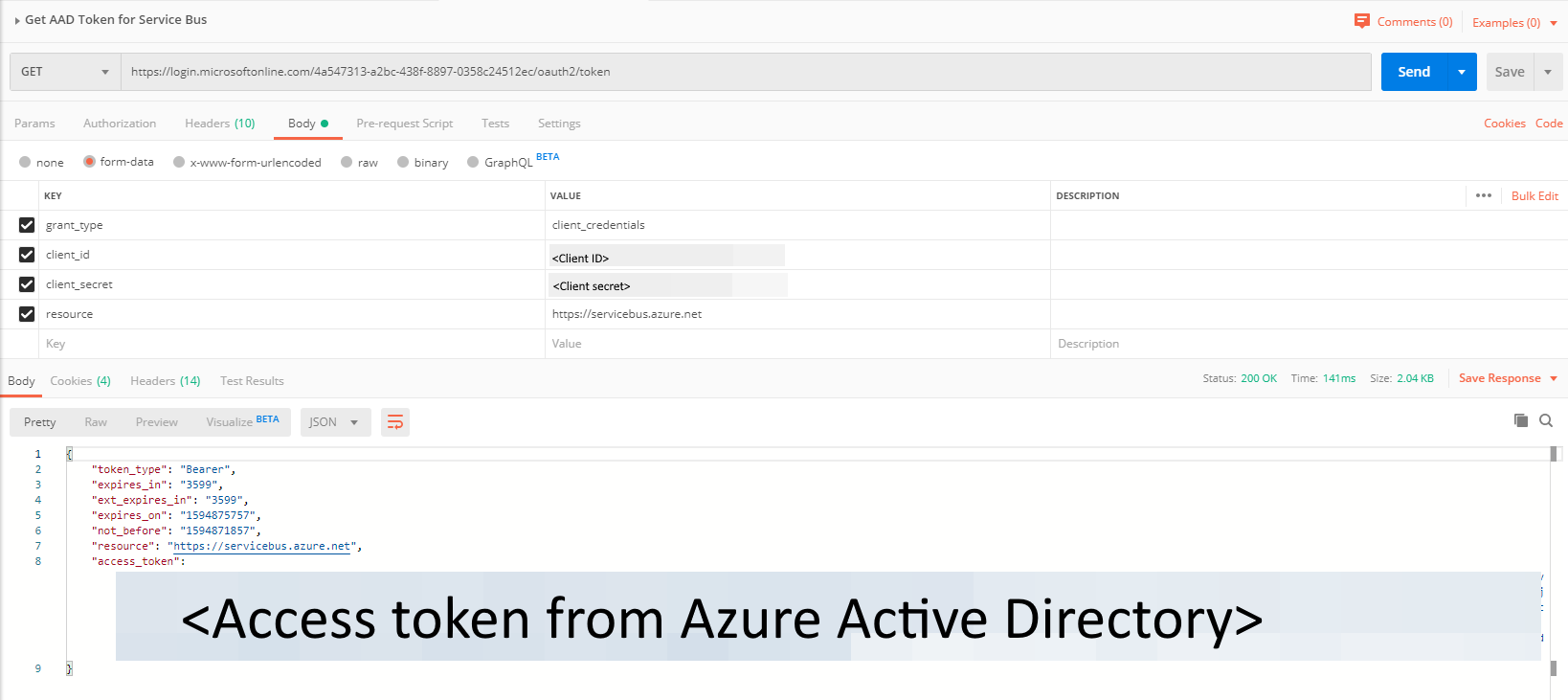
I am able to get the Access Token, but when i use it to extract the workflow details its failing.
  "error": {
        "code": "InvalidAuthenticationTokenAudience",
        "message": "The access token has been obtained for wrong audience or resource '00000002-0000-0000-c000-000000000000'. It should exactly match with one of the allowed audiences 'https://management.core.windows.net/','https://management.core.windows.net','https://management.azure.com/','https://management.azure.com'."
    }
Please advice
@Aboorva Ramar When requesting the access token make sure you have specified resource key. For instance,
Yes I have used the resource and get the Token.
When i used Scope i got different error, when using resource in the Key
{
    "error": {
        "code": "AuthorizationFailed",
        "message": "The client '760ea0df-7587-4716-8f45-791af441dc3d' with object id '760ea0df-7587-47-8f45-791af441dc3d' does not have authorization to perform action 'Microsoft.Logic/workflows/runs/read' over scope '/subscriptions/64bda256-a190-4854-b8cc-8871c8592e88/resourceGroups/Freight_Mart/providers/Microsoft.Logic/workflows/FreightMart_P' or the scope is invalid. If access was recently granted, please refresh your credentials."
    }
}
@Aboorva Ramar Kindly provide necessary RBAC permissions to the client id to access the logic app workflows.
Reference:
I tried to update and provided all the permission but still its not working please let me know what i am missing
    "error": {
        "code": "AuthorizationFailed",
        "message": "The client '760ea0df-7587-4716-8f45-791af441dc3d' with object id '760ea0df-7587-4716-8f45-791af441dc3d' does not have authorization to perform action 'Microsoft.Logic/workflows/runs/read' over scope '/subscriptions/64bda256-a190-4854-b8cc-8871c8592e88/resourceGroups/Seaway/providers/Microsoft.Logic/workflows/Seaway_PRD_DDRBatchEmail_To_CWBankSFTP' or the scope is invalid. If access was recently granted, please refresh your credentials