Why is my GUI app breaking when running.

Anonymous
2024-05-29T10:55:04.66+00:00

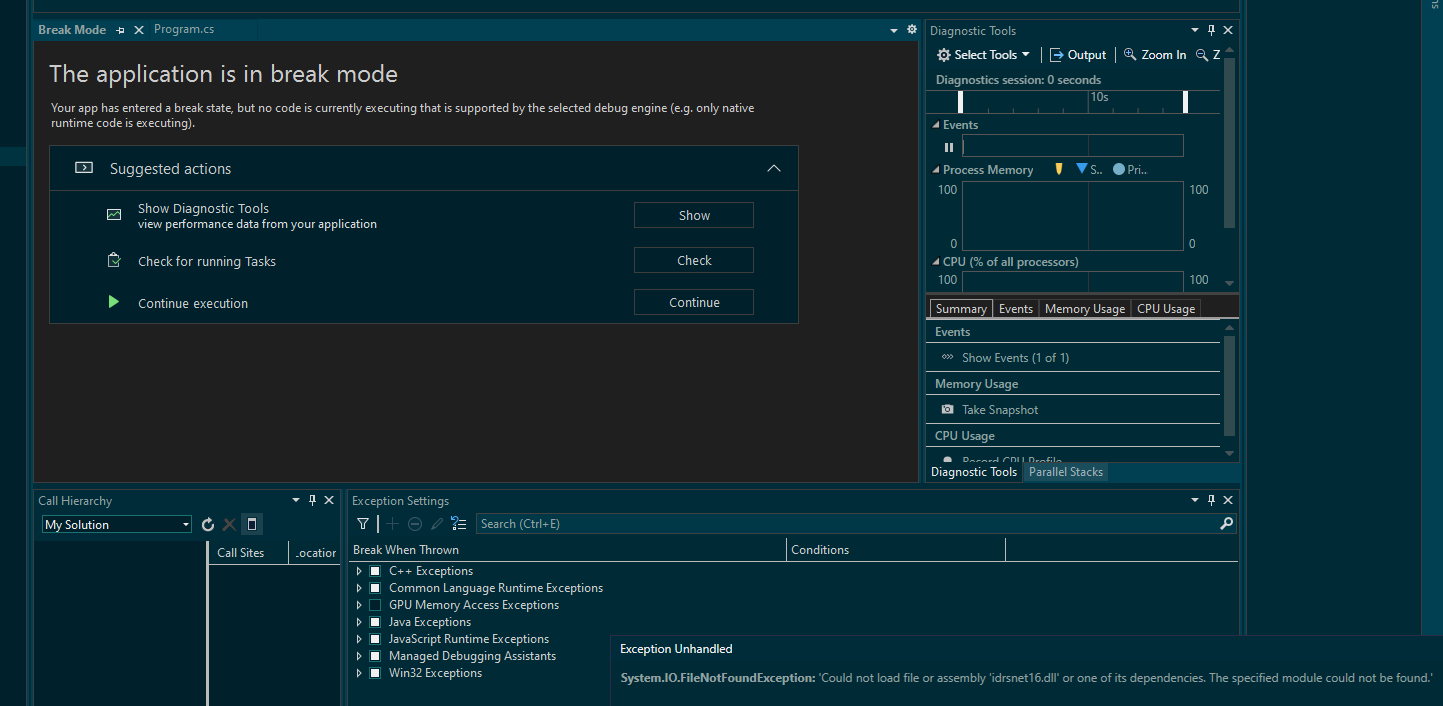
I have a GUI app which should load the designer content, but fails and goes to break state. It seems there is a problem loading a DLL file, but another version (on another machine) is running OK.

Version is visual studio community 2022 64bit 17.10.0.

In break mode none of the tasks buttons here helps:
User's image

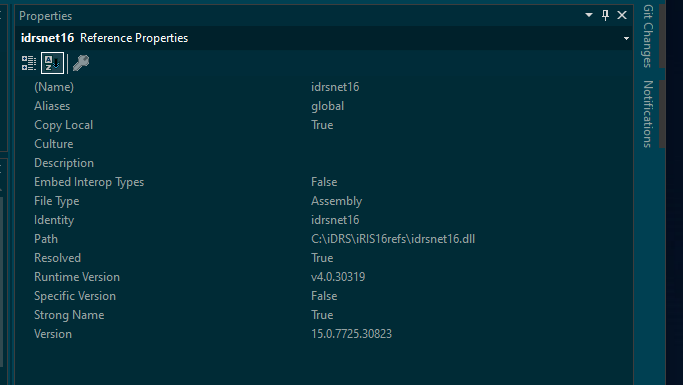
I've checked the location and access to the DLL file:
User's image

Details of the Exception message:

System.IO.FileNotFoundException

HResult=0x8007007E

Message=Could not load file or assembly 'idrsnet16.dll' or one of its dependencies. The specified module could not be found.

Source=<Cannot evaluate the exception source>

StackTrace:

<Cannot evaluate the exception stack trace>

"Could not load file or assembly 'idrsnet16.dll' or one of its dependencies. The specified module could not be found"

The program '[36572] OwnDocPrompt.exe' has exited with code 4294967295 (0xffffffff).

Developer technologies | Visual Studio | Other
A family of Microsoft suites of integrated development tools for building applications for Windows, the web, mobile devices and many other platforms. Miscellaneous topics that do not fit into specific categories.
Developer technologies | C#
An object-oriented and type-safe programming language that has its roots in the C family of languages and includes support for component-oriented programming.
{count} votes

1 answer

Sort by: Most helpful
  1. Anna Xiu-MSFT 31,156 Reputation points Microsoft External Staff
    2024-05-30T03:34:37.08+00:00

    Hi @Per Jensen, 

    Welcome to Microsoft Q&A!

    What is your build configuration? If it is Debug mode, please change it to Release and try again.

    Please copy the assembly ‘idrsnet16.dll’ into the directory of your application executable. And try to set the Build Platform Target to x86 or x64 so that it is compatible with your DLL. 

    You can also close all running VS instances and delete the hidden .vs folder in the project folder.

    Then, re-launch the VS, rebuild and debug your project. 

    Sincerely,

    Anna


    If the answer is the right solution, please click "Accept Answer" and kindly upvote it. If you have extra questions about this answer, please click "Comment".  Note: Please follow the steps in our documentation to enable e-mail notifications if you want to receive the related email notification for this thread.

    0 comments No comments

Your answer

Answers can be marked as 'Accepted' by the question author and 'Recommended' by moderators, which helps users know the answer solved the author's problem.