Microsoft 365 and Office | SharePoint Server | For business
A family of Microsoft on-premises document management and storage systems.

This browser is no longer supported.
Upgrade to Microsoft Edge to take advantage of the latest features, security updates, and technical support.
' cx='32' cy='32' r='32' /%3E%3Ctext x='50%25' y='55%25' dominant-baseline='middle' text-anchor='middle' fill='%23FFF' %3ES6%3C/text%3E%3C/svg%3E)
I have a a script editor having dropdown control. The value automatically fills via Jquery on load.
<select name="items" id="ctl00_DropDownChoice">
<option value="_select">_select</option>
</select>
I am assigning selected text value to hidden SPlist text field. The text everything retains but the custom dropdown value selected doesn't retain but display "_Select" instead of selected value when submit list item and when missing required field validation happens.
I tried global variable assigning selected values and document ready set dropdown value with global variable, it doesnt work. A kind of postback is what required. Please help.
A family of Microsoft on-premises document management and storage systems.
A group of Microsoft Products and technologies used for sharing and managing content, knowledge, and applications.
The process of building custom solutions for SharePoint Server.
Answer accepted by question author

Hi @ShridharHegde-2034,
The options filled in the dropdown control come from an asynchronous request. When the page reloads, $('#CT100_DropdownChoice').val(selItem); won't take effect as there is no such an option at that time.
So you can put the above snippet in the callback of the request:
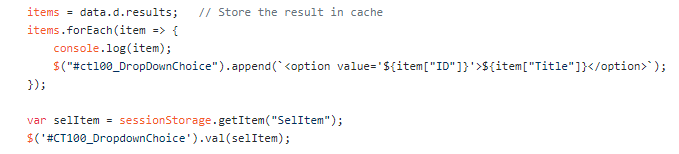
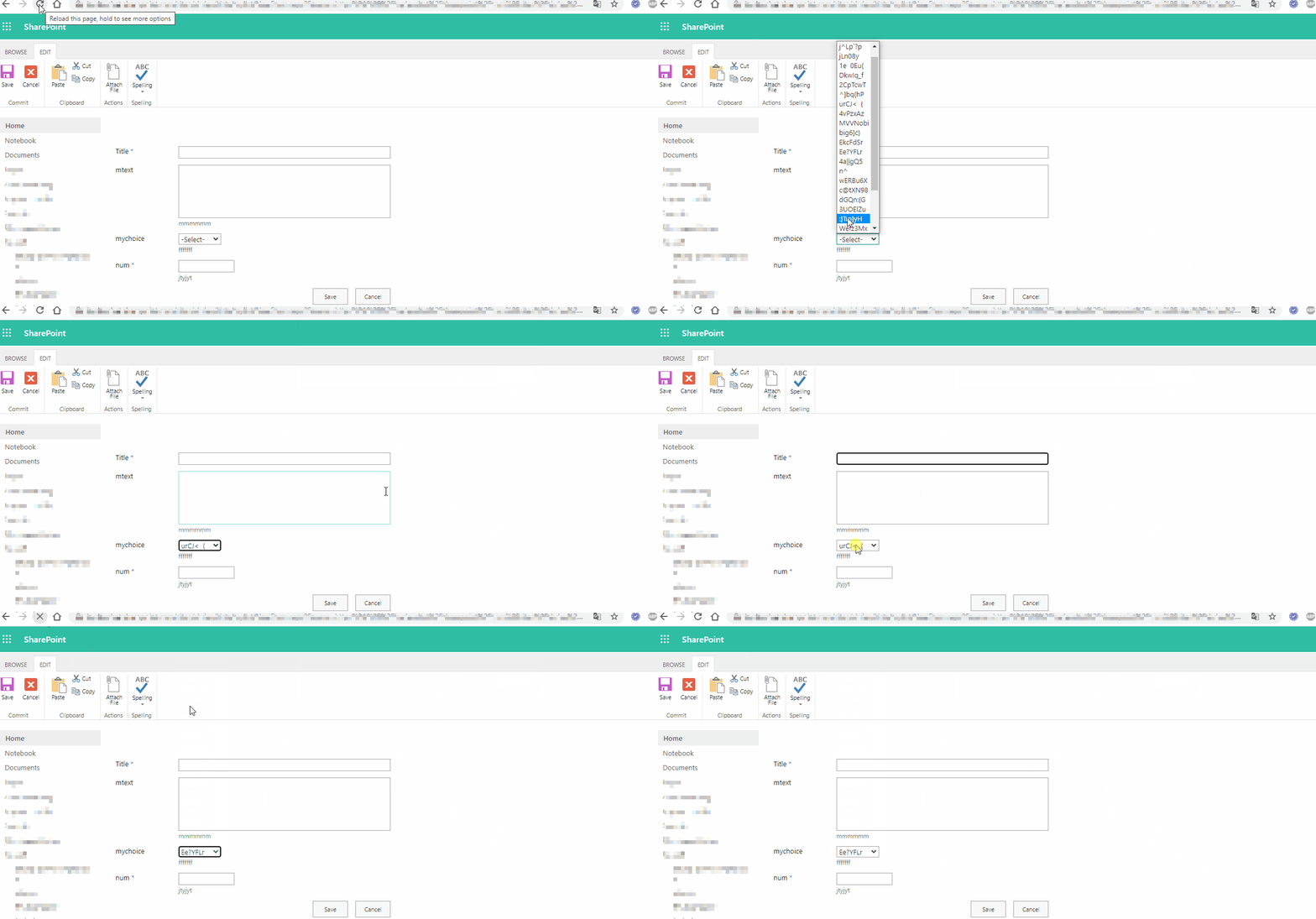
Test:
Best Regards,
Baker Kong
If an Answer is helpful, please click "Accept Answer" and upvote it.
Note: Please follow the steps in our documentation to enable e-mail notifications if you want to receive the related email notification for this thread.
That's exactly what its working. Thanks so much!