
That usually indicates that the Windows Search component is not installed on your computer, isn't running or has other issues.
This browser is no longer supported.
Upgrade to Microsoft Edge to take advantage of the latest features, security updates, and technical support.
' cx='32' cy='32' r='32' /%3E%3Ctext x='50%25' y='55%25' dominant-baseline='middle' text-anchor='middle' fill='%23FFF' %3ETS%3C/text%3E%3C/svg%3E)
when i open outlook and search in , at the same time the Microsoft office package installation appear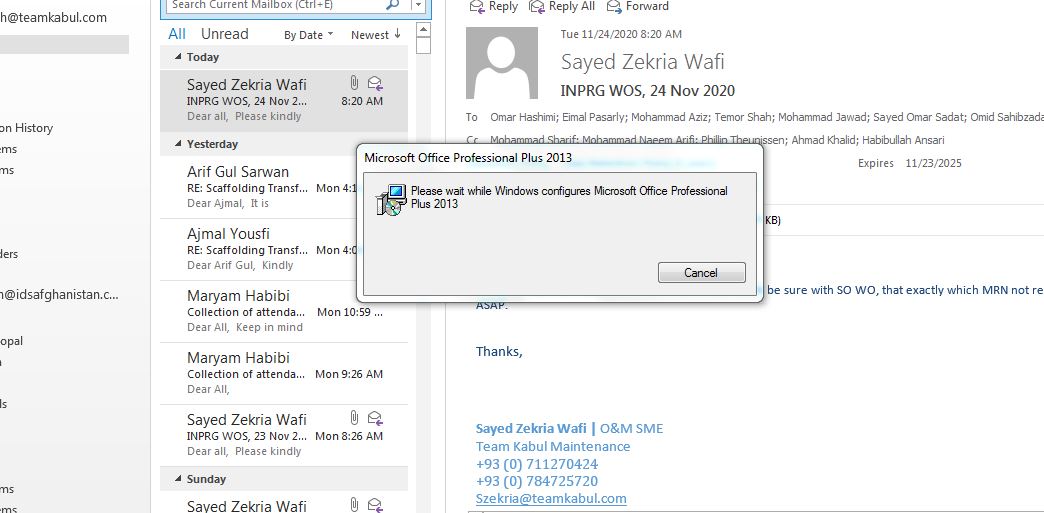

That usually indicates that the Windows Search component is not installed on your computer, isn't running or has other issues.
guys need your help belong my issue

Hi @Temor Shah ,
Agree with @Robert Sparnaaij [MVP] . Outlook search feature is based on windows search and usually if the Windows Search Service isn't installed, prompts like this would occur when using search feature. Please just wait for the installation process to end or you can enable Windows Search manually and see if you can continue to use Outlook normally. You can check the steps mentioned in this document: Please wait while Windows configures Microsoft Office.
Hope this can be helpful.
If an Answer is helpful, please click "Accept Answer" and upvote it.
Note: Please follow the steps in our documentation to enable e-mail notifications if you want to receive the related email notification for this thread.
Hi @Temor Shah ,
Just checking in to see if above information was helpful. If you have any further updates on this issue, please feel free to post back.

I have a company email and I can send but I am not receiving emails. Can you help me?