Domain controller using SMB1

Kamran Ahmed 271 Reputation points
2020-11-26T15:15:02.893+00:00

Hi,

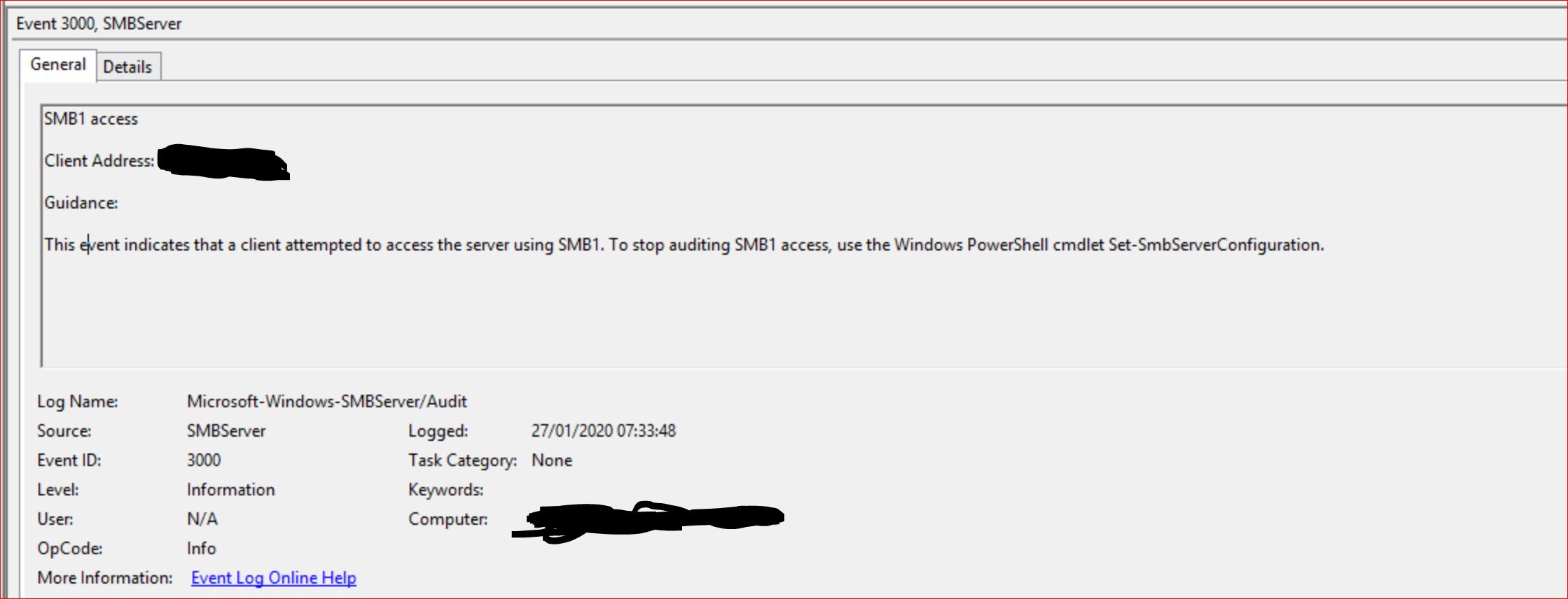
Part of a remediation task I'm disabling SMB1 on domain controllers, i have enabled SMB1 auditing and found that there are several domain controllers trying to access another domain controller using SMB1? I have looked through the logs but can't find anything obvious, is there a reason why a domain controller behave this way?

Thanks in advance.

Windows for business | Windows Client for IT Pros | Directory services | Active Directory
Windows for business | Windows Server | User experience | Other
0 comments No comments
{count} votes

5 answers

Sort by: Most helpful
  1. Vicky Wang 2,741 Reputation points
    2020-11-27T07:55:37.943+00:00

    the answer is simple, all SMB servers. Domain controllers are a good example, client computers and member servers use SMB to access SYSVOL and NETLOGON shares to apply group policy, so domain controllers are servers to audit. File and print servers also need to be audited.

    In my scenario I have three concerned servers: DC01 and DC02 are domain controllers, MEM01 is a file server. All of them are running Windows Server 2012 R2.

    To enable SMB v1 auditing on Windows Server 2012 R2 run the PowerShell command:

    Set-SmbServerConfiguration -AuditSmb1Access $true

    reference:https://azurecloudai.blog/2018/12/17/step-by-step-safely-disabling-smb-v1-from-your-production-environment/

    Tip: This answer contains the content of a third-party website. Microsoft makes no representations about the content of these websites. We provide this content only for your convenience.

    Hope this information can help you
    Best wishes
    Vicky

    1 person found this answer helpful.
    0 comments No comments

  2. Anonymous
    2020-11-26T15:21:29.23+00:00

    What operating systems are involved? Something here may help.
    https://learn.microsoft.com/en-us/windows-server/storage/file-server/troubleshoot/detect-enable-and-disable-smbv1-v2-v3

    --please don't forget to Accept as answer if the reply is helpful--

    0 comments No comments

  3. Kamran Ahmed 271 Reputation points
    2020-11-26T15:29:23.38+00:00

    These are Windows Server 2008 R2 and 2012 R2 with 2008R2 domain/forest functional level.
    I have followed that document and it is useful for setting up auditing which i have but i can't see anything obvious on the domain controllers, there are no shares except netlogon and sysvol.

    In the screenshot the client address is the hostname of the domain controller.

    43050-smb1.jpg

    0 comments No comments

  4. Anonymous
    2020-11-26T15:40:08.32+00:00
    0 comments No comments

  5. Thameur-BOURBITA 36,491 Reputation points Moderator
    2020-11-27T22:15:47.893+00:00

    Hi,

    *Part of a remediation task I'm disabling SMB1 on domain controllers, i have enabled SMB1 auditing and found that there are several domain controllers trying to access another domain controller using SMB1? *

    Check if you have also disabled also smbv1 client on each domaine controller, you can refer to the following link to get more details about how disable and enable smbv1 client:

    detect-enable-and-disable-smbv1-v2-v3

    Please don't forget to mark this reply as answer if it help you to fix your issue

    0 comments No comments

Your answer

Answers can be marked as 'Accepted' by the question author and 'Recommended' by moderators, which helps users know the answer solved the author's problem.