Microsoft Security | Microsoft Entra | Microsoft Entra ID
A cloud-based identity and access management service for securing user authentication and resource access

This browser is no longer supported.
Upgrade to Microsoft Edge to take advantage of the latest features, security updates, and technical support.
' cx='32' cy='32' r='32' /%3E%3Ctext x='50%25' y='55%25' dominant-baseline='middle' text-anchor='middle' fill='%23FFF' %3EM%3C/text%3E%3C/svg%3E)
I've added a guest user to our Azure AD (they are to handle billings). The user keeps getting thrown back to the consent form, as seen below.
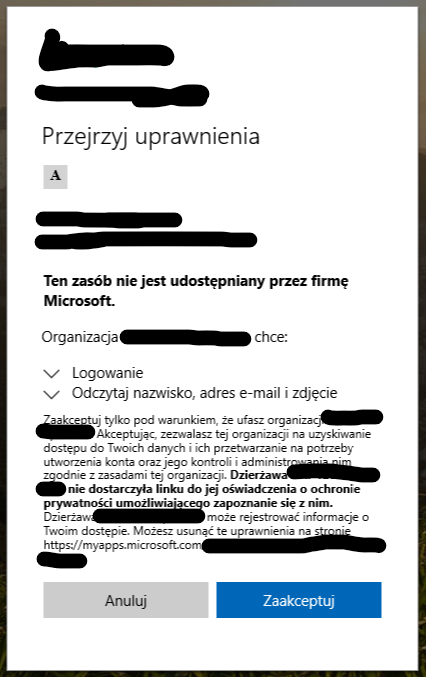
What's going on?
' cx='32' cy='32' r='32' /%3E%3Ctext x='50%25' y='55%25' dominant-baseline='middle' text-anchor='middle' fill='%23FFF' %3EMT%3C/text%3E%3C/svg%3E)
Can you ask them to try logging in using a new browser in an incognito window to see if they face this same issue?
If they're accessing an application you may need to grant admin consent to solve this problem. https://learn.microsoft.com/en-us/azure/active-directory/manage-apps/grant-admin-consent
Also, you may need to enable user access to Enterprise apps. From your Admin portal, go to Admin Centers > Azure AD > Users and Groups > User Settings then make sure "Users can consent to apps accessing company data on their behalf" is enabled.