Microsoft 365 and Office | SharePoint | For business | Windows
A group of Microsoft Products and technologies used for sharing and managing content, knowledge, and applications.

This browser is no longer supported.
Upgrade to Microsoft Edge to take advantage of the latest features, security updates, and technical support.

cannot open attachment in list view. While moving the cursor on attachment icon in a list where there is an attachment, the cursor does not change.

Hi @parwaze sadool ,
Would you tell me whether your issue has been resolved or have any update ?
I am looking forward to your reply.
Have a nice day!
Hi @parwaze sadool ,
Have you tried this solution?
I am looking forward to your reply.
I wish you all the best!
Hello @parwaze sadool ,
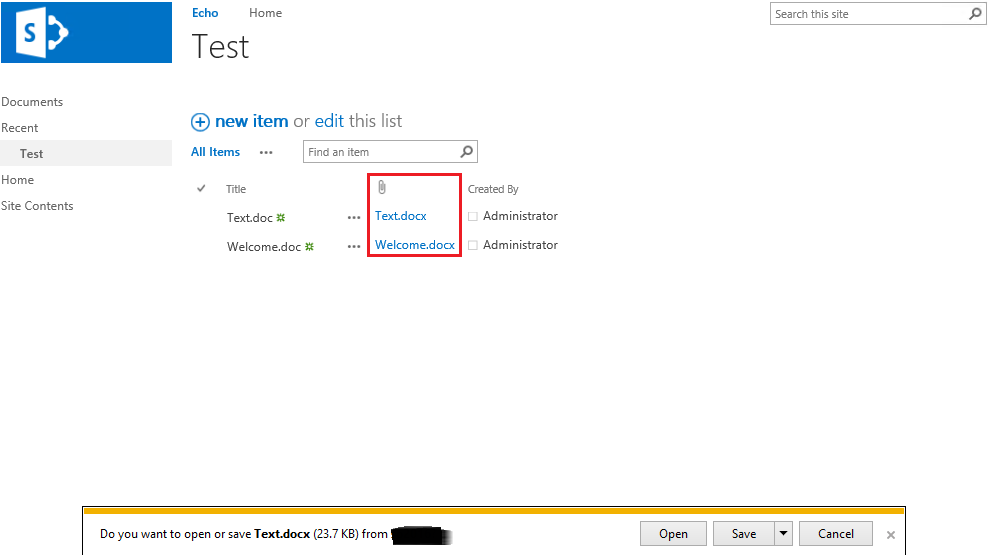
By default, if you add the “Attachments” column to your list views, you get a column that only shows a paperclip icon (see below) if there are any attachments. Clicking that paperclip also won’t open any attachment or the list item to view them. It’s strictly an image.
You can refer to the following steps to achieve the "Display attachments name and click name can open the files in List View".
Step1: Copy and paste this code into a new file in your Site Assets folder as showAttachments.js
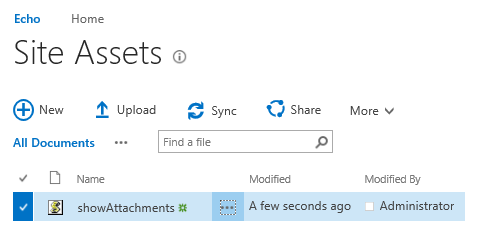
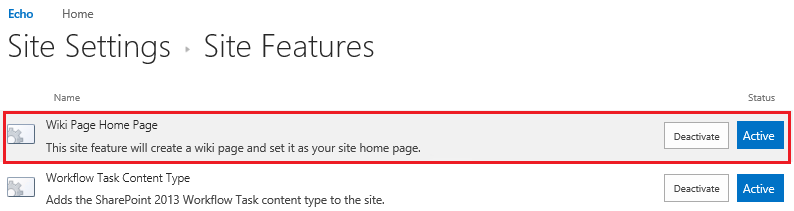
Note: If you do not see Site Assets on the Site Contents page, please go to the Site settings to enable “Wiki Page Home Page” feature.
Step2: Go to the specific List >> click on Edit page
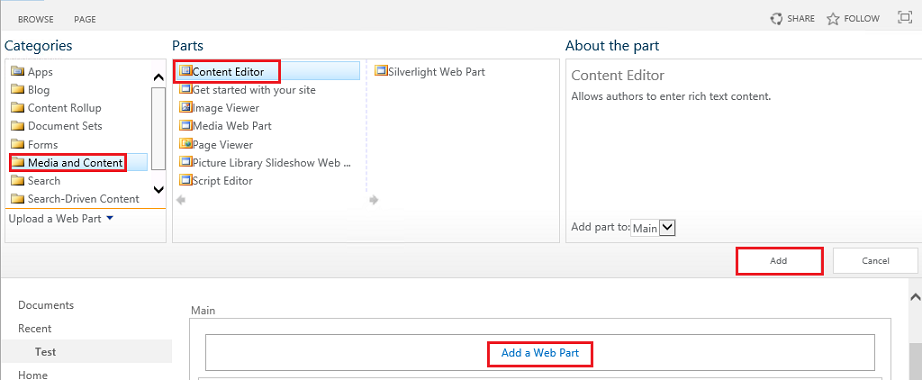
Step3: On the editing page, add a Content Editor web part
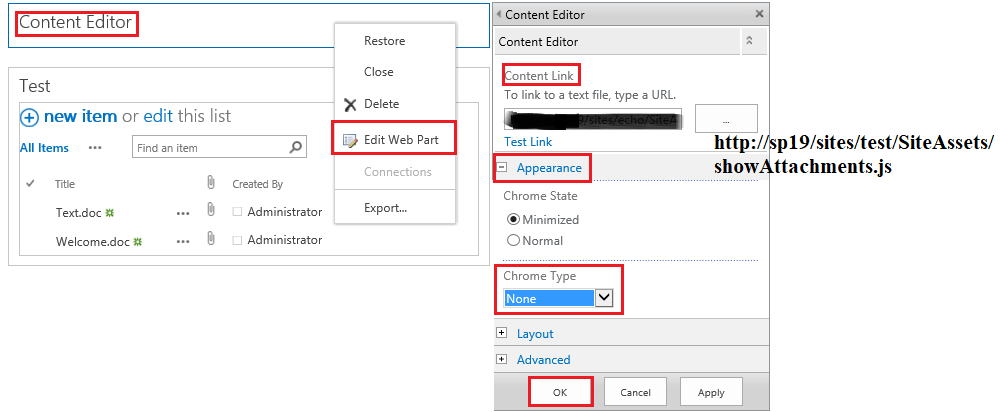
Step4: Edit Web Part >> paste the URL to the script you saved earlier in the Content Link box>> expand “Appearance” and set Chrome Type to “None” >> click OK
Step5: Save the page/stop editing.
Effect Figure:
Thanks,
Echo Du
===================
If an Answer is helpful, please click "Accept Answer" and upvote it.
Note: Please follow the steps in our documentation to enable e-mail notifications if you want to receive the related email notification for this thread.
Hi EchoDu-MSFT.
Sorry for the late reply.
Thanks for the detailed response with pictures. It was very very helpful. I have tried it and it's working fine.
Thank You.