' cx='32' cy='32' r='32' /%3E%3Ctext x='50%25' y='55%25' dominant-baseline='middle' text-anchor='middle' fill='%23FFF' %3EAS%3C/text%3E%3C/svg%3E)

' cx='32' cy='32' r='32' /%3E%3Ctext x='50%25' y='55%25' dominant-baseline='middle' text-anchor='middle' fill='%23FFF' %3ELL%3C/text%3E%3C/svg%3E)
Hi @Austin Sundar ,
Please run the following script to view the all group names from a nested group, "Group Name" means the group you want to view:
Function Get-ADNestedGroups {
    param($Members)

    foreach ($member in $Members) {
        $out = Get-ADGroup -filter "DistinguishedName -eq '$member'" -properties members
        $out | Select-Object Name
        Get-ADNestedGroups -Members $out.Members
    }
}

$group = "Group Name"
$members = (Get-ADGroup -Identity $group -Properties Members).Members
Get-ADNestedGroups $members
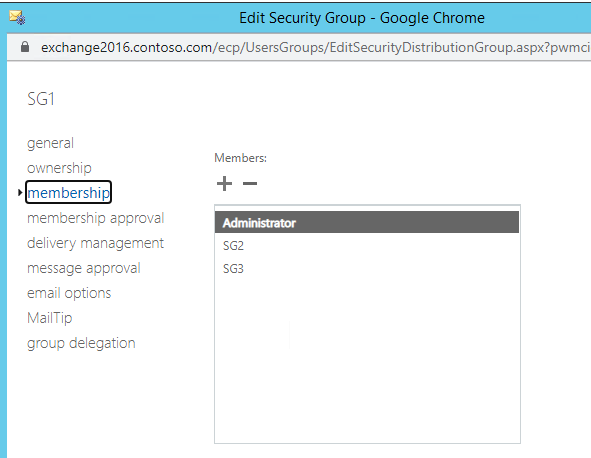
Screenshot below is my test in my lab environment, the Organization Management group contain SG1, SG1 contain SG2 and SG3, then I run the above script could view the all group name in the Organization Management group:

----------
If the response is helpful, please click "Accept Answer" and upvote it.
Note: Please follow the steps in our documentation to enable e-mail notifications if you want to receive the related email notification for this thread.

' cx='32' cy='32' r='32' /%3E%3Ctext x='50%25' y='55%25' dominant-baseline='middle' text-anchor='middle' fill='%23FFF' %3EDM%3C/text%3E%3C/svg%3E)