Azure Data Factory
An Azure service for ingesting, preparing, and transforming data at scale.
This browser is no longer supported.
Upgrade to Microsoft Edge to take advantage of the latest features, security updates, and technical support.
' cx='32' cy='32' r='32' /%3E%3Ctext x='50%25' y='55%25' dominant-baseline='middle' text-anchor='middle' fill='%23FFF' %3ETC%3C/text%3E%3C/svg%3E)
Greetings everyone
I am new to data factory and need some assistance. I am copying files from an on-prem storage to ADLSgen2. I have created a copy pipeline which has the following sequence:
The files have this format D_OGY_20200916_094812_00.CSV. I am interested in extracting the date and use it as start and end date inorder to copy only files that correspond to that date.
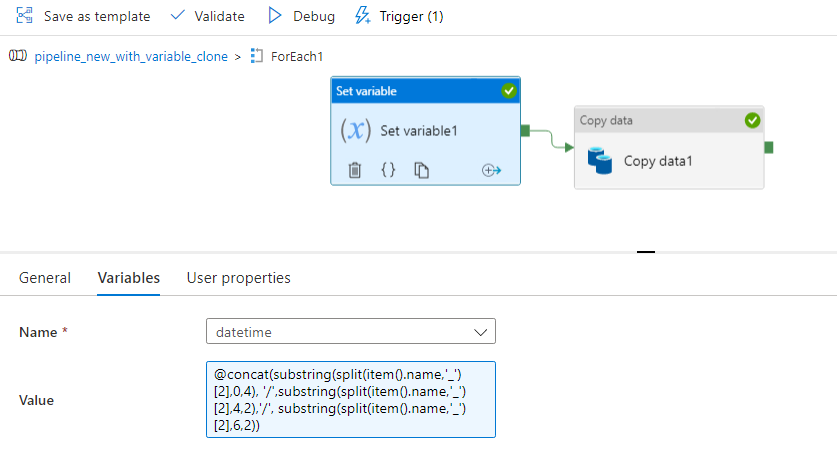
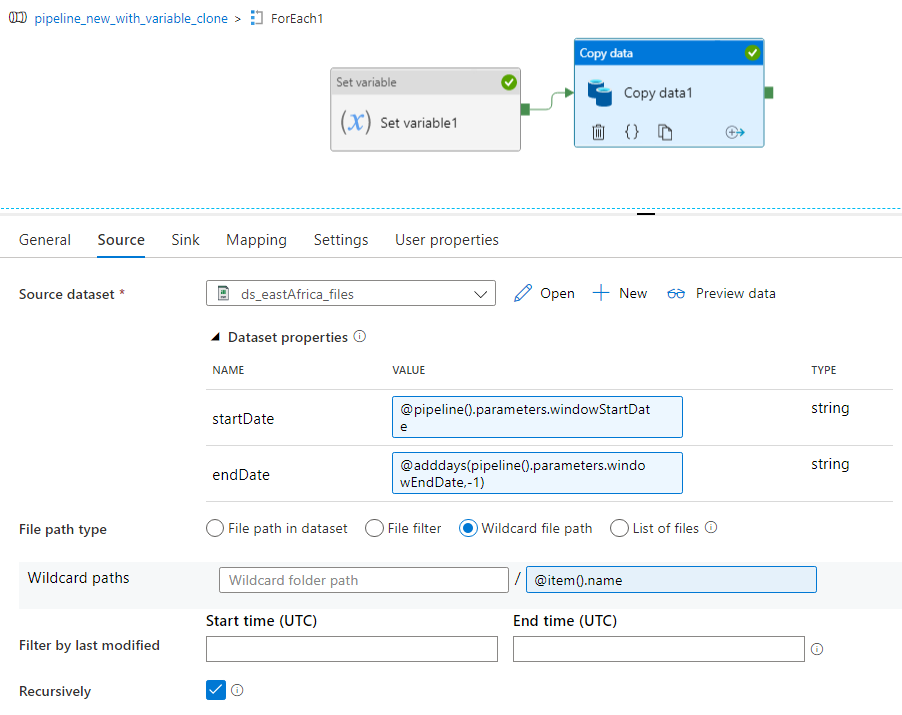
So I am creating a date partition in my sink based on the set variable activity output. The pipeline is working well but now i want it to backdate and load historical data. I have created a parameter startDate and endDate so i can load the string set in my variable dynamically. Is it possible, if so your input will be greatly appreciated.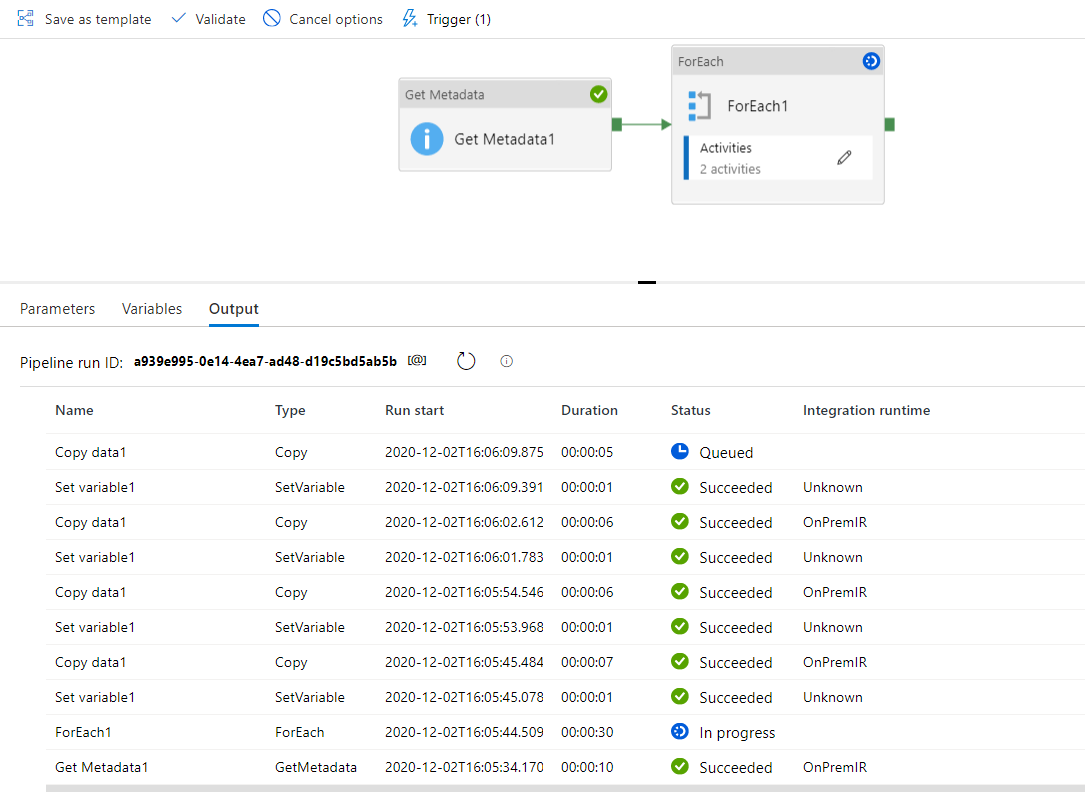
I want to use a tumbling window trigger so i can be able to pass the startDate and endDate to load the data. Thanks in advance!
' cx='32' cy='32' r='32' /%3E%3Ctext x='50%25' y='55%25' dominant-baseline='middle' text-anchor='middle' fill='%23FFF' %3EH%3C/text%3E%3C/svg%3E)
Thanks for clarifying the ask .
Look the date is substring which you are reading from the file name and so you cannot use that way .
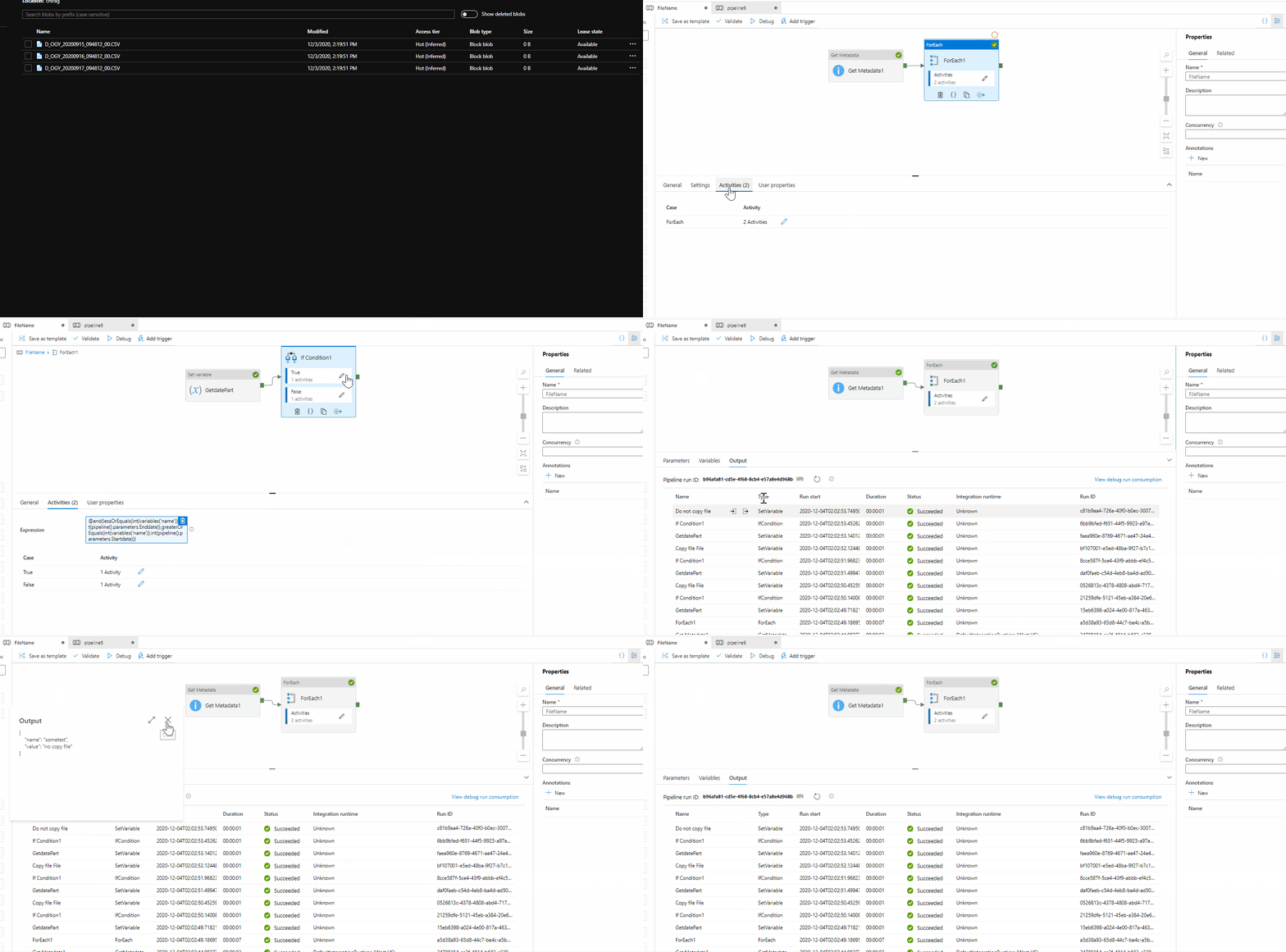
I did work on this and introducing an if activity will help you validate if the file name ( i mean the date part is in the range )
is to be copied or not . I used the below expression in the IF activity
@ANDO (lessOrEquals(int(variables('name')),int(pipeline().parameters.Enddate)),greaterOrEquals(int(variables('name')),int(pipeline().parameters.Startdate)))
variables('name') : captures the file name eg "20200916"( you already have the expression for that )
Inside the IF activity , you should place the COPY activity in "True" condition .
Though the logic is simple , I am sharing the animation .
Also you will have to convert the Startdate and EndDate paramters to yyyyMMdd format by using @formatDateTime(pipeline().parameters.startdate,'yyyyMMdd')
I have hardcoded that in the solution to have a quick test .
Note : I am not adding the copy activity as I think you have already figured out that .
Thanks Himanshu
Please do consider to click on "Accept Answer" and "Upvote" on the post that helps you, as it can be beneficial to other community members.
This works extremely well, thank you very much.
Hello @Tinashe Chinyati ,
Thanks for the post .
Couple of things , you mentioned "The files have this format D_OGY_20200916_094812_00.CSV. I am interested in extracting the date and use it as start and end date inorder to copy only files that correspond to that date." , can you please elaborate this ?
Also you have added and the start and end date as parameter in the dataset , at this point I am not sure as to how are you using the parameter .
Anyways as it turns out I dont think this will work for you , the reason being the copy activity is inside the for each loop ( FE ) loop which is taken the input from the Getmetadata activity . If i where you I think I could have focused on the getdata activitvy to get all the files to be copied .
Yes TW trigger shoulds help .
Let me know if you have questions .
Thanks
Himanshu
Hi @HimanshuSinha . Thank you for your response. The files I am copying have this format D_OGY_20200916_094812_00.CSV and I already extract the date 20200916 using the set variable activity inside my foreach loop. So every time a new files comes in my source storage it will be automatically copied to its respective date based on the timestamp on the filename eg D_OGY_20200916_094812_00.CSV will be sinked to a Year=2020, Month=09 and Day=16, D_OGY_20201203_094812_00.CSV in Year=2020, Month=12 and Day=03 etc.
Now the question is how to create parameters/variables to be passed in my tumbling window trigger in order to copy historical data based on the start and end date parameters.
eg. copying only files from 20200916 to 20200920. 

 !
!
Hi @HimanshuSinha , thank you for your response. The files have the format D_OGY_20200916_094812_00.CSV and I already extract the date using the set variable activity. So for every file in my source the pipeline looks at the filename then sinks that file into its respective folder in the datalake eg D_OGY_20200916_094812_00.CSV will be inside Year=2020, Month=09 & Day=16, D_OGY_20201020_094812_00.CSV in Year=2020,Month=10 & day=20 etc. below is my initial pipeline without parameters and we need to be able to pass in a start & end date in the tumbling to copy historical files based on that eg files from 2020-09-16 to 2020-09-20 only.


