Azure Logic Apps
An Azure service that automates the access and use of data across clouds without writing code.
This browser is no longer supported.
Upgrade to Microsoft Edge to take advantage of the latest features, security updates, and technical support.
' cx='32' cy='32' r='32' /%3E%3Ctext x='50%25' y='55%25' dominant-baseline='middle' text-anchor='middle' fill='%23FFF' %3EM2%3C/text%3E%3C/svg%3E)
Hi,
I am attempting to deploy a Logic App via ARM Template via Azure DevOps Release Pipeline (ARM template deployment task). I'm using an ARM Template as well as a parameters file.
The deployment is successful, the Logic App and its API connections show up in Azure Portal, however in my Logic App's Web Designer, I have the same error for two of my components ("List files in folder" (SFTP-SSH) and "List blobs" (Azure Blob Storage)).
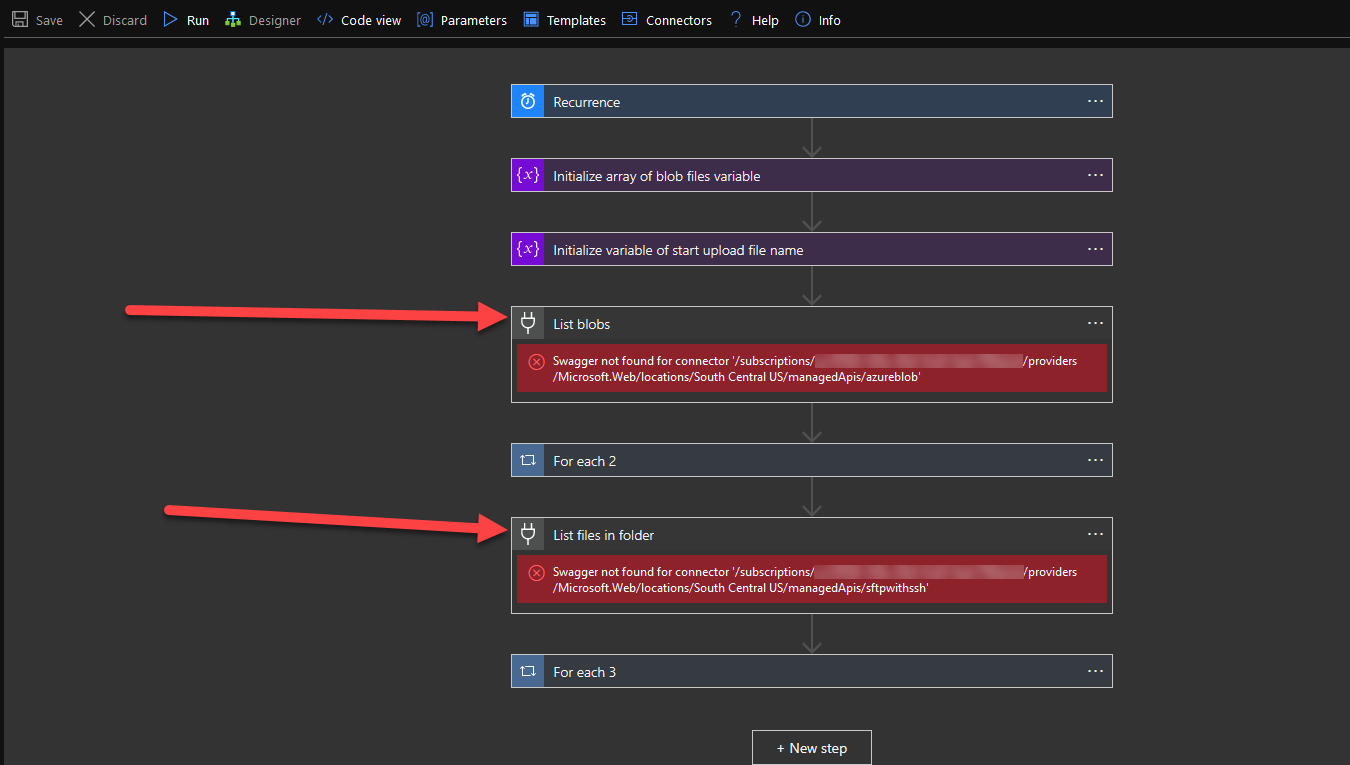
Here's what it looks like when I create the Logic App using the Web Designer. This method works well, though the idea is that I would like to automate the creation of this Logic App in a Disaster Recovery scenario.
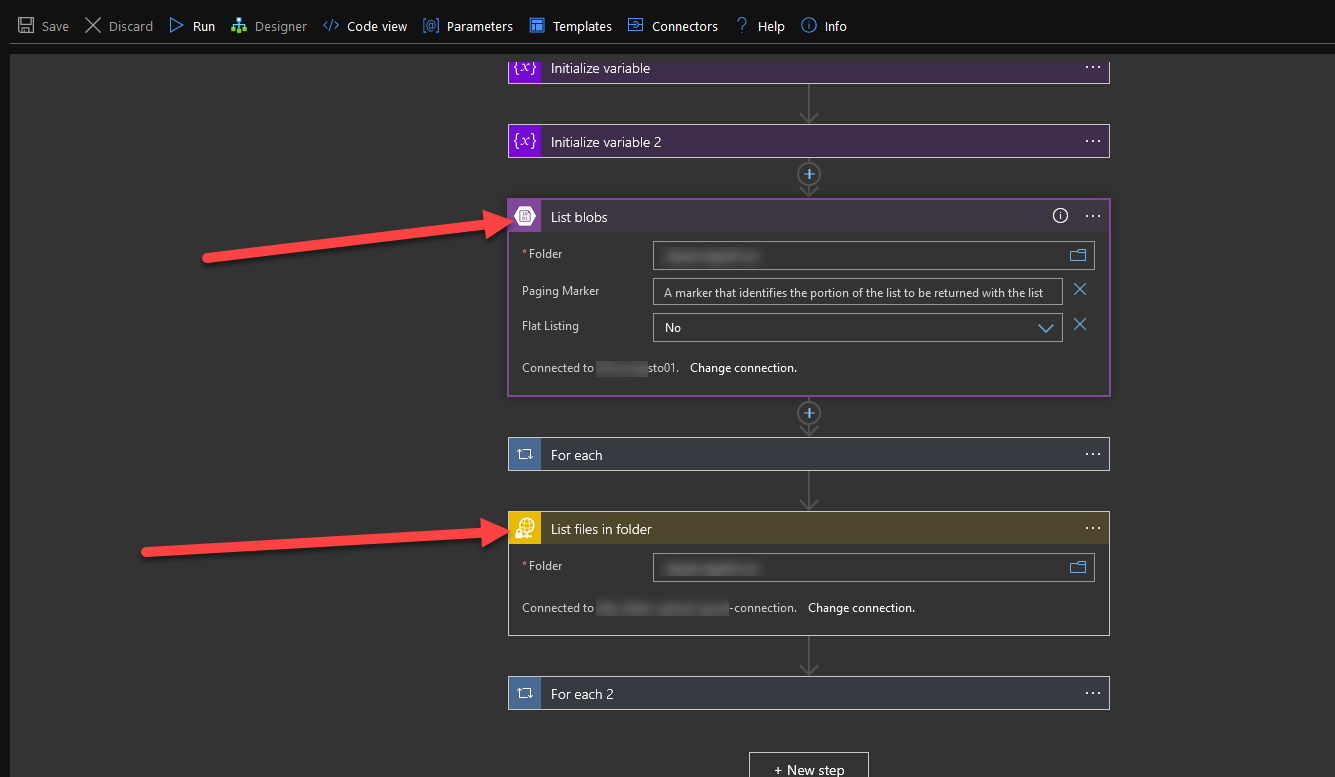
I have tried understanding the error message, though I kept coming up empty after many searches online.
"List blobs" component
Swagger not found for connector '/subscriptions/xxxxxxxx/providers/Microsoft.Web/locations/South Central US/managedApis/azureblob'
"List files in folder" component
Swagger not found for connector '/subscriptions/xxxxxxxx/providers/Microsoft.Web/locations/South Central US/managedApis/sftpwithssh'
I really don't know what Swagger has to do with this Logic App API Connection.
I was hoping someone here could help.
Let me know if I can specify additional information that might help.
Thanks,
Marc
I have just found a thread on the MSDN forums that may be relevant.
With the information that this thread shares, can I use it to solve this issue? I was able to get the JSON of the Swagger for my logic app, though I don't really know if it's what I actually need to solve it.
Ultimately, this would be a workaround for the issue, and I would rather tackle the immediate issue at hand, which is the fact that I am unable to deploy a functional logic app via ARM template deployment.
I was able to make it work by recreating the Logic App in Visual Studio 2019 via a Logic App project, as described at the end of this article.
https://medium.com/@Derekd _li/create-api-connection-via-arm-template-b018e8069808
I deployed the ARM template via Azure DevOps Release Pipeline, and was able to create a brand new Logic App with new SFTP-SSH and Azure Blob API Connections.
Not sure what the root cause was, however. Maybe this will help someone in the future.
With Marc's solution is it sounds like he had to recreate the entire logic app in VS.
If you do that, then it's a push button solution since you can right click deploy to any tenant/resource group.
But I don't think his suggestion is relevant to those of you who are trying to create a template like azuredeploy.json for the purpose of uploading to Github.
I haven't found an alternative procedure for the one posted here (but I'm hoping I do..):