SQL Server Integration Services
A Microsoft platform for building enterprise-level data integration and data transformations solutions.
This browser is no longer supported.
Upgrade to Microsoft Edge to take advantage of the latest features, security updates, and technical support.
' cx='32' cy='32' r='32' /%3E%3Ctext x='50%25' y='55%25' dominant-baseline='middle' text-anchor='middle' fill='%23FFF' %3EM%3C/text%3E%3C/svg%3E)
Hi folks,
I have a DTSX, created on Visual Studio, with multiple package variables, I already imported it on SSIS.
For testing, I selected an Execute Package Utility. I was able to change the connection string without any problem. Now I need to change a variable definition. I tried adding the property "\Package.Variables[Tabla].Value" on Set Values tab. Does not appear any error but the new value is not using during the execution.


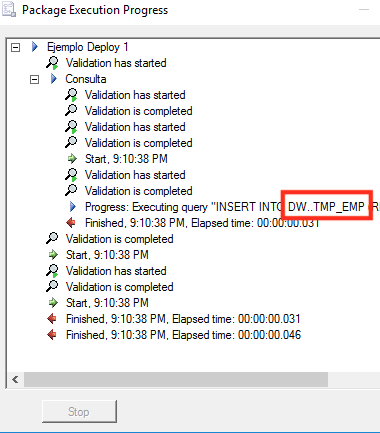
What I'm doing wrong? Regards,
' cx='32' cy='32' r='32' /%3E%3Ctext x='50%25' y='55%25' dominant-baseline='middle' text-anchor='middle' fill='%23FFF' %3EMM%3C/text%3E%3C/svg%3E)
Hi @MariaBD ,
Please check if you set the variable value correctly in Execute Package Utility.
Hope the following pictures will be helpful:

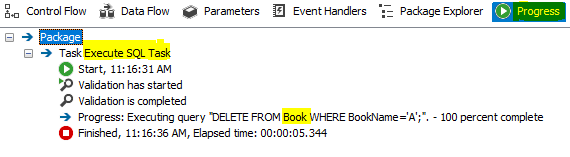
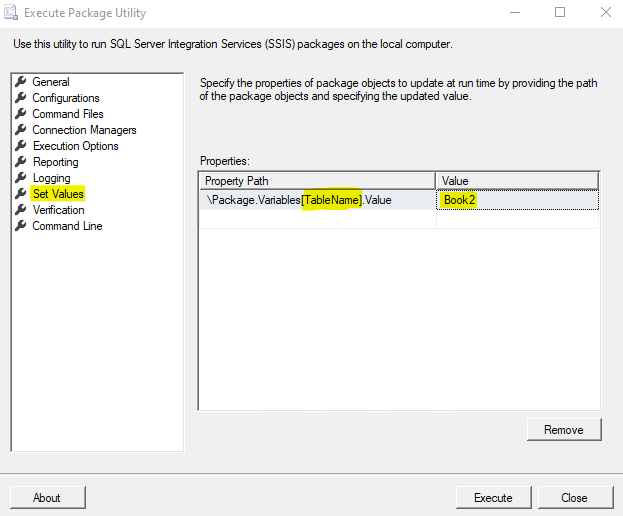
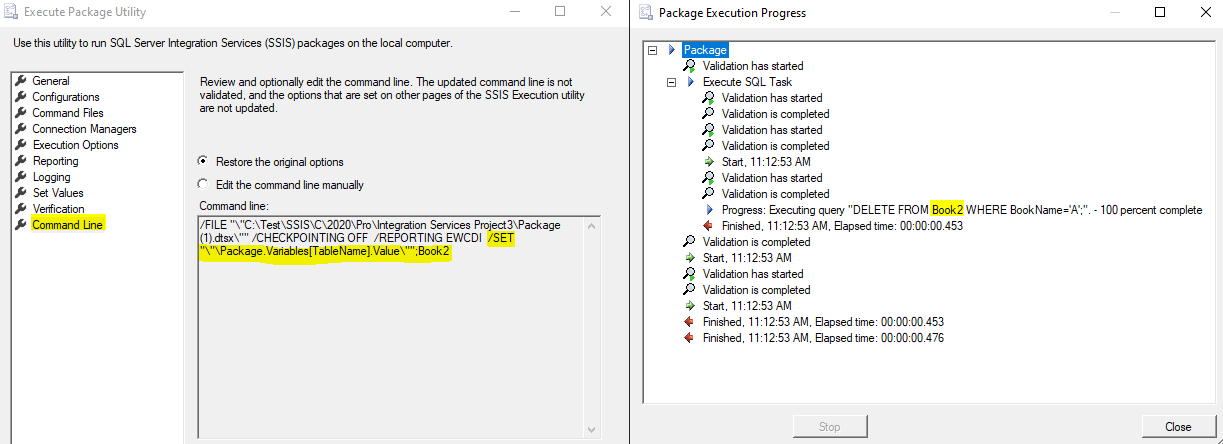
Best Regards,
Mona
----------
If the answer is helpful, please click "Accept Answer" and upvote it.
Note: Please follow the steps in our documentation to enable e-mail notifications if you want to receive the related email notification for this thread.
Hot issues in November--What can I do if my transaction log is full?
Hot issues in November--How to convert Profiler trace into a SQL Server table?