SQL Server Integration Services
A Microsoft platform for building enterprise-level data integration and data transformations solutions.
This browser is no longer supported.
Upgrade to Microsoft Edge to take advantage of the latest features, security updates, and technical support.
' cx='32' cy='32' r='32' /%3E%3Ctext x='50%25' y='55%25' dominant-baseline='middle' text-anchor='middle' fill='%23FFF' %3EA%3C/text%3E%3C/svg%3E)
SQL 2017
We have SSIS packages that create flat files on a network share. They run every day flawlessly with no issues. Occasionally we need to test a change that we've made in the stored proc for a file, so we need to run the package manually. In SQL 2014 we could run the package manually by calling a "ssis exec wrapper sproc". In SQL 2017 we can't run the package manually unless we're logged into SSMS using the same security context that SQL/SQL Agent/SSIS are running under. For example, if MyDomain\Andre (me) tries to run the package and I'm listed as the Caller in the SSIS report, I get an error that the file can't be created in the network share. I've confirmed with our IT Admin that I do have full control of the share, and additionally I am sa on the server. However, if I login to SSMS as the service account that runs SQL/Agent/SSIS I can run the same exec for the wrapper package and it works perfectly. Why? I would have thought since I'm sa and have full permissions to the network share it should work fine. What am I missing that is different in SQL 2017?
Thanks in advance.
' cx='32' cy='32' r='32' /%3E%3Ctext x='50%25' y='55%25' dominant-baseline='middle' text-anchor='middle' fill='%23FFF' %3EYK%3C/text%3E%3C/svg%3E)
Please ask your admins to add your AD account MyDomain\Andre as a member of the ssis_admin role.
Please see below.
UPDATE
There are two options to make it working:
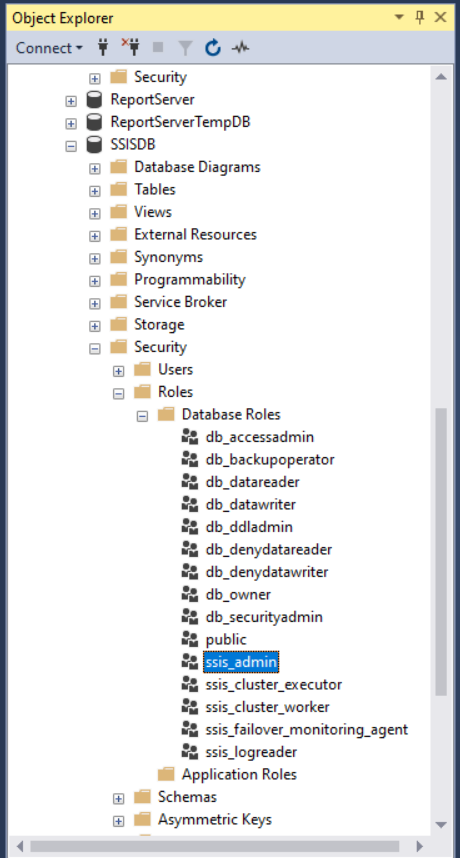
I did that and unfortunately I have the same issue - the Exec of the wrapper package failed.
I updated my answer. Check it out.
You shouldn't use Answers as a feedback on an Answer. Please use comments under an Answer. Like I am doing for your "Answer".
' cx='32' cy='32' r='32' /%3E%3Ctext x='50%25' y='55%25' dominant-baseline='middle' text-anchor='middle' fill='%23FFF' %3EMM%3C/text%3E%3C/svg%3E)
Hi @Andre ,
1.For example, if MyDomain\Andre (me) tries to run the package and I'm listed as the Caller in the SSIS report, I get an error that the file can't be created in the network share.
Please check if the user MyDomain\Andre has permission to create file in the network share.
2.May I know where do you store your ssis packages?
If the ssis packages were strored in the file system, we can also use the following two methods to execute the ssis package manually.
Method1: Execute Package Utility (dtexecui)
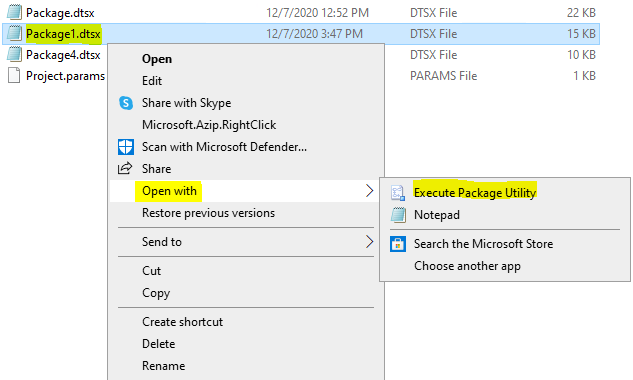
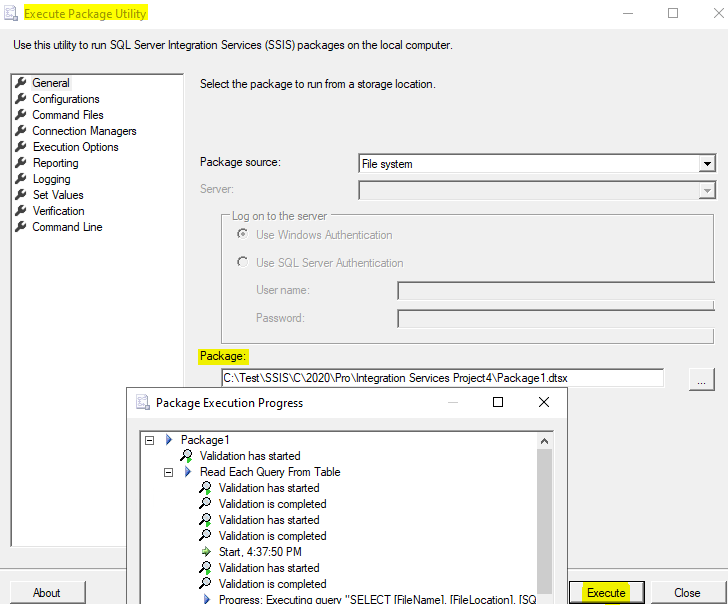
Method2: dtexec Utility
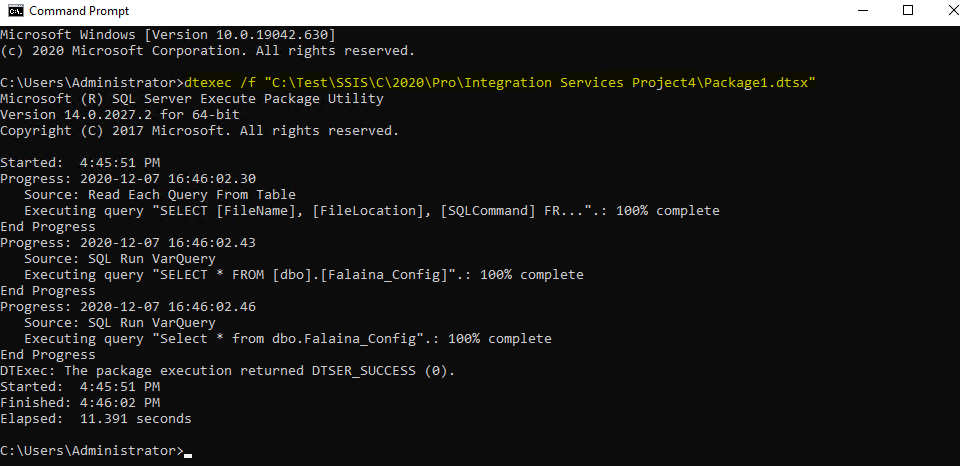
Best Regards,
Mona
If the answer is helpful, please click "Accept Answer" and upvote it.
Note: Please follow the steps in our documentation to enable e-mail notifications if you want to receive the related email notification for this thread.
Hot issues in November--What can I do if my transaction log is full?
Hot issues in November--How to convert Profiler trace into a SQL Server table?
Mona,
MyDomain\Andre has full permissions to the share, as mentioned in my original post.
Our packages are stored in SSISDB, using the project deployment method. They are not stored in the file system.
Do I need any other permissions in SSISDB? And I'm just curious, if I'm already 'sa', why would I even need to be ssis_admin?
I updated my answer. Check it out.
Hi ,
The user can access and run ssis packages if we give user ssis_admin role.

Best Regards,
Mona
Still no luck unfortunately - that didn't help. Same problem as before.
I updated my answer.
Please check two options in the UPDATE section.