Developer technologies | Transact-SQL
A Microsoft extension to the ANSI SQL language that includes procedural programming, local variables, and various support functions.
This browser is no longer supported.
Upgrade to Microsoft Edge to take advantage of the latest features, security updates, and technical support.
' cx='32' cy='32' r='32' /%3E%3Ctext x='50%25' y='55%25' dominant-baseline='middle' text-anchor='middle' fill='%23FFF' %3EVK%3C/text%3E%3C/svg%3E)
Hi,
The existing SQL job runs for every Tuesday @ 2 AM.
Now i am planing change little bit like,
If first day of the month fall under Tuesday, it should skip and run next day?
How to configure?

If this cannot be configured and the job executes a script or stored procedure, then maybe do it programmatically.
Schedule the job to run each Tuesday and each Wednesday. The new job will include the following verification:
set datefirst 1
declare @now as date = GETDATE()
declare @day as int = datepart(day, @now)
declare @weekday as int = datepart(weekday, @now)

if (@weekday = 2 and @day <> 1) or (@weekday = 3 and @day = 2)
begin
    perform the job...
end
If you cannot alter the original stored procedure, then maybe create a helper one that invokes the main one.
' cx='32' cy='32' r='32' /%3E%3Ctext x='50%25' y='55%25' dominant-baseline='middle' text-anchor='middle' fill='%23FFF' %3ETP%3C/text%3E%3C/svg%3E)
Another way to accomplish this is to create 2 jobs. Your current job "DoIt" does not have a schedule. The 2nd job "StartDoIt" runs every day at 2am, with a single step which runs a script to check the day of week and date, if it is proper then executes "sp_start_job @Job _name="DoIt"".
This prevents the logged message "partial success" and leaves the job history of the actual runs in "DoIt".
' cx='32' cy='32' r='32' /%3E%3Ctext x='50%25' y='55%25' dominant-baseline='middle' text-anchor='middle' fill='%23FFF' %3EDB%3C/text%3E%3C/svg%3E)
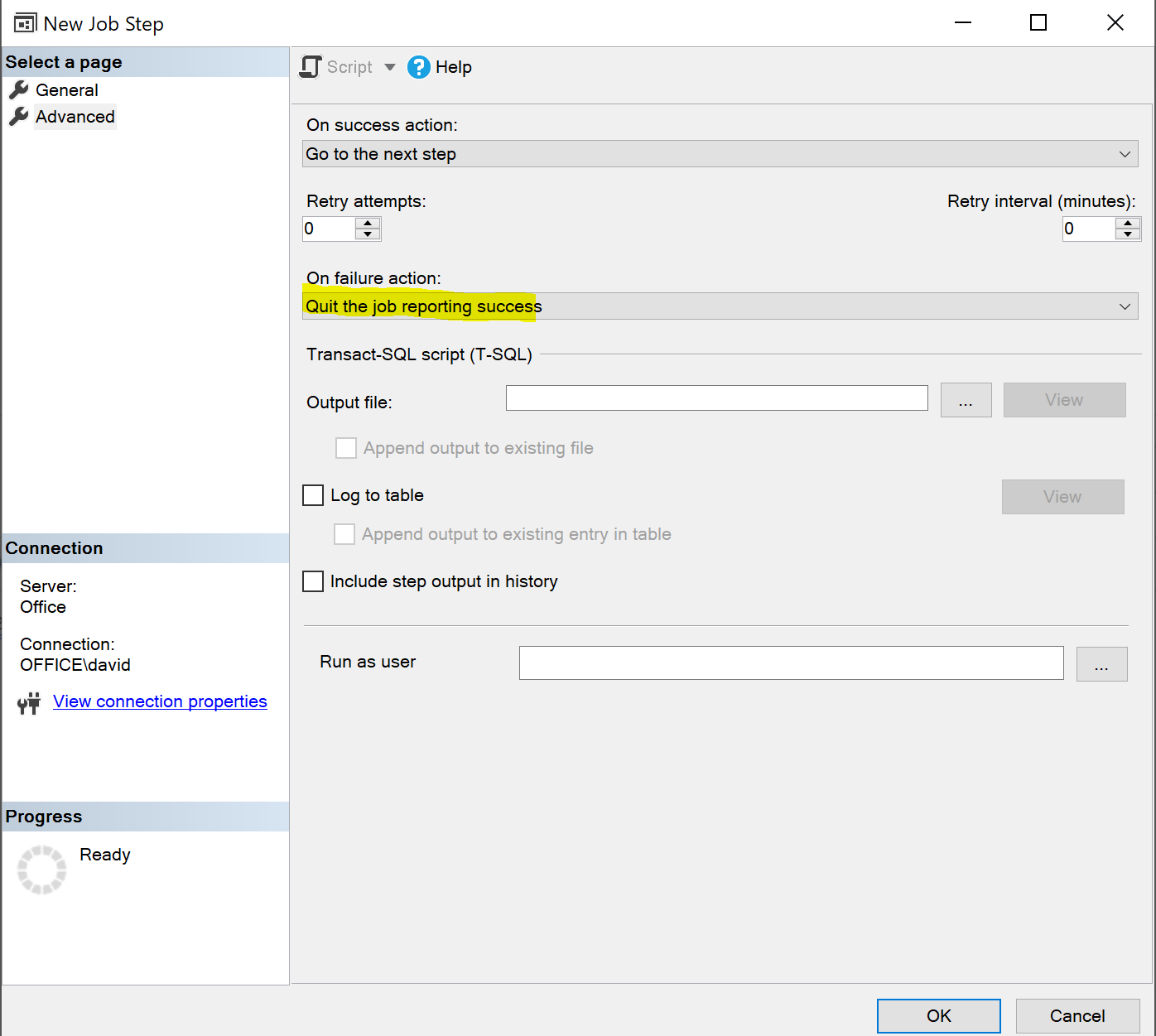
Schedule the job to run every day, and add a job step to the beginning of the job, and cause that step to fail if the job should not run that day.
Then configure that step's "on failure action" to "quit the job reporting success".
' cx='32' cy='32' r='32' /%3E%3Ctext x='50%25' y='55%25' dominant-baseline='middle' text-anchor='middle' fill='%23FFF' %3ECZ%3C/text%3E%3C/svg%3E)
Hi VijayKumar768,
Agree with the above answers.
you can also add a T-SQL step(as the first step) to the existing job runs for every Tuesday, and run the statement to judge whether the day is the first day of the month and Tuesday. If so, stop or quit the job. In addition create a job to run every Wednesday, and add the statement to judge whether the day is the second day of the month and Wednesday, and if it is, execute it.
If the answer is helpful, please click "Accept Answer" and upvote it.
What can I do if my transaction log is full?--- Hot issues November
How to convert Profiler trace into a SQL Server table -- Hot issues November