Is there a script way to set DCOM run location & configuration permissions?

Charlie Zheng 21 Reputation points
2020-12-07T04:19:57.177+00:00

I tried Powershell script and also modify Reg keys, both only

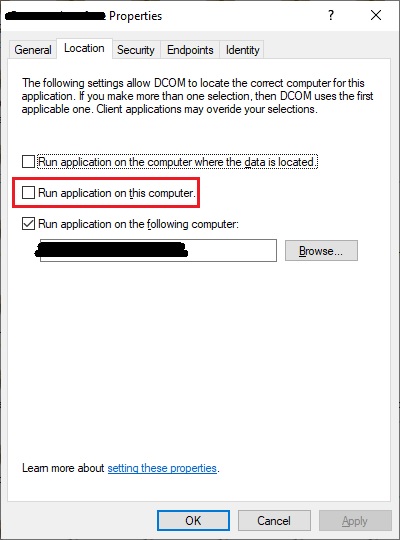
set 'run application on the following computer' but leave 'run application on this computer' ticked
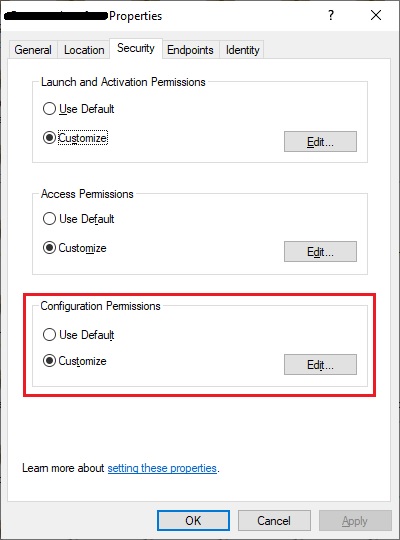
set 'launch and activation permissions' and 'access permissions', not 'configuration permissions'

45560-1.jpg

45480-2.jpg

Windows for business | Windows Server | User experience | PowerShell
Windows for business | Windows Client for IT Pros | User experience | Other
0 comments No comments
{count} votes

Answer accepted by question author
  1. Anonymous
    2020-12-08T09:24:59.26+00:00

    Hi ,

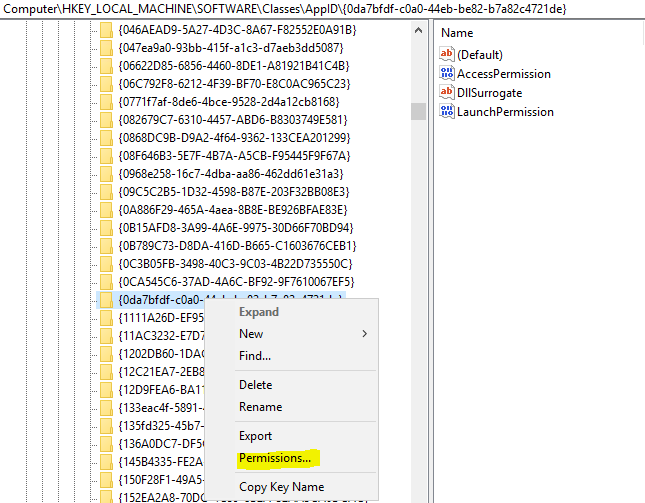
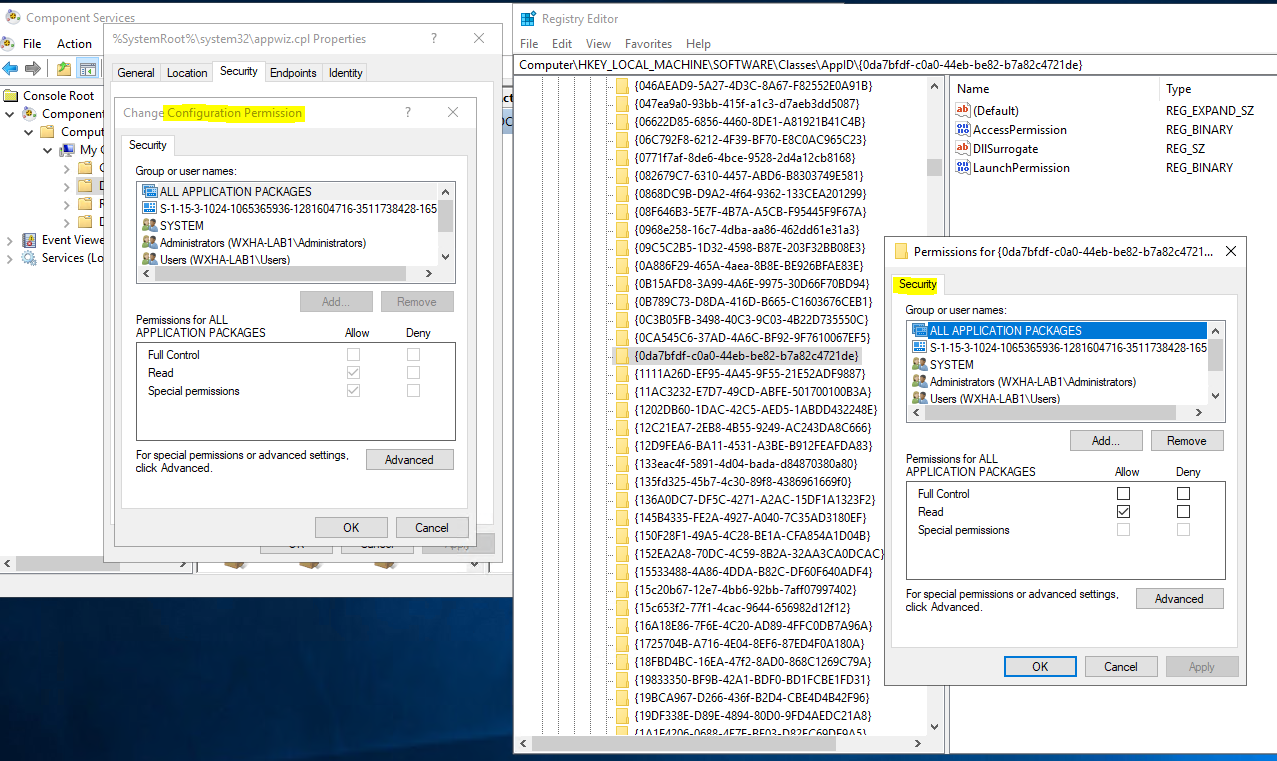
    Right click AppID{GUID} and choose Permissions, this is configuration permission. You can add a new user and see this reflected in the AppID{GUID} permissions of the key.
    46271-image.png

    46222-image.png

    The Default Permissions are determined by the parent key. So we compare the ACL for the AppID{GUD} permissions and if it matches the parent key we consider this Default and will set the radio button in the Component Services GUI to Default.

    --------------------------------------------------------------

    If the Answer is helpful, please click "Accept Answer" and upvote it.

    Note: Please follow the steps in our documentation to enable e-mail notifications if you want to receive the related email notification for this thread.


2 additional answers

Sort by: Most helpful
  1. Charlie Zheng 21 Reputation points
    2020-12-08T07:36:54.547+00:00

    I think I figured out the 'run location' part. to untick 'run on this computer', rename HKCR\CLSID{ID of the dcom}\LocalServer32 key to _LocalServer32.

    but still, the configuration permissions don't seem to have entries in registry.

    0 comments No comments

  2. Anonymous
    2020-12-08T08:50:41.017+00:00

    Hi ,

    Based on my understanding, you want to know which registry key corresponds to the COM Security Configuration permission. Is it right? Please feel free to let me know if I have any misunderstanding.

    The Configuration Security for a DCOM server in Component Services controls the ACL on the AppID registry key for that DCOM server would be:

    HKEY_LOCAL_MACHINE\SOFTWARE\Classes\AppID{GUID}

    If you go in to Component Services (dcomcnfg.exe), go to the properties of the DCOM server and modify the Configuration Security, i.e. add a new user, and you will see this reflected in the AppID{GUID} permissions of the key. You can use Regedit.exe to view the registry key permissions.

    Best Regards,

    Candy

    --------------------------------------------------------------

    If the Answer is helpful, please click "Accept Answer" and upvote it.

    Note: Please follow the steps in our documentation to enable e-mail notifications if you want to receive the related email notification for this thread.


Your answer

Answers can be marked as 'Accepted' by the question author and 'Recommended' by moderators, which helps users know the answer solved the author's problem.