group policy update issue

Venkata Ramana Nori 36 Reputation points
2020-12-09T12:29:20.38+00:00

Hi

Recently I've changed all my workstations to Windows 10 Version 1909.

I've Windows 2008 R2 Domain controller and Additional Domain controller.

There are some group policies configured in Domain Controller.

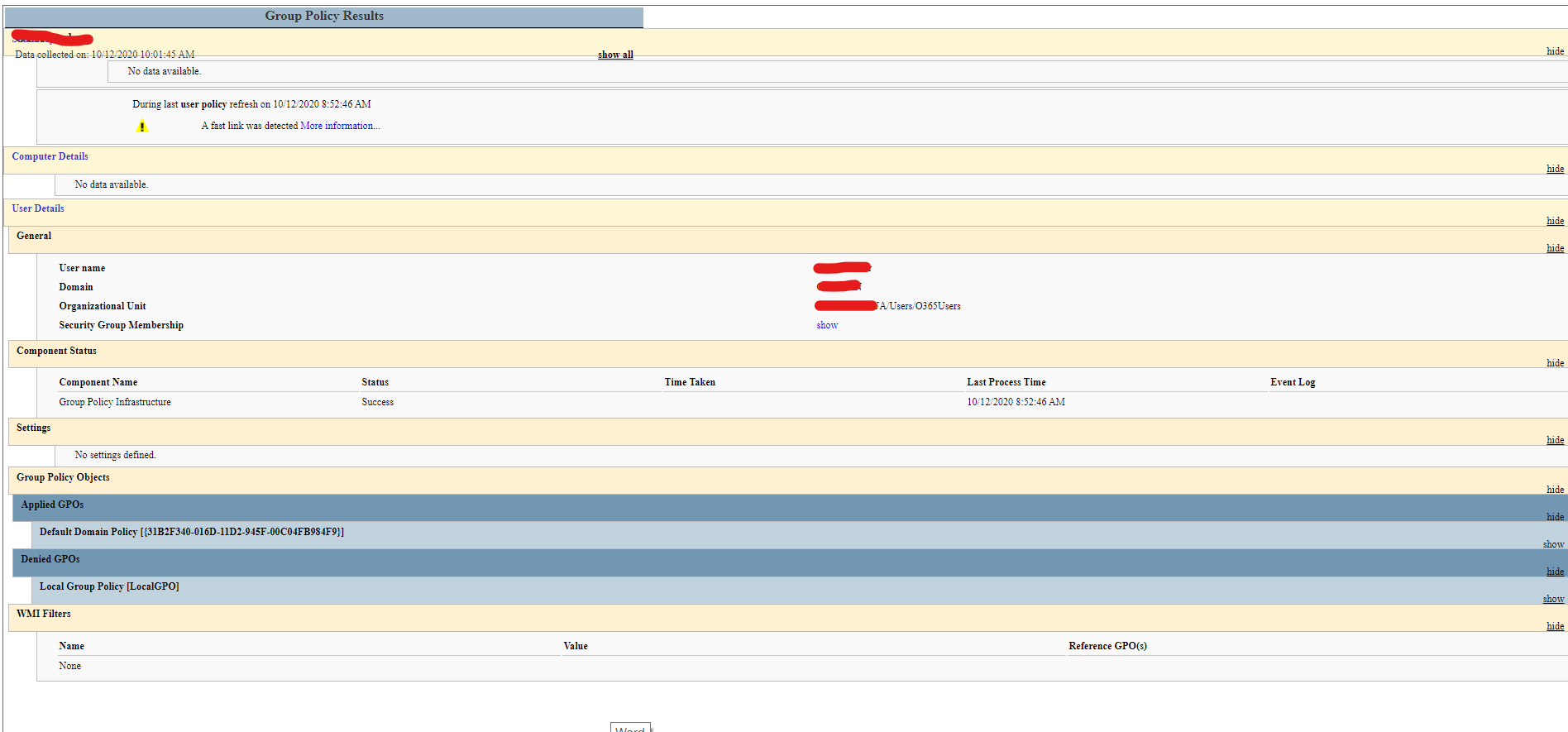
Recently when I did gpupdate/force on client work stations it's not updating all the policies except default domain policy. Is there anything wrong. I'm unable to find out.

46624-image.png

46578-image.png

Windows for business | Windows Client for IT Pros | User experience | Other
0 comments No comments
{count} votes

Answer accepted by question author
  1. Anonymous
    2020-12-11T03:07:10.77+00:00

    Hi,
    It seems you didn't use the administrator to run the cmd, if i run the command not as a administrator, i would received the same result as you.

    47185-12113.png
    enter cmd in the research box , right click cmd and run as administrator as following:
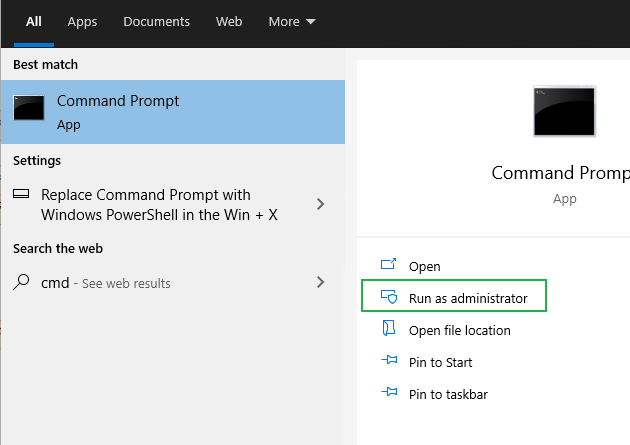
    47216-12114.png
    Then you will see the computer settings.

    0 comments No comments

4 additional answers

Sort by: Most helpful
  1. Anonymous
    2020-12-10T02:35:40.157+00:00

    Hi,

    Thanks for sharing here!
    The screenshot just displays the user policies .
    Would you please tell which policy didn't apply,?
    If you want to check the policies for the computers , just run the command as administrator and run gpresult /h report.html , and then you can see all the computer policies.
    When you said changed all my workstations to Windows 10 Version 1909, how did you do the upgrade?
    Best Regards,

    0 comments No comments

  2. Venkata Ramana Nori 36 Reputation points
    2020-12-10T04:41:14.08+00:00

    Hi

    The below given are the policies configured.

    46804-image.png

    Windows 10 is a fresh installation.

    Also in "Group Policy was applied from :XXXADDL.XXX.LAN" is showing the name of additional domain controller not the domain controller name .

    Thanks.
    Venkat


  3. Venkata Ramana Nori 36 Reputation points
    2020-12-10T06:05:57.303+00:00

    This is taken from my PC
    46755-image.png

    This is taken from DC
    46832-image.png

    0 comments No comments

  4. Venkata Ramana Nori 36 Reputation points
    2020-12-13T09:17:54.513+00:00

    Oh wonderful thanks, You're right.

    0 comments No comments

Your answer

Answers can be marked as 'Accepted' by the question author and 'Recommended' by moderators, which helps users know the answer solved the author's problem.