Thank you for your answer.
It solve 1 issue :p
I have 2 more issue now :)
1)
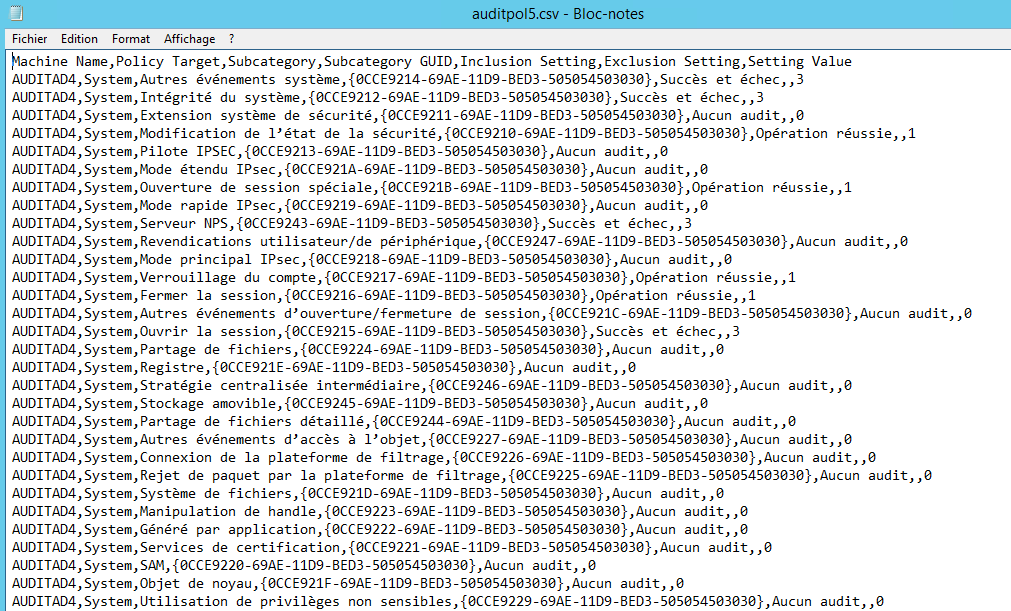
In my CSV file, it's french language and special character are not correctly writtent.
"Machine Name","Policy Target","Subcategory","Subcategory GUID","Inclusion Setting","Exclusion Setting","Setting Value"
"AUDITAD1","System","Autres ?v?nements syst?me","{0CCE9214-69AE-11D9-BED3-505054503030}","Succ?s et ?chec","","3"
There are lot of ? instead of é or è.
On original file (auditpol.csv generated on all server, encoding is ok).
=> Issue solved by adding -encoding UTF-8 at export-csv commandlet.
2)
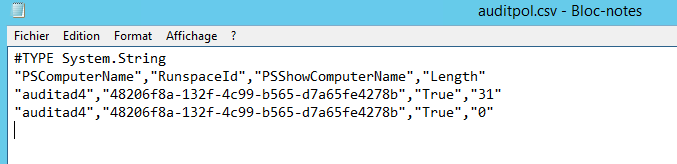
If I just execute it, I will have all server with c:\temp\test.csv file.
I need to delete it on all server.
Is it the best solution ?
 foreach ($DC in Get-ADDomainController -Filter * -Server "Server1"){
     Invoke-Command -ComputerName $DC.hostname -ScriptBlock {auditpol /backup /file:c:\temp\auditpol.csv | Out-Null; Get-Content C:\temp\auditpol.csv} |
     ConvertFrom-Csv | Export-Csv "c:\temp\auditpol_$($dc.hostname).csv" -Encoding UTF8 -NoTypeInformation
     Remove-Item -Path "\\$($DC.hostname)\c$\temp\auditpol.csv"
 }
I'm learning powershell since sometimes but It's not my main job. Could you be more precise about the convertfrom-csv please ?
What I understand :
1 : We execute the command on remote server and pipe on out-null to not have result on screen.
2 : We read the content of the new generated file and build an object with it with convertfrom-CSV function
3: Once object is built, we can export it as CSV on local computer with correct encoding option.
Am I right ?
=> Maybe it's better to just do this :
Execute auditpol command remotely
Copy generated file localy with copy-item
Delete remote file
no ?
' cx='32' cy='32' r='32' /%3E%3Ctext x='50%25' y='55%25' dominant-baseline='middle' text-anchor='middle' fill='%23FFF' %3EM%3C/text%3E%3C/svg%3E)

' cx='32' cy='32' r='32' /%3E%3Ctext x='50%25' y='55%25' dominant-baseline='middle' text-anchor='middle' fill='%23FFF' %3EA%3C/text%3E%3C/svg%3E)
' cx='32' cy='32' r='32' /%3E%3Ctext x='50%25' y='55%25' dominant-baseline='middle' text-anchor='middle' fill='%23FFF' %3ERM%3C/text%3E%3C/svg%3E)