SQL Server Reporting Services
A SQL Server technology that supports the creation, management, and delivery of both traditional, paper-oriented reports and interactive, web-based reports.
This browser is no longer supported.
Upgrade to Microsoft Edge to take advantage of the latest features, security updates, and technical support.
' cx='32' cy='32' r='32' /%3E%3Ctext x='50%25' y='55%25' dominant-baseline='middle' text-anchor='middle' fill='%23FFF' %3ECF%3C/text%3E%3C/svg%3E)
Hi, All
I have a ssrs 2016 report have many parameters. I need to disabled the scroll of the parameter panel so that all my parameter display without scroll or increase height of parameter panel . How should i do so

Regards,
Jack
A SQL Server technology that supports the creation, management, and delivery of both traditional, paper-oriented reports and interactive, web-based reports.
Answer accepted by question author

Hi @Chew, Farn Jie (uia58396) ,
Sorry for my misunderstand for your issue at the beginning.
When we are designing the report in report builder, we could easily adjust the parameter panel.
However when we run the report on web, the parameter panel has a fixed height that we couldn't change. It is by design.
You could vote for the point or raise your needs on this forums.
If the requirement mentioned by customers for many times, the product team may consider to add this feature in the next SQL Server version. Your feedback is valuable for us to improve our products and increase the level of service provided.
Regards,
Zoe
If the answer is helpful, please click "Accept Answer" and upvote it.
Note: Please follow the steps in our documentation to enable e-mail notifications if you want to receive the related email notification for this thread.
Hot issues October
' cx='32' cy='32' r='32' /%3E%3Ctext x='50%25' y='55%25' dominant-baseline='middle' text-anchor='middle' fill='%23FFF' %3ECG%3C/text%3E%3C/svg%3E)
Was this ever voted to change? I really need to expand the max height of my parameter panel but am not seeing a way to do it. I see the feedback link is no longer good or else I would vote for the product team to add the feature
Hi @ZoeHui-MSFT
The issue is still not OK, let me share more screen shot
where i already adjust my panel of parameter to the max
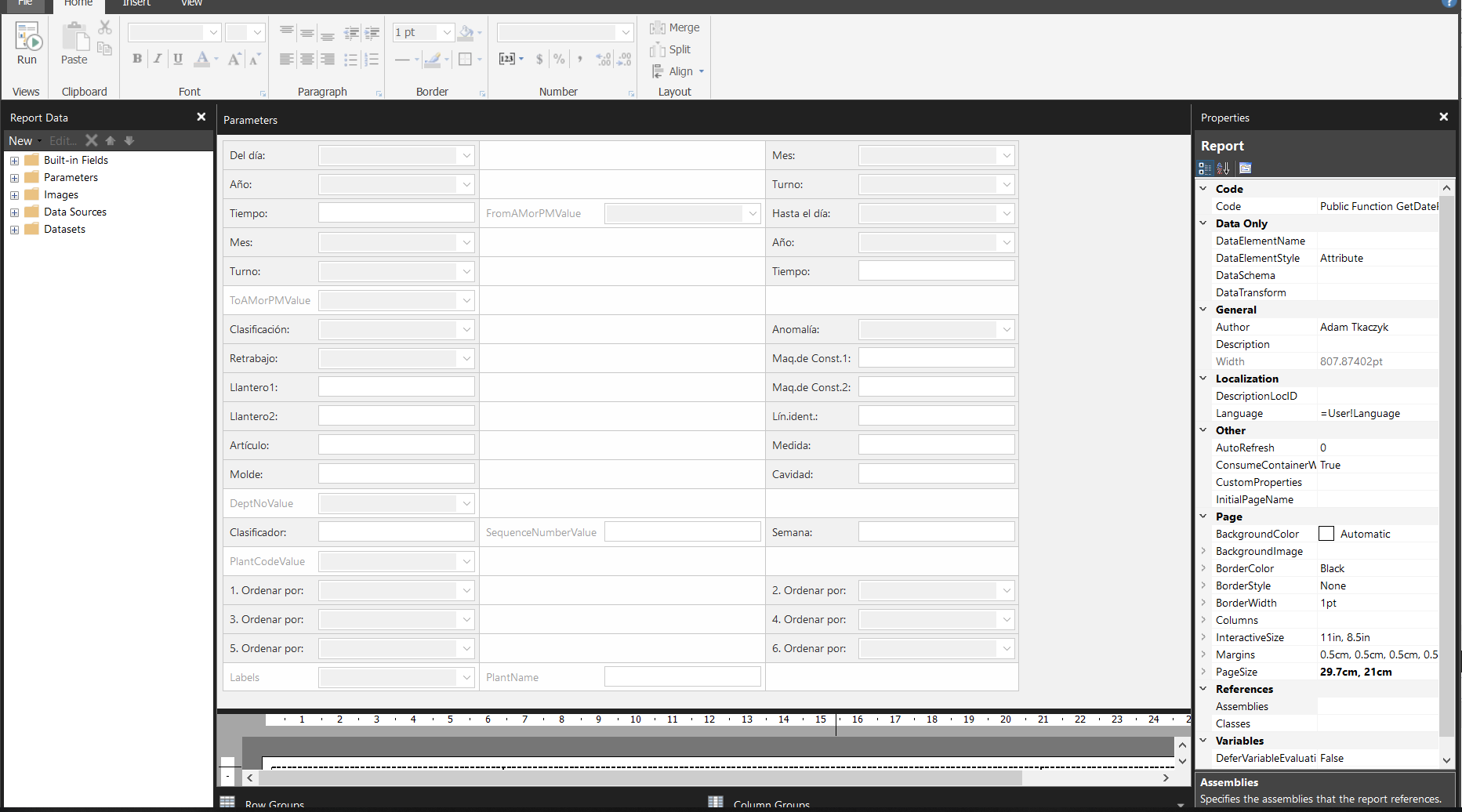
but when i view in browser the parameter panel still cannot display all parameters and still need to scroll and my view of brower is set to 100%
For your info, I am using sql server reporting 2019
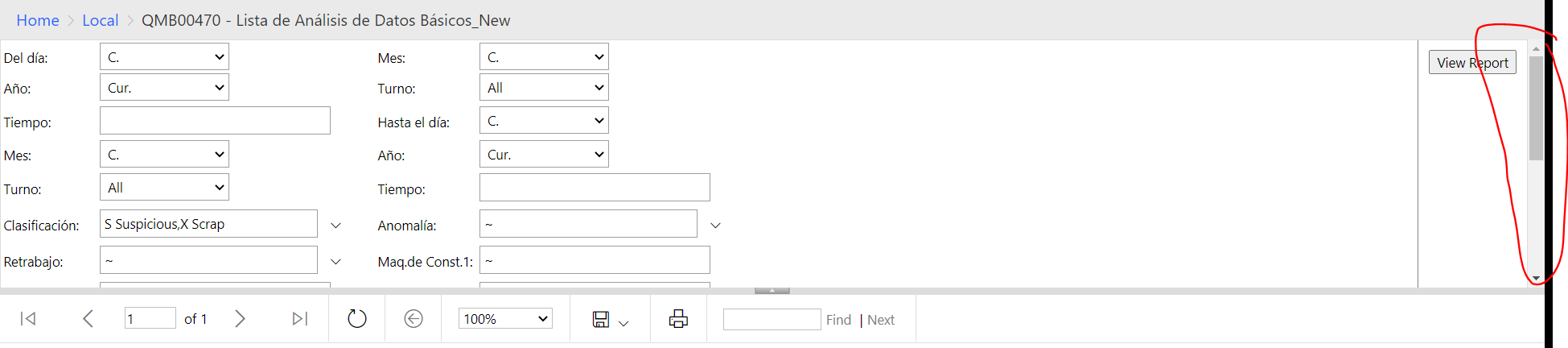
Regards
Chew
' cx='32' cy='32' r='32' /%3E%3Ctext x='50%25' y='55%25' dominant-baseline='middle' text-anchor='middle' fill='%23FFF' %3EJ%3C/text%3E%3C/svg%3E)
I have the same issue on a client-system on SSRS 2019.
In my development environment on SSRS 2017 it works how it should.
Is it a special setting why it works or is it just an error in 2019 ?
' cx='32' cy='32' r='32' /%3E%3Ctext x='50%25' y='55%25' dominant-baseline='middle' text-anchor='middle' fill='%23FFF' %3EBD%3C/text%3E%3C/svg%3E)
Trying to research this issue in SSRS 2029 after converting from SSRS 2016 - confirming same issue. Not aware (yes) of any install/setting of max height for parameters section can be increased and thus has dynamic sizing if # of parameters dictate.
Hi @Chew, Farn Jie (uia58396) ,
The image you attached is unavailable.
Suppose that you want to adjust the area of parameter pane,if I misunderstand your needs,please incorrect me.
There is a separation Line between the parameter pane and design pane.(in the design mode is the same)
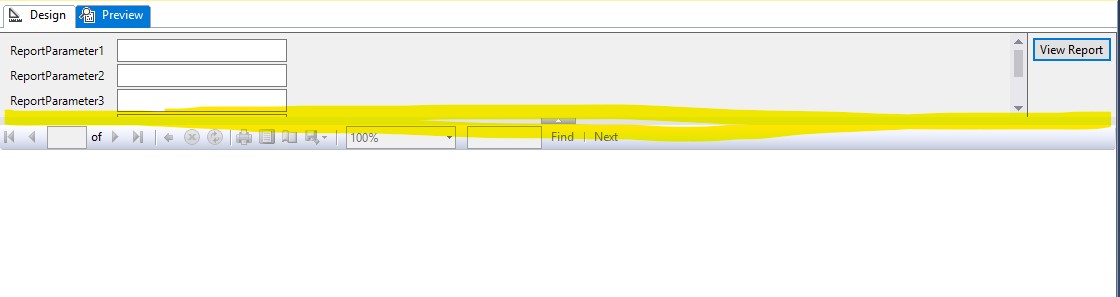
You may drag and drop this line to adjust the parameter pane to increase the height.
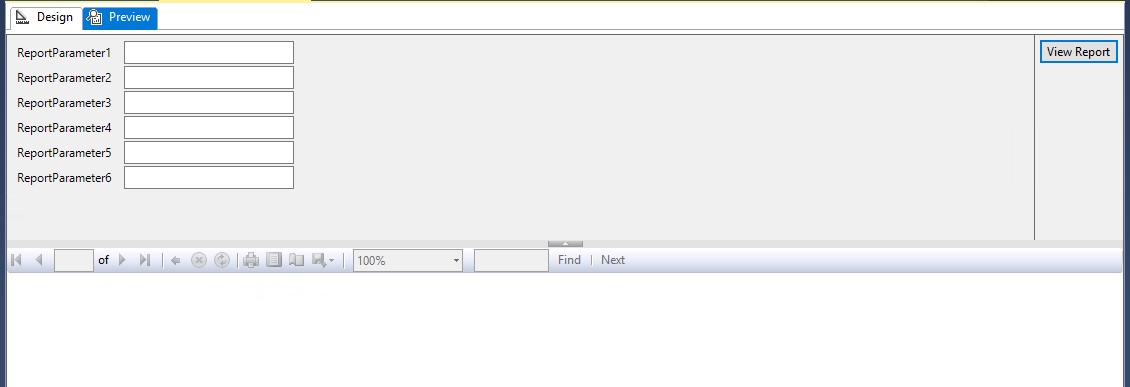
More custom Parameters Pane settings, you may refer the official documentation.
Regards,
Zoe
If the answer is helpful, please click "Accept Answer" and upvote it.
Note: Please follow the steps in our documentation to enable e-mail notifications if you want to receive the related email notification for this thread.
Hot issues October
May I know how's the issue going on now?