Developer technologies | .NET | Xamarin
A Microsoft framework for building cross-platform mobile apps using .NET and C# with native performance and user interfaces.
This browser is no longer supported.
Upgrade to Microsoft Edge to take advantage of the latest features, security updates, and technical support.
' cx='32' cy='32' r='32' /%3E%3Ctext x='50%25' y='55%25' dominant-baseline='middle' text-anchor='middle' fill='%23FFF' %3ESH%3C/text%3E%3C/svg%3E)
I am trying to reduce the spacing between my ToolbarItems on a ContentPage on Android. I have tried the suggested fix from this link https://forums.xamarin.com/discussion/165702/how-do-i-change-the-size-of-an-image-for-a-toolbaritem which is working for iOS, but not for Android. Is there an equivalent to the custom iOS renderer for Android which will have the same effect?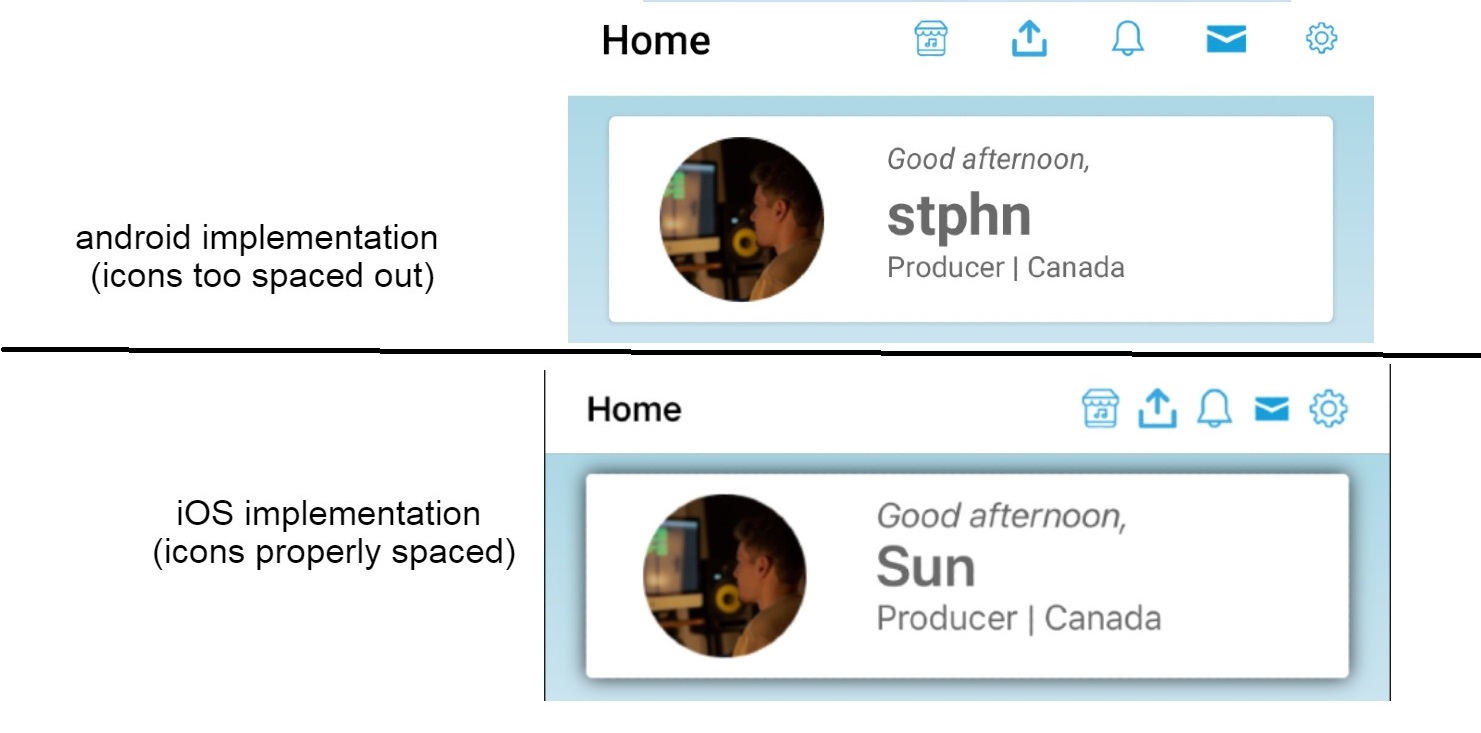
' cx='32' cy='32' r='32' /%3E%3Ctext x='50%25' y='55%25' dominant-baseline='middle' text-anchor='middle' fill='%23FFF' %3EJ%3C/text%3E%3C/svg%3E)
Hello,
Welcome to our Microsoft Q&A platform!
Hi,StephenHe-2089. For this function on Android, you could set style for the ActionButton and consume the style for the theme of MainActivity class. The code of the link you posted could reduce the spacing of the ToolbarItems well. Change the value of the width item properties to adjust the space.
Here is the screenshot:
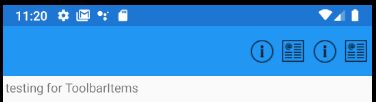
Checkt the code:
   <resources>
     <style name="MainTheme" parent="MainTheme.Base">
       ...
       <item name="actionButtonStyle">@style/myActionButtonStyle</item>
     </style>

     <style name="myActionButtonStyle" parent="Widget.AppCompat.ActionButton">
       <item name="android:minWidth">35dp</item>
       <item name="android:maxWidth">35dp</item>
       <item name="android:width">35dp</item>
     </style>
   </resources>
Or you could use TitleView to display the items on the navigation bar.
   <NavigationPage.TitleView>
       <!--the items-->
   </NavigationPage.TitleView>
Best Regards,
Jarvan Zhang
If the response is helpful, please click "Accept Answer" and upvote it.
Note: Please follow the steps in our documentation to enable e-mail notifications if you want to receive the related email notification for this thread.
The TitleView proved very useful, thanks so much Jaravan!