Exchange | Exchange Server | Management
The administration and maintenance of Microsoft Exchange Server to ensure secure, reliable, and efficient email and collaboration services across an organization.
This browser is no longer supported.
Upgrade to Microsoft Edge to take advantage of the latest features, security updates, and technical support.
' cx='32' cy='32' r='32' /%3E%3Ctext x='50%25' y='55%25' dominant-baseline='middle' text-anchor='middle' fill='%23FFF' %3ELZ%3C/text%3E%3C/svg%3E)
Note: This case is migrated from MSDN Exchange Server Development forum. Since Exchange Server Development forum mainly discuss issues about Exchange development, and non-developer Exchange has transitioned to Microsoft Q&A for support, we migrated this non-developer question manually to continue the discussion.
hello,
My problem is my all users cann't connecte with outlook but can connecte with owa
infrastructure
two domain contoller
exchange server 2013
The administration and maintenance of Microsoft Exchange Server to ensure secure, reliable, and efficient email and collaboration services across an organization.
What's the detailed version of your Exchange 2013?
Does the DC with windows server 2008 R2 still exist in the environment?
Here are some suggestions for you:
1 > Flush the computer's DNS, then try to create a new Outlook profile to see if user can connect to the mailbox.
ipconfig /flushdns
2 > With internal network, we can use the Test E-mail Autoconfiguration to known if Outlook can connect to AD for SCP objects.
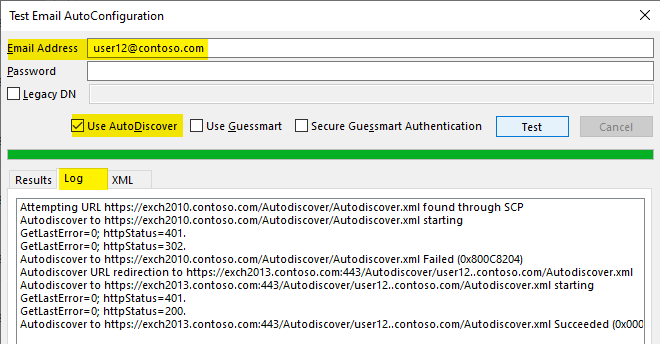
You can post the screenshot of the Log page, and don't forget to cover the email address and domain name.
If the response is helpful, please click "Accept Answer" and upvote it.
Note: Please follow the steps in our documentation to enable e-mail notifications if you want to receive the related email notification for this thread.