Community Center | Not monitored
Tag not monitored by Microsoft.

This browser is no longer supported.
Upgrade to Microsoft Edge to take advantage of the latest features, security updates, and technical support.

I am trying to build a heart-beat functionality to detect whether or not IoT Central has received any messages the last x minutes.
I am trying to design a Power Automate scheduled flow that retrieves a datareceived telemetry field and does some comparison on it in the flow.
I however struggle to understand the parameters involved in the Power Automate call and find the documentation to be be sparse at best.
How would I configure the flow (see attached screendumps) to get this working?
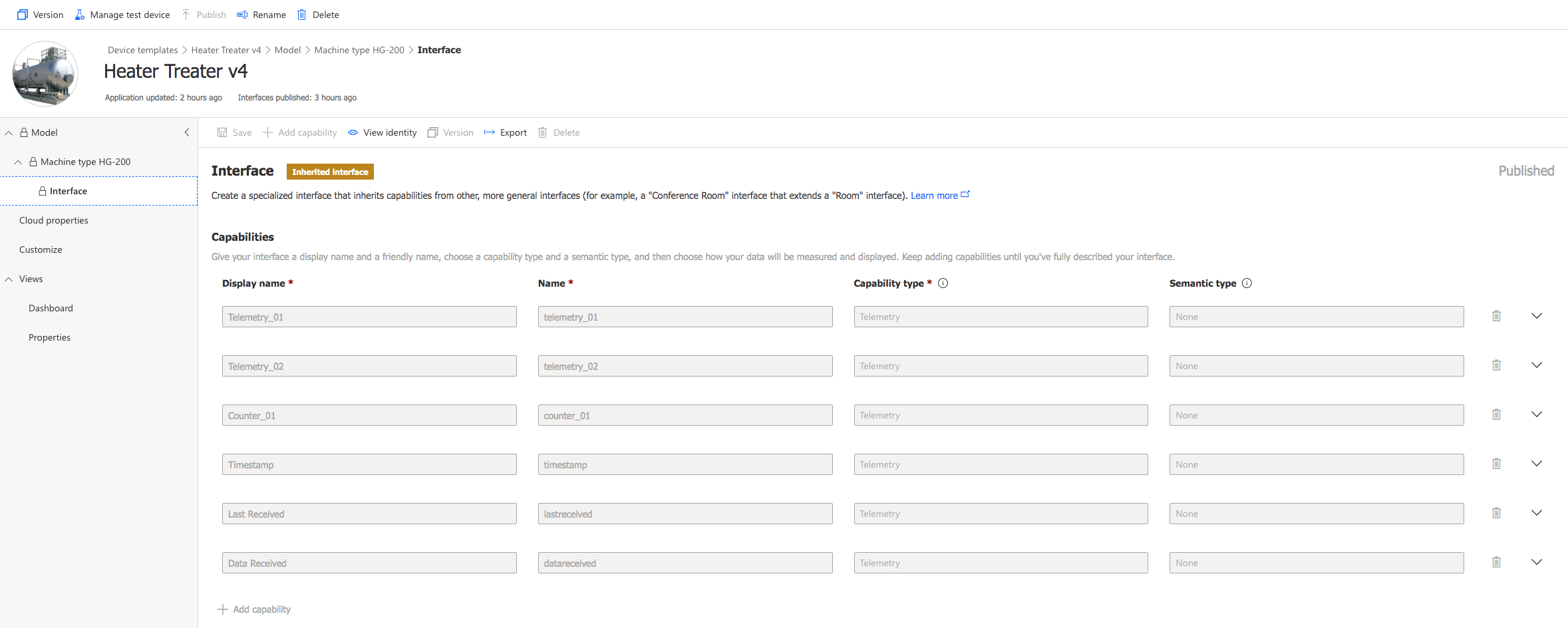
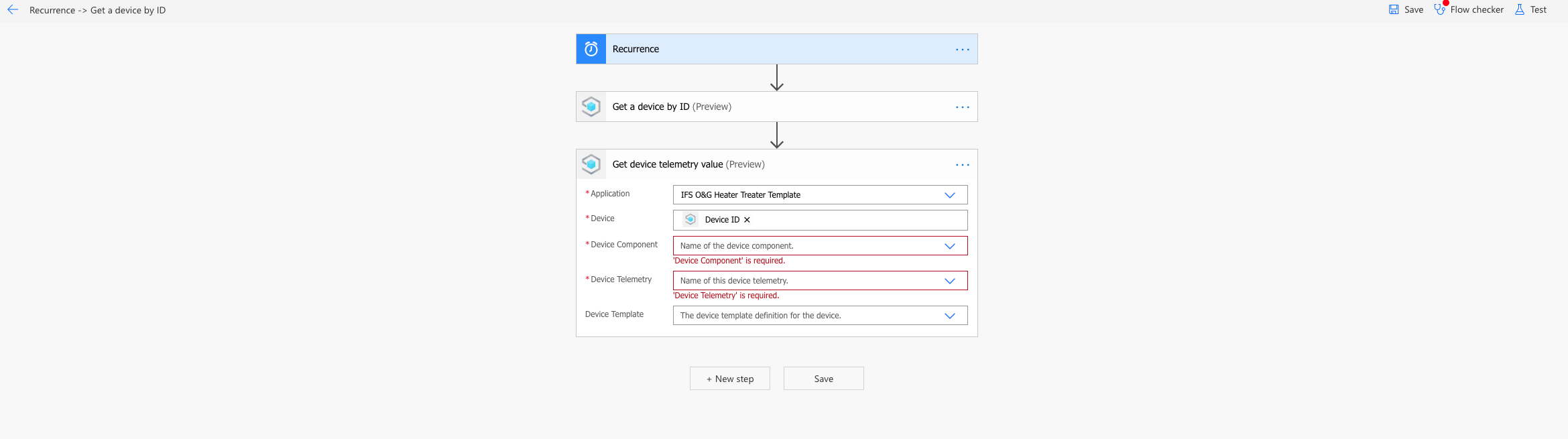

have a look at the REST Get Component Telemetry Value request about the URI parameters.
Thanks
Roman
Thats a great tips Roman, thank you!
I have now dwelved into the APIm, set up a token, use it in the headers of the GET call.
I am using a call string like this:
for the setup shown in the attached screendumps.
It however produces an error like "error":{"code":"NotFound","message":"The requested resource was not found."
What is missing from the actual call string?


' cx='32' cy='32' r='32' /%3E%3Ctext x='50%25' y='55%25' dominant-baseline='middle' text-anchor='middle' fill='%23FFF' %3EA%3C/text%3E%3C/svg%3E)
Power automate is not currently supported here on QnA. The product group actively monitors questions in dedicated forums here.
https://powerusers.microsoft.com/t5/Microsoft-Power-Automate/ct-p/MPACommunity
--please don't forget to Accept as answer if the reply is helpful--

49301-iot-central-api-rest-call.txtHello @Tobias Persson
First, I would like to invite you to follow the specific MS Learn module https://learn.microsoft.com/en-us/learn/modules/manage-iot-central-apps-with-rest-api/
There you learn to actually make calls and it even provides a working example (using a sandboxes environment).
The examples are making use of powershell/CLI commands.
The same can be done using regular (C#) code [see attachment49272-iot-central-api-rest-call.txt
This code results in:
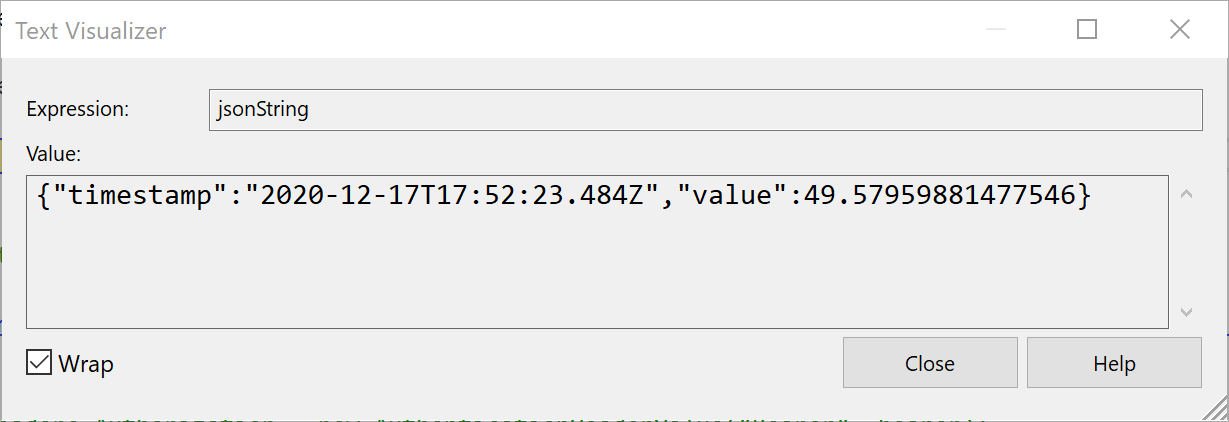
So this proofs the call is actually working. It includes a datetime value which is exactly what you need.
Regarding your issue, it seems the URL is not well constructed. It should end with an actual value like 'Flow' or 'Temperature'.