Microsoft 365 and Office | SharePoint Server | Development
The process of building custom solutions for SharePoint Server.

This browser is no longer supported.
Upgrade to Microsoft Edge to take advantage of the latest features, security updates, and technical support.
' cx='32' cy='32' r='32' /%3E%3Ctext x='50%25' y='55%25' dominant-baseline='middle' text-anchor='middle' fill='%23FFF' %3EMQ%3C/text%3E%3C/svg%3E)
Greetings,
Using SharePoint online
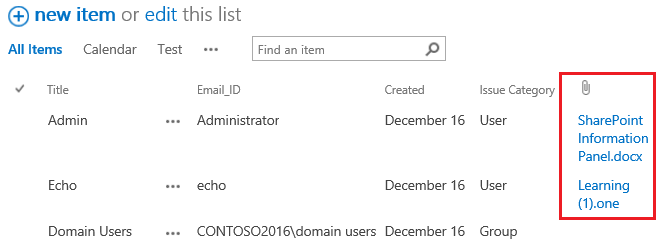
I have a custom list where user can upload/add multiple attachment .
Solution Required:
How can I show all file names ( wheatear user upload single or multiple upload ) as a hyperlink to open it with list existing columns.
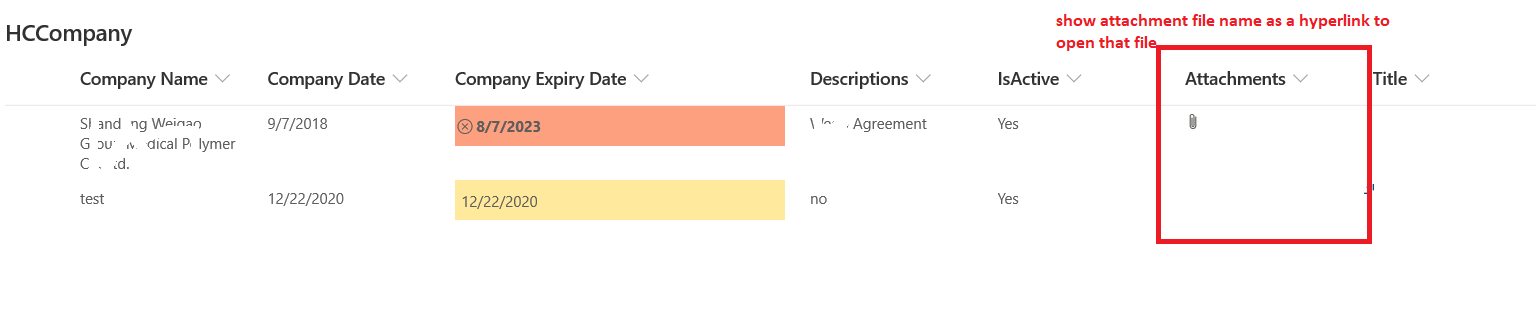 Below is snap for reference

Hi @Mohammad Qasim ,
Would you tell me whether your issue has been resolved or have any update ?
I am looking forward to your reply.
Have a nice day!
Hello @Mohammad Qasim ,
You can use the below Jquery script to achieve your design:
Please the following steps:
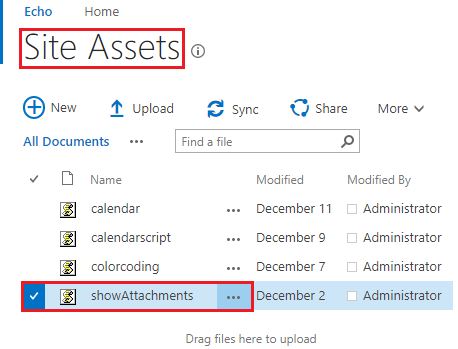
1 Copy the Jquery script and store the .js file in the Site Assets Library
2 Go to SharePoint List, click on Edit page
3 Add a web part named "Content Editor" under the Media and Content section
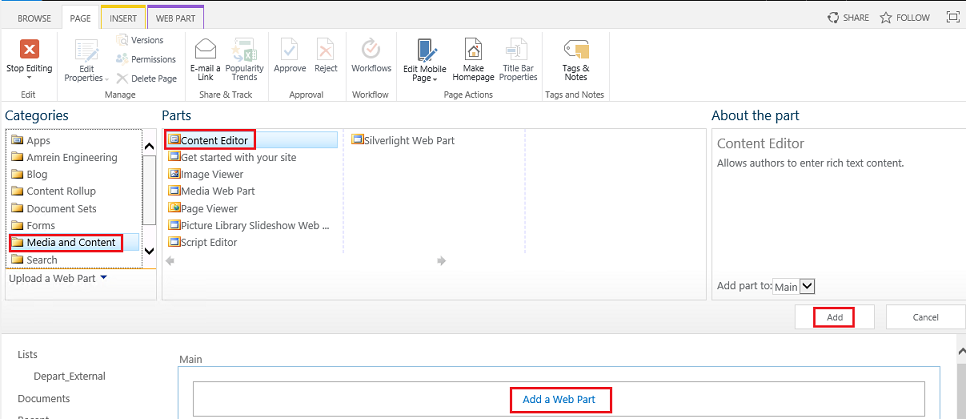
4 Edit Web Part >> go to the Content Editor panel, copy the address link of the .js file to the Content Link textbox.
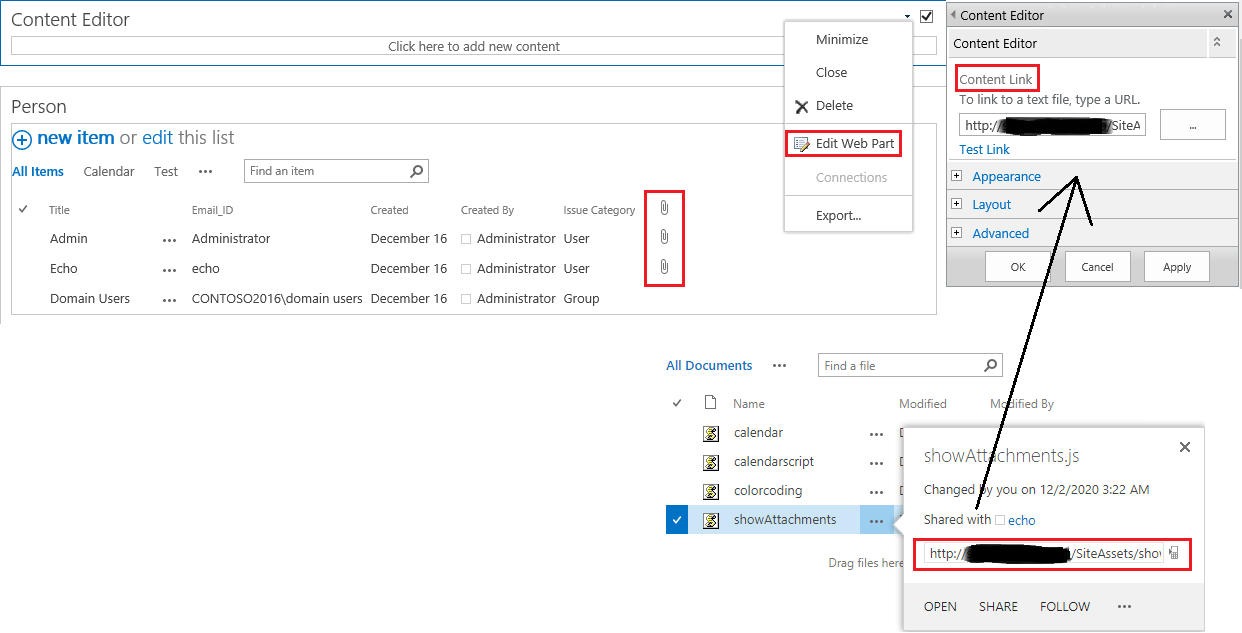
5 Stop Editing to save page
Thanks,
Echo Du
========================
Updated Answer =======================
Hi @Mohammad Qasim ,
This is because the Custom Script function is not enabled in your environment.
There are two ways to enable the Custom Script function:
1.1 Sign in Classic SharePoint admin center as a global or SharePoint admin.
1.2 Click on settings tab on the left navigation bar.
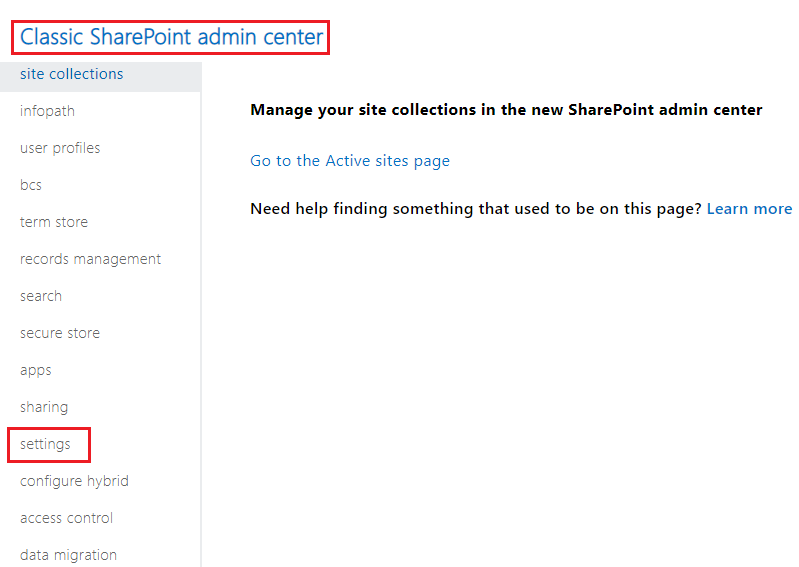
1.3 Scroll page to Custom Script section, as shown below:

1) Run SharePoint Online Management Shell as a global or SharePoint admin.
2) Execute the following command:
Connect-SPOService -Url https://xxxx-admin.sharepoint.com
Set-SPOSite -Identity https://xxxx.sharepoint.com/sites/projects -DenyAddAndCustomizePages 0
Thanks,
Echo Du
========================================
If an Answer is helpful, please click "Accept Answer" and upvote it.
Note: Please follow the steps in our documentation to enable e-mail notifications if you want to receive the related email notification for this thread.
Unable to find/add content editor web part ( as I have modern look )
How to add it ?
Below image for reference

even able to find it here as well
How to add content editor webpart ?
Below image for reference

Hi @Mohammad Qasim ,
I have updated the answer under original My Answer.
Hope this helps you.
I wish you all the best!
Thanks,
Echo Du