Azure Data Factory
An Azure service for ingesting, preparing, and transforming data at scale.
This browser is no longer supported.
Upgrade to Microsoft Edge to take advantage of the latest features, security updates, and technical support.
' cx='32' cy='32' r='32' /%3E%3Ctext x='50%25' y='55%25' dominant-baseline='middle' text-anchor='middle' fill='%23FFF' %3ERJ%3C/text%3E%3C/svg%3E)
My REST API supports adding parameters such as Pagesize, Updated Dates and other filterable columns. How do I build these into the Data Factory copy activity?
' cx='32' cy='32' r='32' /%3E%3Ctext x='50%25' y='55%25' dominant-baseline='middle' text-anchor='middle' fill='%23FFF' %3EMM%3C/text%3E%3C/svg%3E)
Hello @Ryan James and welcome to Microsoft Q&A.
Typically, message body is not used in REST GET requests. The parameters are either encoded in the URI or added as headers. When in the URI it might look something like this:
https://myRestSite.net/api/tablename?filter=date&pagesize=200
where the parameters are filter, and pagesize.
To build this we need to take advantage of the dataset base URL and relative URL. We also need to parameterize the dataset.
First go to the dataset and add some parameters:
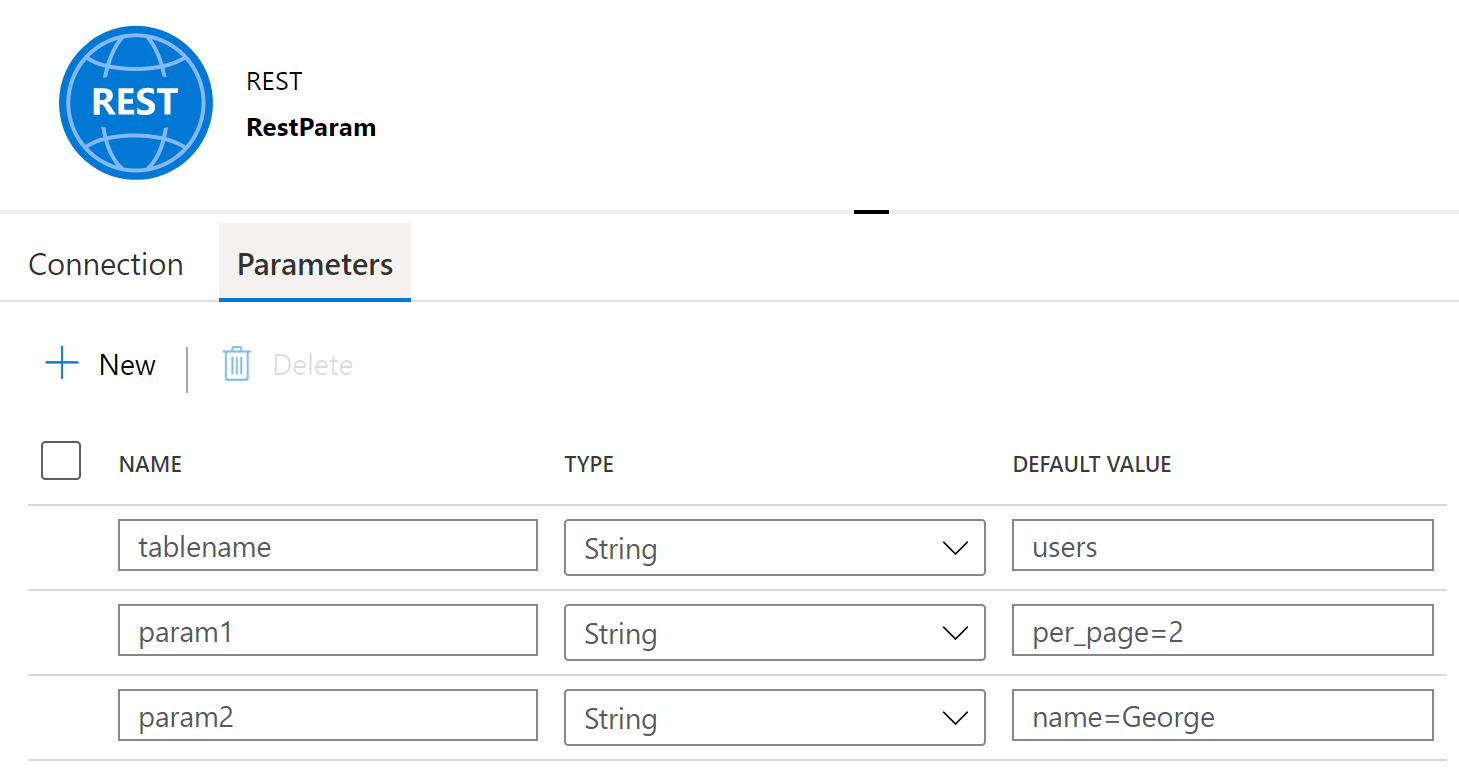
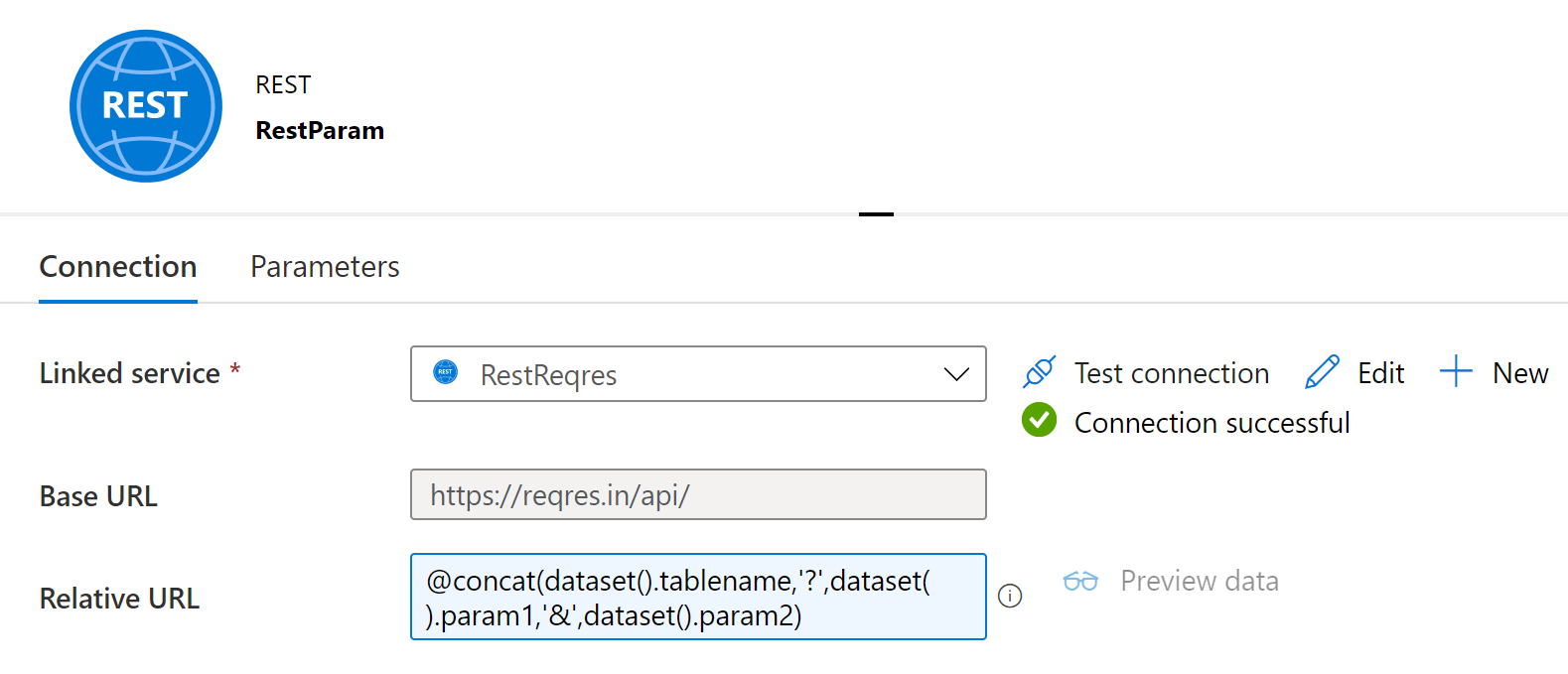
Second, concatenate the parameters together in the relative URL
@concat(dataset().tablename,'?',dataset().param1,'&',dataset().param2)
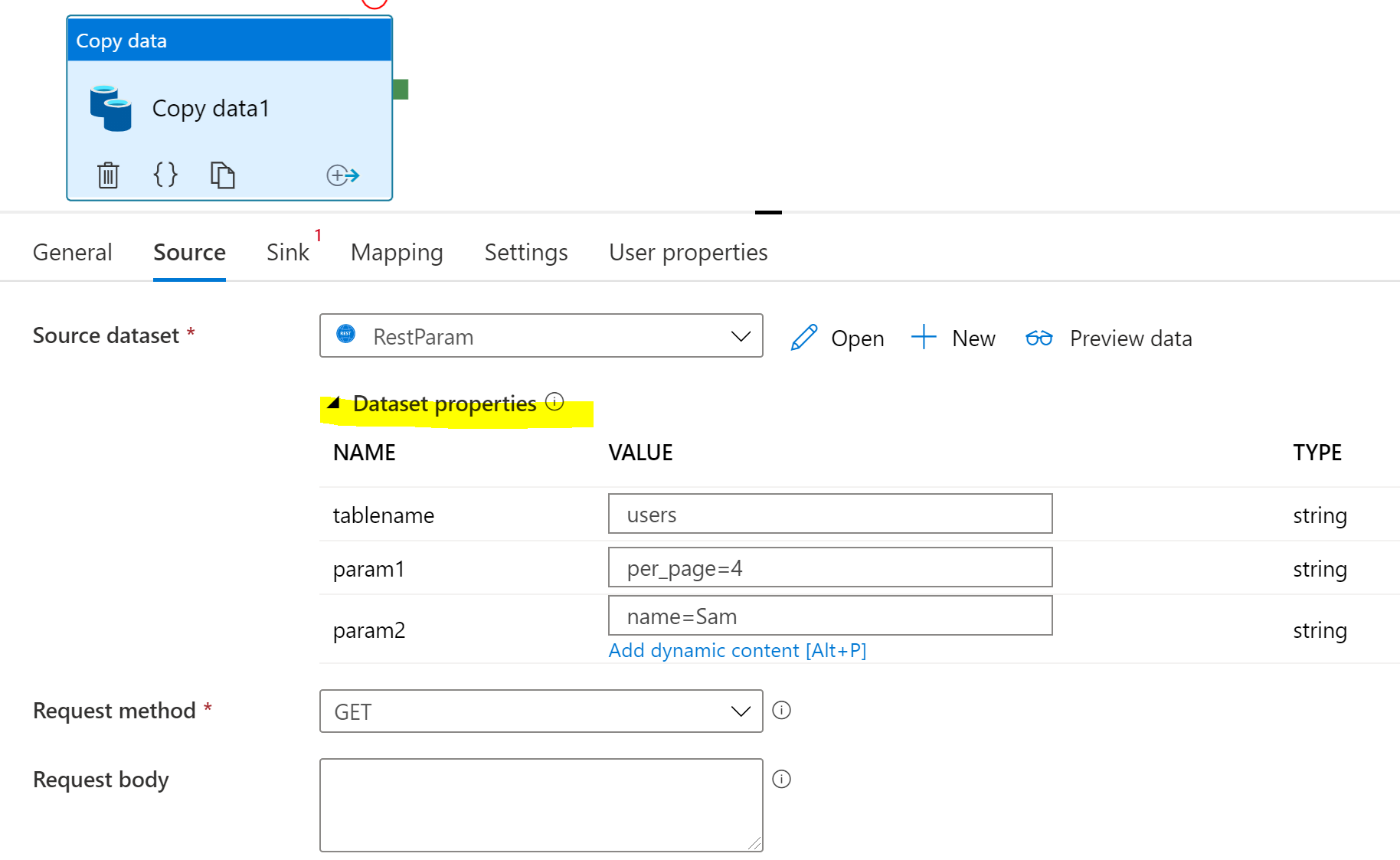
Third, pass in values through the copy activity to the dataset.