Azure Data Factory
An Azure service for ingesting, preparing, and transforming data at scale.
This browser is no longer supported.
Upgrade to Microsoft Edge to take advantage of the latest features, security updates, and technical support.
' cx='32' cy='32' r='32' /%3E%3Ctext x='50%25' y='55%25' dominant-baseline='middle' text-anchor='middle' fill='%23FFF' %3EJ%3C/text%3E%3C/svg%3E)
Hi Team,
I want to copy table from one synapse database to another and in this i want to skip two coloumns means except these two columns entire table should be copied to target synapse database and i want to this with azure data factory.
is this scenario possible ? and if yes then please tell me how to do this.
Thanks & Regards,
Jezz

Hello @jessy ,
You can copy data from the Azure Synapse database by skipping some columns using Azure Data Factory as show below:
For example, to copy data from one Azure Synapse Database to another and explicitly map your columns as shown:
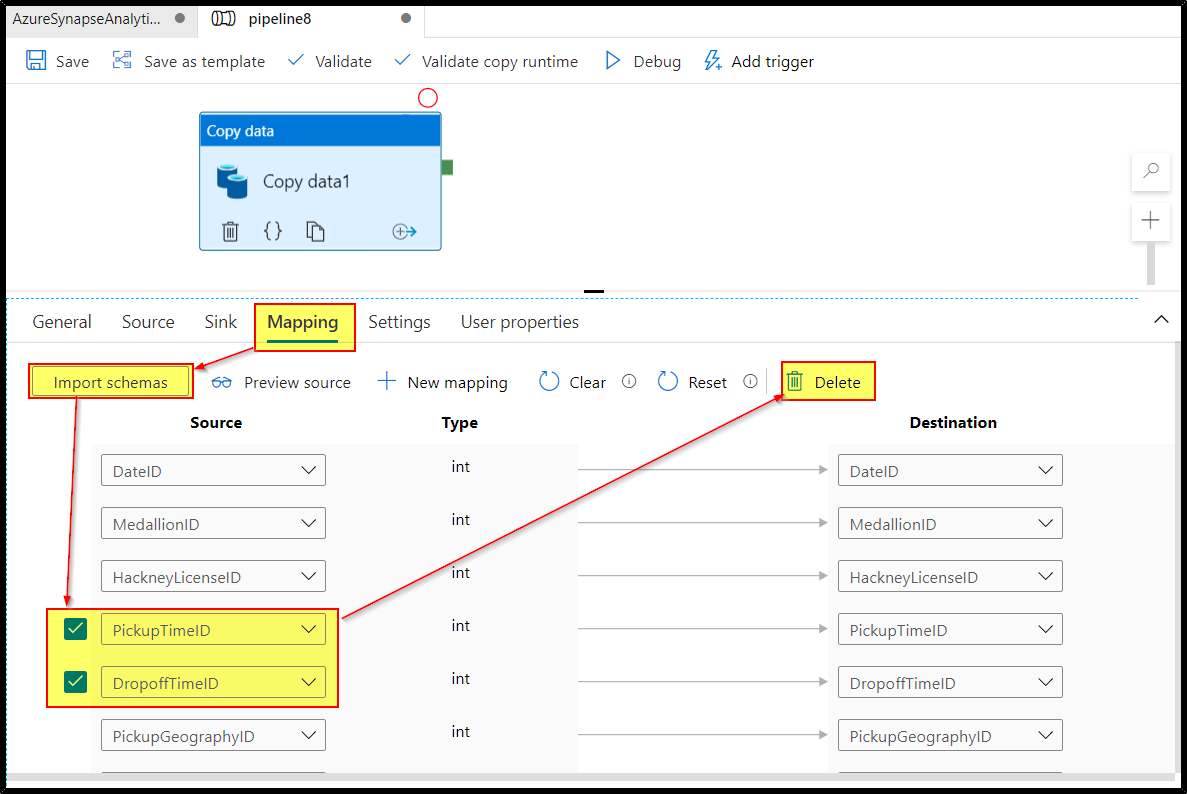
On copy activity, => mapping tab, click Import schemas button.
Map the needed fields and exclude/delete the rest (Select the fields which you want to exclude and click on the delete button).
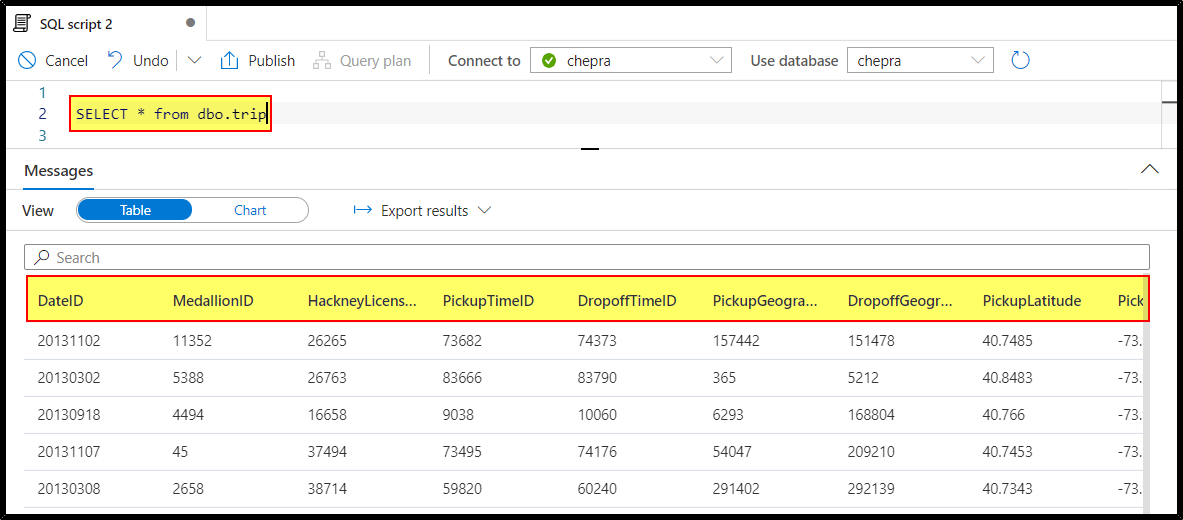
Azure Synapse Analytics Source table data:
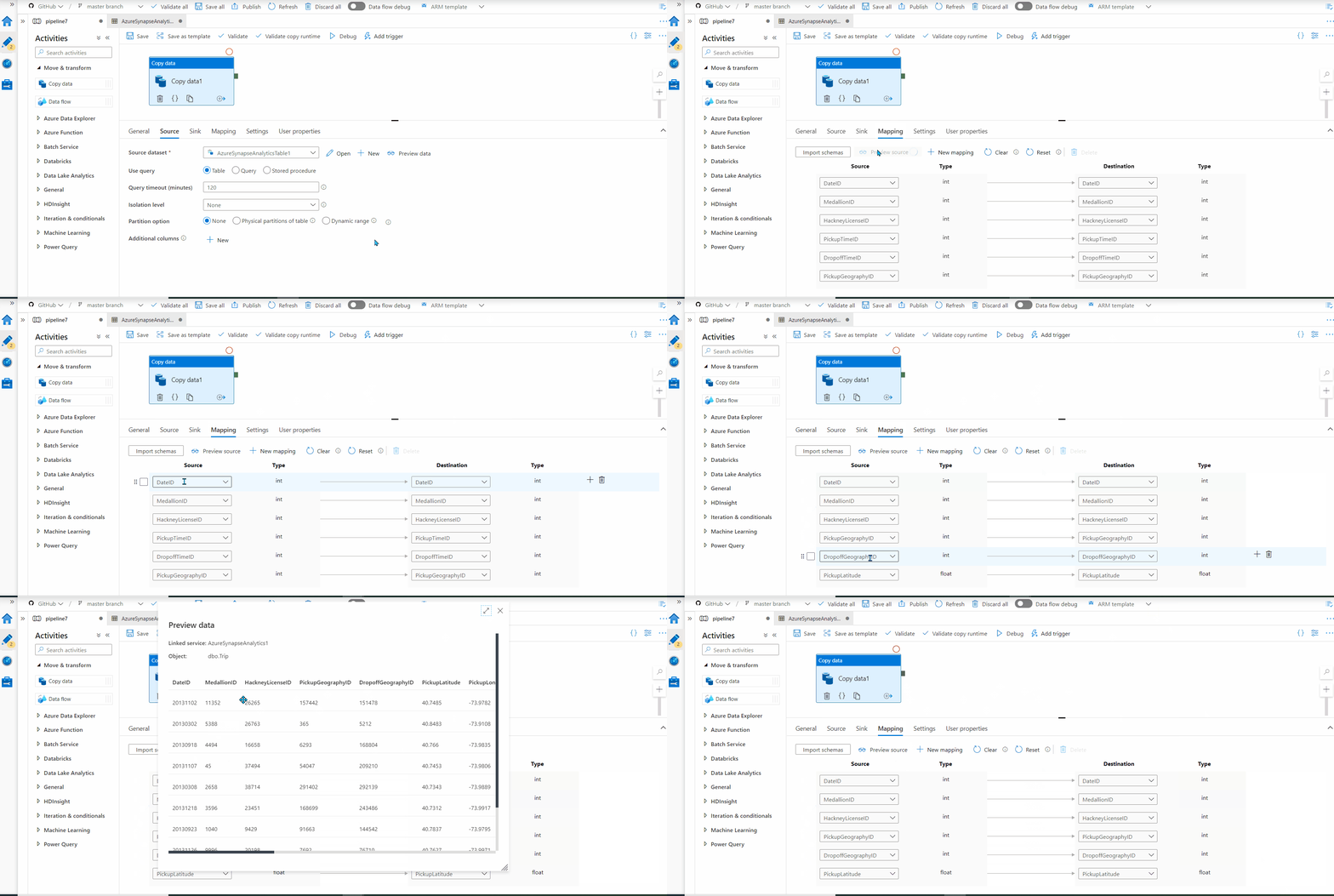
Copy data from synapse database by skipping some columns (PickupTimeID & DropoffTimeID) using azure data factory as shown:
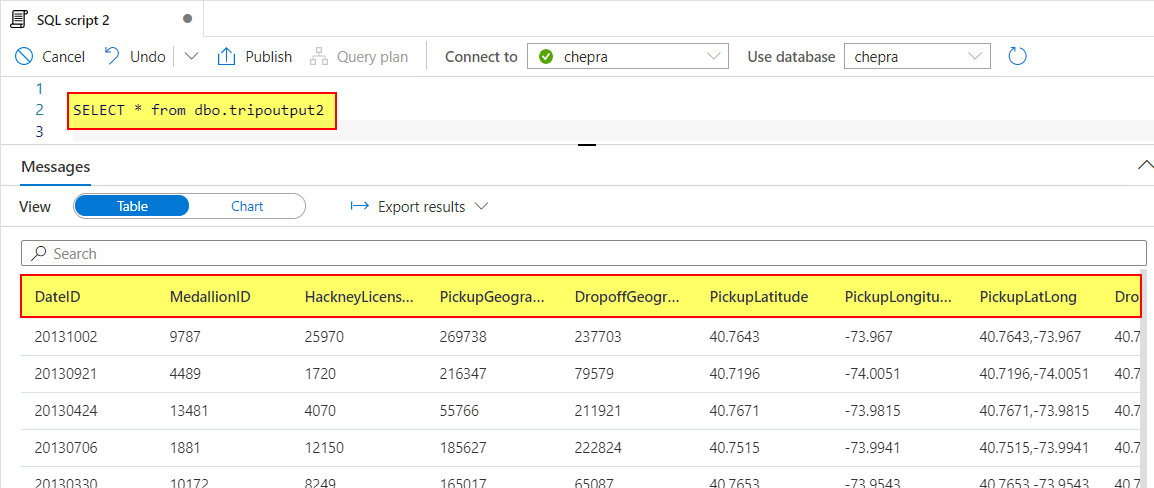
Azure Synapse Analytics Sink table data:
In case, if you want to do it using Azure Data Flows, you may refer similar SO thread addressing the same.
Hope this helps. Do let us know if you any further queries.
------------
Hello @jessy ,
Just checking in to see if the above answer helped. If this answers your query, do click “Accept Answer” and Up-Vote for the same. And, if you have any further query do let us know.
Hello @jessy ,
Following up to see if the above suggestion was helpful. And, if you have any further query do let us know.
Take care & stay safe!
' cx='32' cy='32' r='32' /%3E%3Ctext x='50%25' y='55%25' dominant-baseline='middle' text-anchor='middle' fill='%23FFF' %3EJV%3C/text%3E%3C/svg%3E)
In ADF, if I remove columns from the Mapping tab I always get the error: Column count in target table does not match column count specified in input. If BCP command, ensure format file column count matches destination table. If SSIS data import, check column mappings are consistent with target.
I thought the Copy Data activity would be the perfect place to copy only certain columns across but it seems not.
@PRADEEPCHEEKATLA - Since this thread is too old, I would recommend creating a new thread on the same forum with as much details about your issue as possible. That would make sure that your issue has better visibility in the community.