Hello everyone Donghyun Kim1,
Thank you for contacting the Microsoft community. We apologize for the inconvenience caused by a problem with your device. Definitely not the experience we want.
To help diagnose the problem, we recommend that you contact Microsoft Support - Microsoft Support.
My dear
StevenK
Disclaimer: The post has been moved to English because there is no option for your language. Rest assured that we are not trained in your language, but we will try to solve the problem to the best of our knowledge.
Hi,
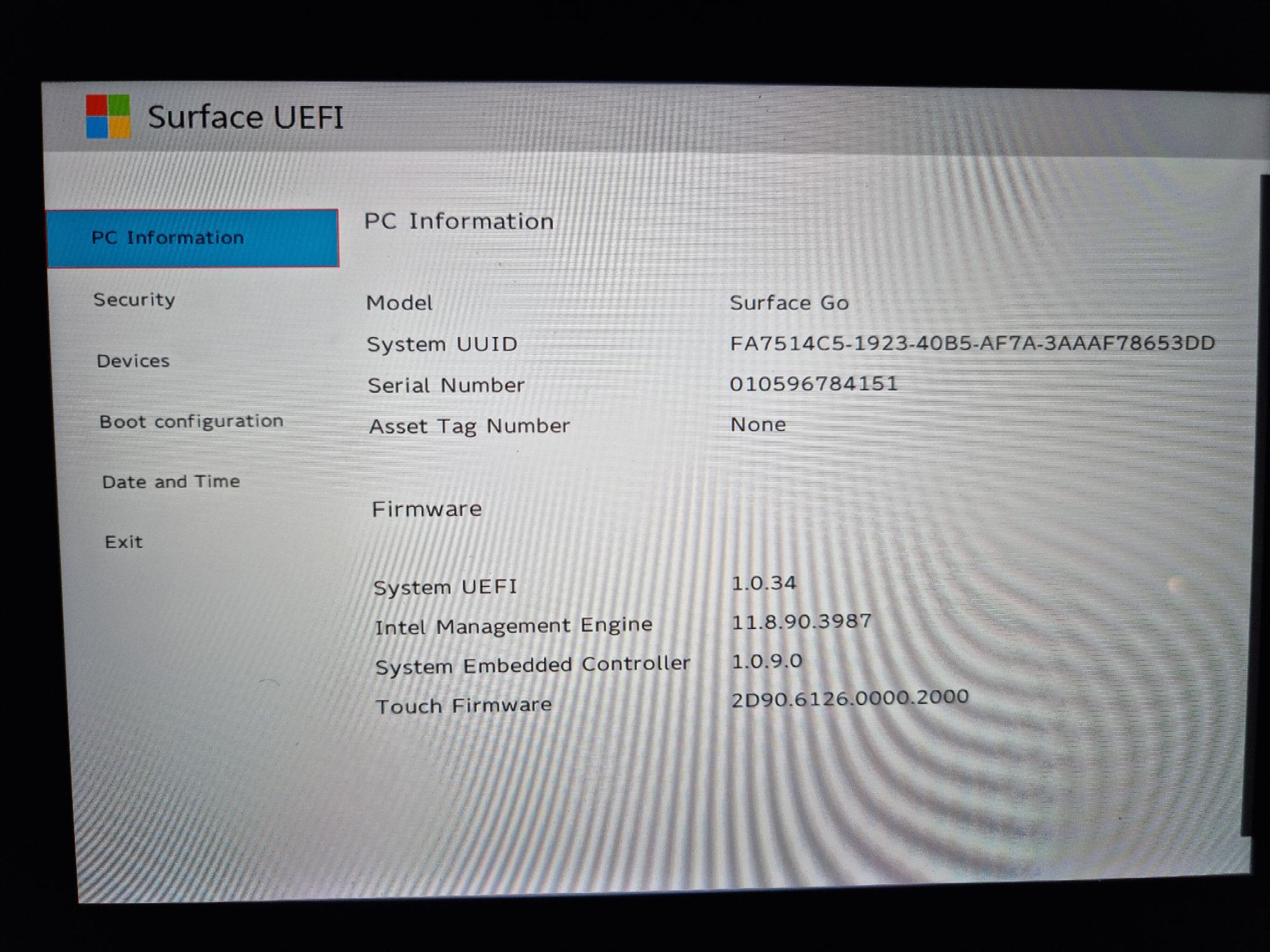
I have exactly the same problem and it is being experienced by other users after performing a windows update that upgraded the firmware of my Surface Go to 1.0.34.
This is exactly the same as what has occured to other users with a Surface Go as reported here:
https://answers.microsoft.com/en-us/surface/forum/surfacego-surfver_surfgo-surftop_install/surface-go-uefi-version-is-1034-and-no-bootable/9d1ba573-7929-489d-b31b-1b5912df529b?messageId=df4b15f6-5e1c-420b-97ee-968c49ea4ee5
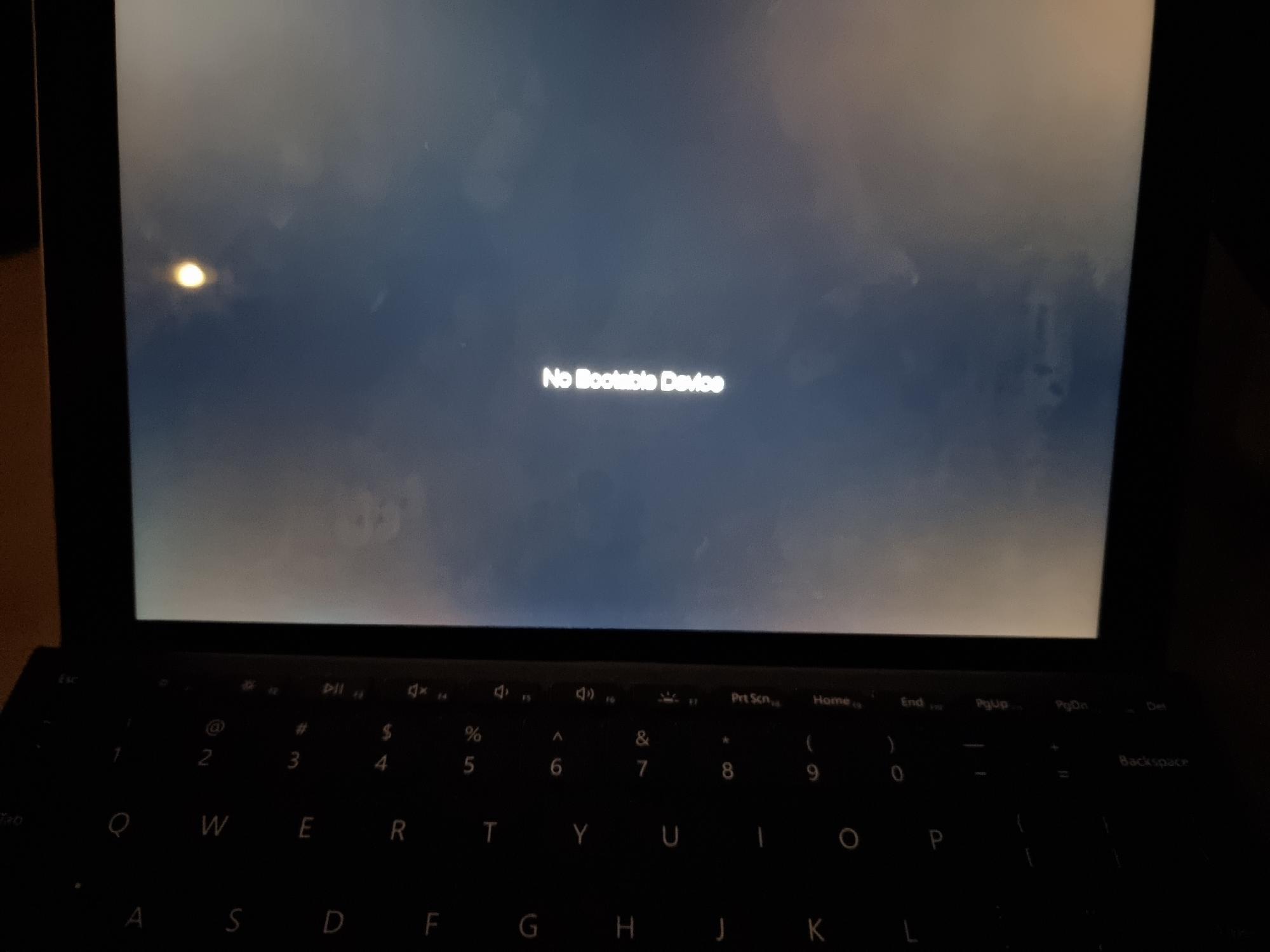
My device was working perfectly fine beforehand but now will no longer boot and I receive the error "No Bootable Device". I attempted to contact Microsoft Support but Chat and Call me support options are unavailable. How do I get this resolved without having to send my laptop back and paying in excess of AU$300+ as it is no longer within warranty?
The Surface Go was working perfectly fine before these updates were applied.
Zoe.
' cx='32' cy='32' r='32' /%3E%3Ctext x='50%25' y='55%25' dominant-baseline='middle' text-anchor='middle' fill='%23FFF' %3EA%3C/text%3E%3C/svg%3E)
