Community Center | Not monitored
Tag not monitored by Microsoft.

This browser is no longer supported.
Upgrade to Microsoft Edge to take advantage of the latest features, security updates, and technical support.
' cx='32' cy='32' r='32' /%3E%3Ctext x='50%25' y='55%25' dominant-baseline='middle' text-anchor='middle' fill='%23FFF' %3ED%3C/text%3E%3C/svg%3E)
System Info: Windows 10 Pro x64 10.0.19041 running on Lenovo L540
Visusal Studio 2019 V16.8.2
Windows SDK: 10.0.19041.0
Platform Toolset: VS 2019 (v142)
Microsoft.Windows.CppWinRT nuget package v2.0.201217.4
Laptop has 2 external displays plugged in.
Repro Steps:
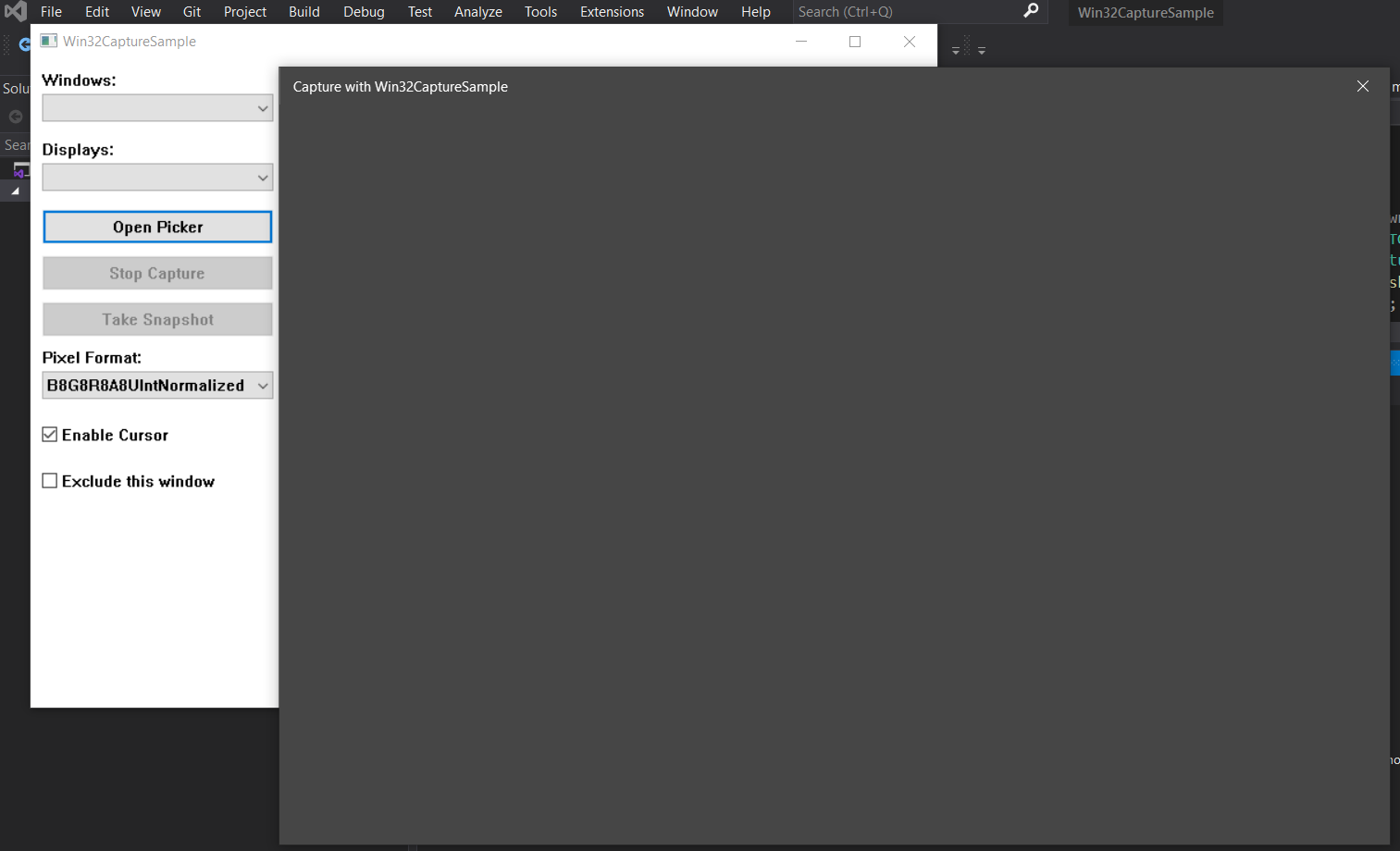
At this point Windows Explorer is in a bad state. Clicking Windows Icon in the task bar does not bring up the start menu. Right clicking any of the app icons in the task bar does not bring up the context menu. Clicking the "Open Picker" button on the Win32CaptureSample app brings up a blank window instead of the GraphicsCapturePicker. It was necessary to restart Windows Explorer from the Task Manager in order to recover.
Running the same steps as above with only 1 external display will result in Win32CaptureSample throwing an exception when the display is unplugged.
Tag not monitored by Microsoft.
' cx='32' cy='32' r='32' /%3E%3Ctext x='50%25' y='55%25' dominant-baseline='middle' text-anchor='middle' fill='%23FFF' %3EAM%3C/text%3E%3C/svg%3E)
Hello,
Welcome to Microsoft Q&A!
Currently, Microsoft Q&A supports the products listed over here (more to be added later on).
Your sample comes from third party, it is out of scope. You could report your problem with Github issue of third party sample.
If the response is helpful, please click "Accept Answer" and upvote it.
Note: Please follow the steps in our documentation to enable e-mail notifications if you want to receive the related email notification for this thread.
I only refer to Win32CaptureSample as a way for Microsoft to reproduce the issue. The issue is not specific to the Win32CaptureSample app; it also happens in my application which uses winrt::Windows::Graphics::Capture::GraphicsCapturePicker. The bug seems with the GraphicsCapturePicker and the way it interacts with Windows Explorer when Displays are removed. I will repost the issue on the forum that you suggest but I think someone at Microsoft should take a look at this since there seems to be a serious problem in the winrt::Windows::Graphics::Capture namespace.
@DonF Due to the forum policy, Microsoft Q&A does not handle questions that related to third party libraries.
If you could reproduce the issue in your own project, you could ask a new question here in Micorosft Q&A with the winapi tag if it is a win32 application.