Microsoft 365 and Office | SharePoint Server | For business
A family of Microsoft on-premises document management and storage systems.

This browser is no longer supported.
Upgrade to Microsoft Edge to take advantage of the latest features, security updates, and technical support.
Hi Guys,
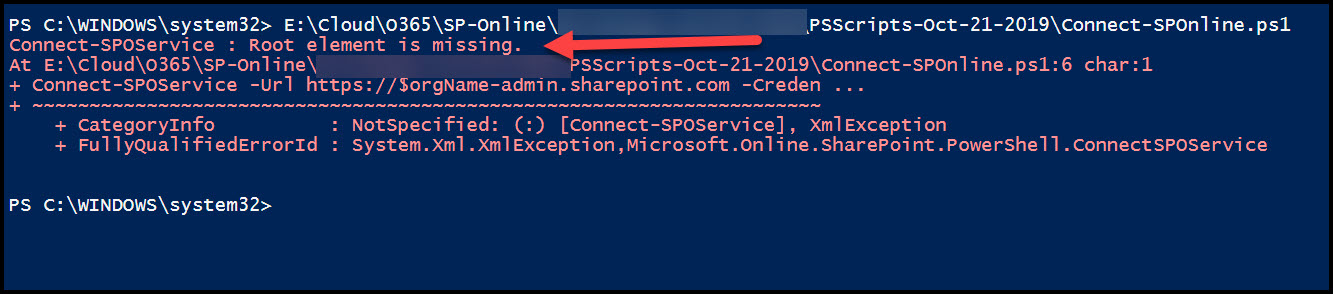
I'm getting root element is missing error while running PS scripts can you advise if there is a fix from MS ?
I've already updated with latest version of PS.
' cx='32' cy='32' r='32' /%3E%3Ctext x='50%25' y='55%25' dominant-baseline='middle' text-anchor='middle' fill='%23FFF' %3ERM%3C/text%3E%3C/svg%3E)
In other reported problems with the same error it turned out to be a DNS problem.
Here are a couple of examples you could have found by using a search engine:
sharepoint-365-csom-error-receiving-root-element-is-missing-error-on-execute
1723
root-element-missing-when-connecting-to.html

Hello @SR VSP ,
Root Element Missing when connecting to SharePoint online via CSOM/Powershell on windows 10 machine
This is a known issue specific to the particular machine where you are executing this code. In order to fix this issue, need to change the DNS setting in your machine.
Please follow steps:
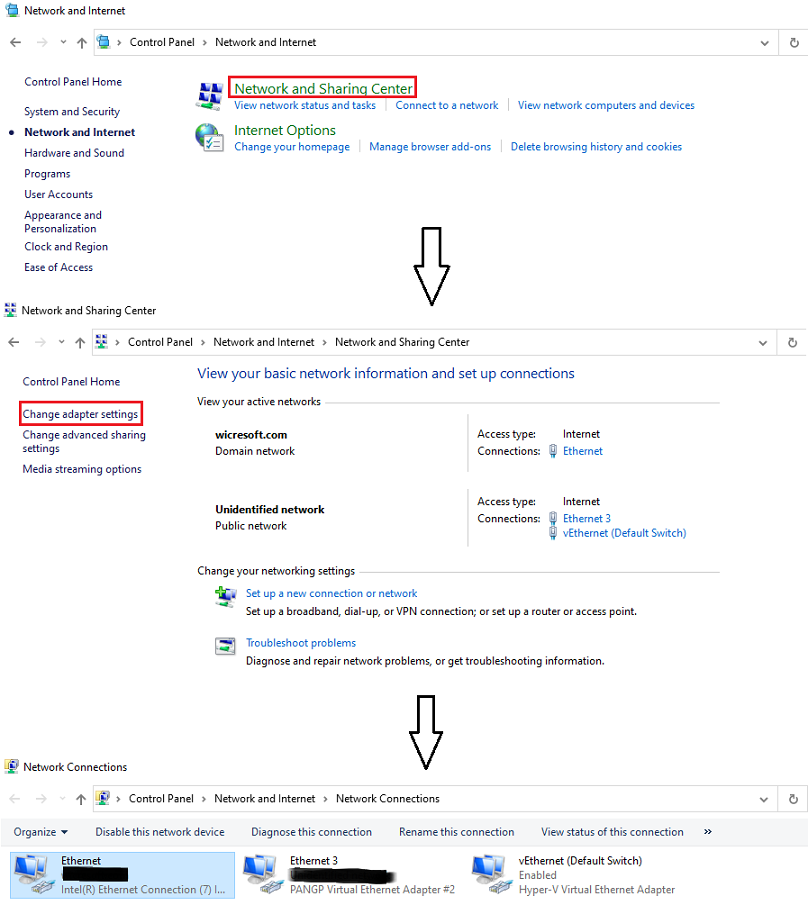
1.Control Panel >> Network and Internet >> Network and Sharing Center >> Change adapter settings >> select the Network through which you are connecting to Internet
2.Right click on it and select Properties >> select Internet Protocol Version 4 (TCP/IPV4) and click Properties
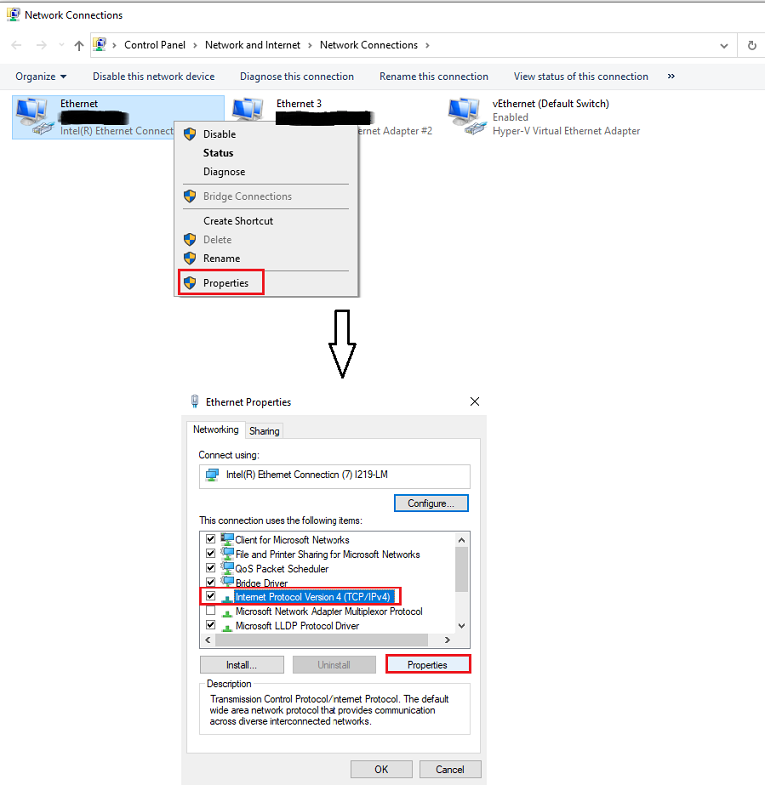
3.Select "Use the following DNS Server Addresses" option and give the DNS whatever you want.
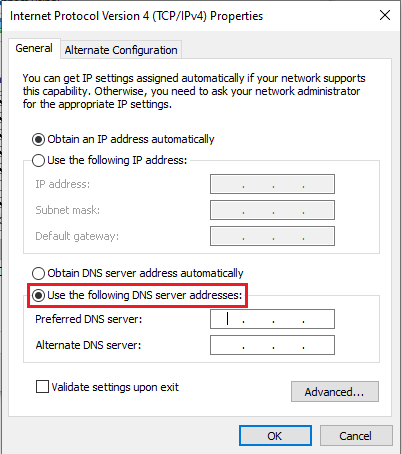
4.Click OK button to apply these changes.
Thanks,
Echo Du
=====================
If an Answer is helpful, please click "Accept Answer" and upvote it.
Note: Please follow the steps in our documentation to enable e-mail notifications if you want to receive the related email notification for this thread.
I did the same before posting this question but no go .
But when i tried to connect using VPN without modifying ethernet settings it works, bit strange behavior..
Maybe not as strange as it seems. Try "ipconfig /all" and check the DNS servers in each connection. Maye you're using a wireless connection in one case and a wired connection in the other? Or the VPN connection is altering your DNS?
This is happening if i connect using my Wifi but not with VPN.
Does it matter? Are the DNS servers identical in all cases (WiFi, VPN, wired)?
I keep changing the DNS every day to remain stable then it works. I guess this is the only work around i have now
' cx='32' cy='32' r='32' /%3E%3Ctext x='50%25' y='55%25' dominant-baseline='middle' text-anchor='middle' fill='%23FFF' %3EHF%3C/text%3E%3C/svg%3E)
Actually it seems having IPV6 enabled will cause this error. I did several experiments, and in the end disabling IPV6 did it for me. I did not need to change my IPV4 DNS servers.
