Microsoft 365 and Office | SharePoint | For business | Windows
A group of Microsoft Products and technologies used for sharing and managing content, knowledge, and applications.

This browser is no longer supported.
Upgrade to Microsoft Edge to take advantage of the latest features, security updates, and technical support.
' cx='32' cy='32' r='32' /%3E%3Ctext x='50%25' y='55%25' dominant-baseline='middle' text-anchor='middle' fill='%23FFF' %3EHW%3C/text%3E%3C/svg%3E)
I have a test site with document sets where if I change a metadata column on a document set the files inside change to match the same data. I did this by enabling shared column's under default content
I have now made made a document set on the real site with a document set with shared columns enabled. However now when I change the data on a doc set level the files inside no longer change?
What Gives?

Hi @Henry Woodman ,
Would you tell me whether your issue has been resolved or have any update ?
I am looking forward to your reply.
Have a nice day!
Hello @Henry Woodman ,
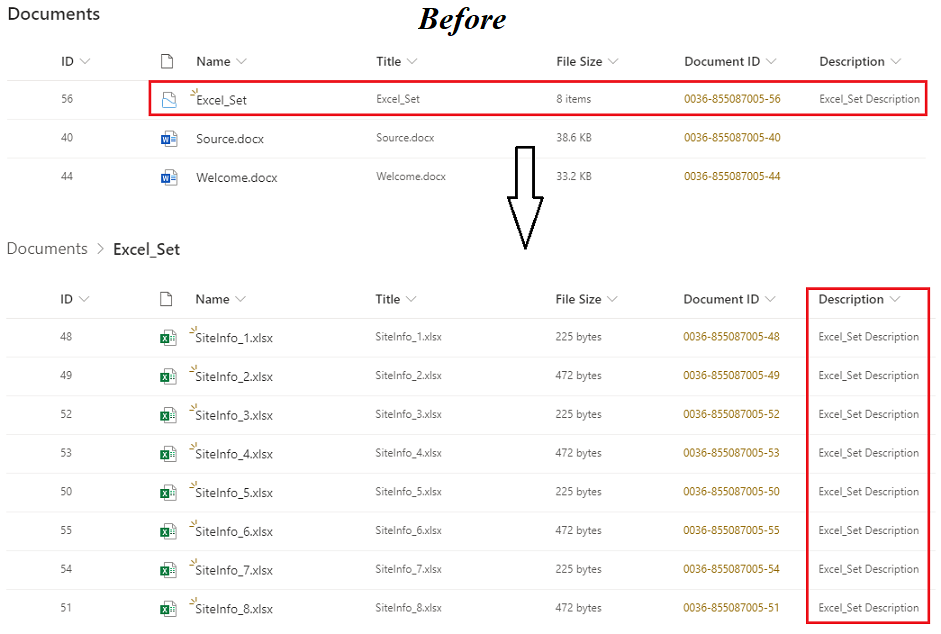
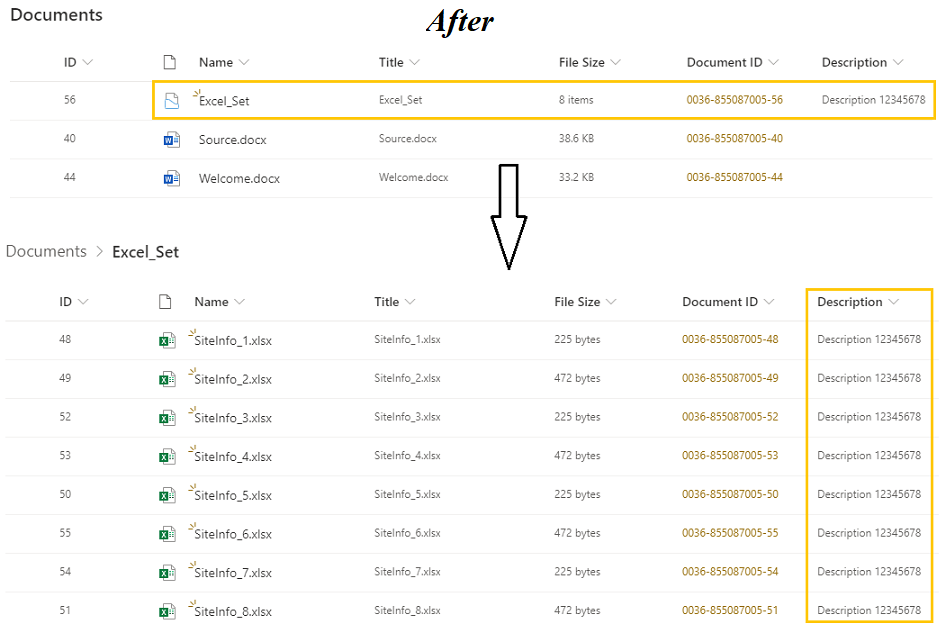
Per my test, I cannot reproduce your issue.
By design, Shared columns are read-only for the documents within the Document Set, and they can be edited only for the Document Set itself. When changes are made to the values of the shared columns for the Document Set, these updates will be synchronized to the shared column values for the documents within the set.
If the Document Set stores many documents/files, it needs take a while to take effect.
Thanks,
Echo Du
================
If an Answer is helpful, please click "Accept Answer" and upvote it.
Note: Please follow the steps in our documentation to enable e-mail notifications if you want to receive the related email notification for this thread.
' cx='32' cy='32' r='32' /%3E%3Ctext x='50%25' y='55%25' dominant-baseline='middle' text-anchor='middle' fill='%23FFF' %3ECL%3C/text%3E%3C/svg%3E)
I did just run into the same thing using SharePoint on prem 2016. In our situation, the metadata on the documents did not update from the Doc Set because the Office documents within the set had been marked as final using the 'Protect' feature in the document properties.