Microsoft Security | Active Directory Federation Services
Federated identity management using Active Directory Federation Services

This browser is no longer supported.
Upgrade to Microsoft Edge to take advantage of the latest features, security updates, and technical support.
' cx='32' cy='32' r='32' /%3E%3Ctext x='50%25' y='55%25' dominant-baseline='middle' text-anchor='middle' fill='%23FFF' %3EE%3C/text%3E%3C/svg%3E)
Hi All,
I have configured ADFS I can sign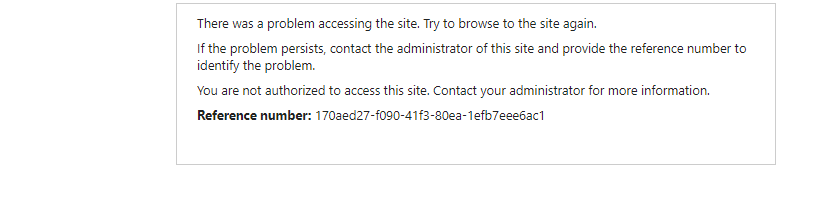
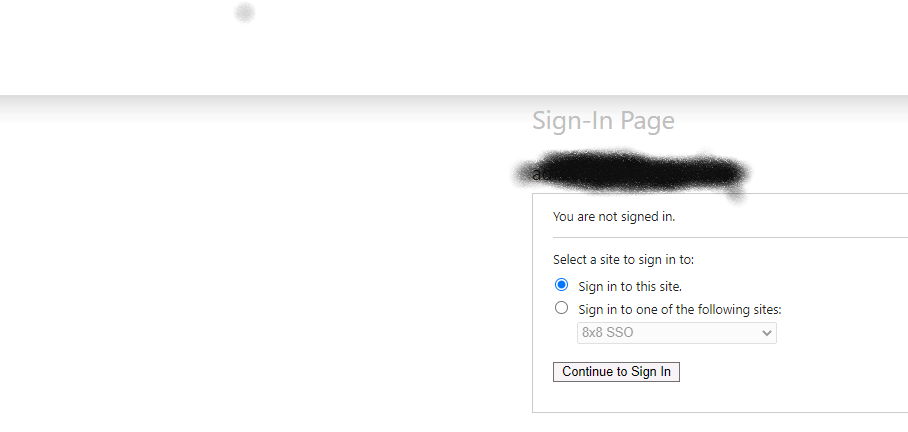 in but the relying party I have added get the below error how do I rectify the issue.
' cx='32' cy='32' r='32' /%3E%3Ctext x='50%25' y='55%25' dominant-baseline='middle' text-anchor='middle' fill='%23FFF' %3EVS%3C/text%3E%3C/svg%3E)
@Edress Thanks for reaching out. This is a generic error from ADFS, which can happen for following reasons:
1) The setup of single sign-on (SSO) through AD FS wasn't completed.
2) The AD FS token-signing certificate expired.
3) The AD FS client access policy claims are set up incorrectly.
4) The relying party trust with Azure Active Directory (Azure AD) is missing or is set up incorrectly.
5) The AD FS federation proxy server is set up incorrectly or exposed incorrectly.
6) The AD FS IUSR account doesn't have the "Impersonate a client after authentication" user permission.
Follow our article to find a solution for each scenario.
If the problem persist, you would need to work with the support team for further investigation.
If the suggested response helped you resolve your issue, please do not forget to accept the response as Answer and "Up-Vote" for the answer that helped you for benefit of the community.