Azure Logic Apps
An Azure service that automates the access and use of data across clouds without writing code.
This browser is no longer supported.
Upgrade to Microsoft Edge to take advantage of the latest features, security updates, and technical support.
' cx='32' cy='32' r='32' /%3E%3Ctext x='50%25' y='55%25' dominant-baseline='middle' text-anchor='middle' fill='%23FFF' %3EA1%3C/text%3E%3C/svg%3E)
Hi,
I was testing a connection to Microsoft Forms from logic app and saw that it seems possible to connect using a System-Managed Identity.
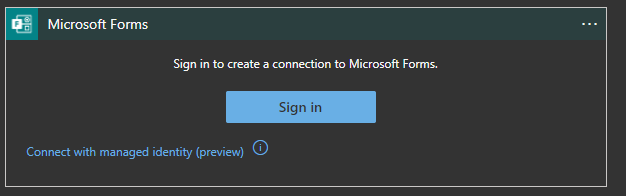
But I am unable to make it work. Can anyone help me with that ?
Thanks
An Azure service that automates the access and use of data across clouds without writing code.
' cx='32' cy='32' r='32' /%3E%3Ctext x='50%25' y='55%25' dominant-baseline='middle' text-anchor='middle' fill='%23FFF' %3EJM%3C/text%3E%3C/svg%3E)
Hello @Anonymous
I believe https://techcommunity.microsoft.com/t5/integrations-on-azure/azure-logic-apps-authenticate-with-managed-identity-for-azure-ad/ba-p/2066254 might help in this case.
Thanks @JayaC-MSFT , I'll check the link!
' cx='32' cy='32' r='32' /%3E%3Ctext x='50%25' y='55%25' dominant-baseline='middle' text-anchor='middle' fill='%23FFF' %3ENB%3C/text%3E%3C/svg%3E)
Hi there,
I don't see the option for a managed identity for Forms - how did you get this? I do see it for Azure Resource Manager.
' cx='32' cy='32' r='32' /%3E%3Ctext x='50%25' y='55%25' dominant-baseline='middle' text-anchor='middle' fill='%23FFF' %3EGV%3C/text%3E%3C/svg%3E)
Hi aparratte,
Did you already have this working? I'm also busy with creating logic apps, which need access to MS Forms and SharePoint lists. Now I used my personal account, but I want to use a user-managed identity for it. How to do that? Which role does the identity need to have?
Regards,
Gerco

Dear member,
Thank you for posting your question on the Q&A platform
Sometime back I had a similar issue and in my case, it was because of the office365 license. The account that I used to create the LA doesn't have Office 365 account. When I did the same thing from another account having Office 365 license, it worked.
So I would suggest checking the above option and see if it resolve your issue.
Regards,
Kamlesh Kumar