Hi JoshuaBrock-5603,
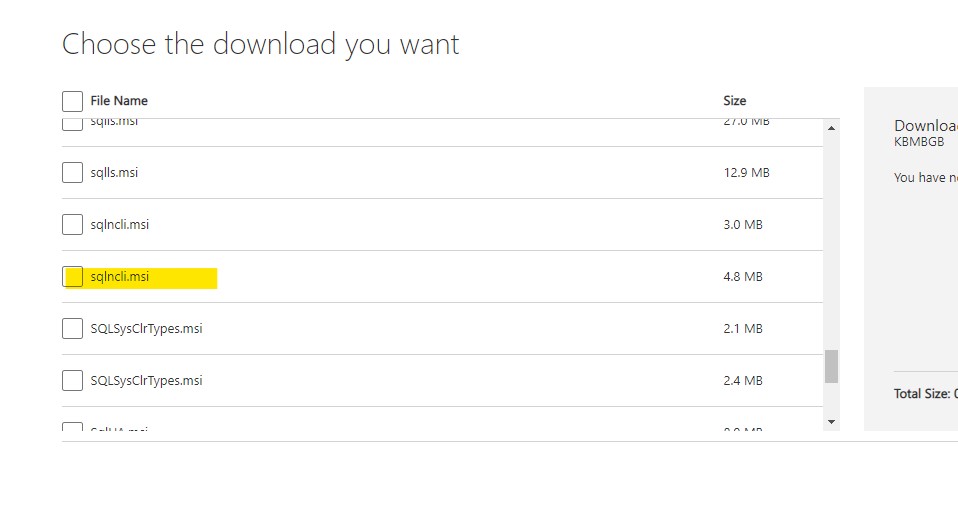
Could you please try to download sqlncli.msi from SQL Server 2012 SP4 Feature Pack?
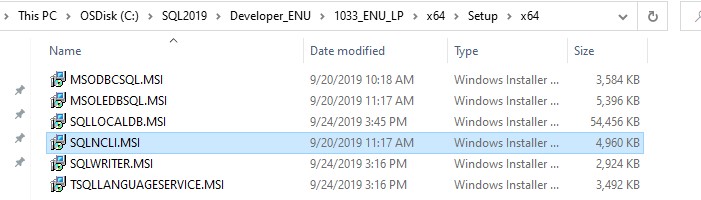
Or you can get it from SQLServerMedia\<YOUR_SQL_ENU>\1033_ENU_LP\x64\Setup\x64.
Best Regards,
Amelia
This browser is no longer supported.
Upgrade to Microsoft Edge to take advantage of the latest features, security updates, and technical support.
' cx='32' cy='32' r='32' /%3E%3Ctext x='50%25' y='55%25' dominant-baseline='middle' text-anchor='middle' fill='%23FFF' %3EJB%3C/text%3E%3C/svg%3E)
Hello,
I'm trying to install SQL Server 2012 Native Client using the 64-bit sqlncli.msi downloaded from here onto a Windows Sandbox environment.
I get a missing DLL error whenever I reach the removing backup files step of the wizard.

I've googled around and some solutions say to get a copy of sqlncli11.dll and put it into the System32 folder, but that also prompts the error message above.
Any ideas what DLL might be missing from the Sandbox?
' cx='32' cy='32' r='32' /%3E%3Ctext x='50%25' y='55%25' dominant-baseline='middle' text-anchor='middle' fill='%23FFF' %3EAM%3C/text%3E%3C/svg%3E)
Hi JoshuaBrock-5603,
Could you please try to download sqlncli.msi from SQL Server 2012 SP4 Feature Pack?
Or you can get it from SQLServerMedia\<YOUR_SQL_ENU>\1033_ENU_LP\x64\Setup\x64.
Best Regards,
Amelia