* Original Title: Can't Run MSI Installers By Double-Clicking (Missing DLL)
Hello All,
I am running Windows 8.1 with an account that has Administrator privileges and I can't run installer (.msi) files unless I do it from a
Command Prompt that is run with Administrator privileges.
To demonstrate, first I check my account to make sure I am indeed an administrator:

As you can see I am running a local account with administrator rights.
When I double click the MSI installer I get the following error message:
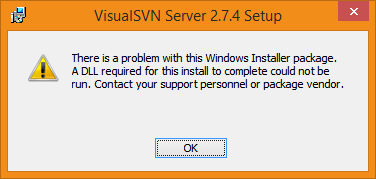
As you can see it says there is a problem with the installer package and that a required
DLL is missing.
I figured out a way to get it to work by running the MSI from a Command Prompt with
Administrator privileges.
First, I create a Command Prompt shortcut (cmd.exe) on my desktop then I right-click it and select
Run as administrator:
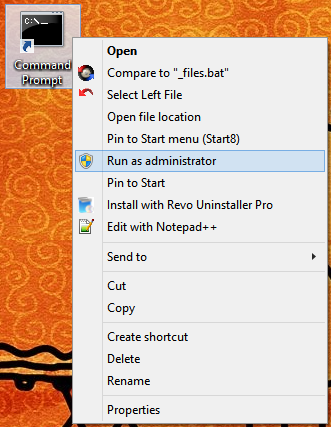
I then browse to the location of the MSI file and run it from there and I no longer get the DLL error message (the installation starts);

I can run installers that have a .exe extension. I only see this problem with installers that have the
.msi extension.
Does anyone know why I can't double-click/run MSI installers on my machine?
Thank you.
' cx='32' cy='32' r='32' /%3E%3Ctext x='50%25' y='55%25' dominant-baseline='middle' text-anchor='middle' fill='%23FFF' %3EA%3C/text%3E%3C/svg%3E)
