Microsoft Security | Microsoft Entra | Microsoft Entra ID
A cloud-based identity and access management service for securing user authentication and resource access

This browser is no longer supported.
Upgrade to Microsoft Edge to take advantage of the latest features, security updates, and technical support.
' cx='32' cy='32' r='32' /%3E%3Ctext x='50%25' y='55%25' dominant-baseline='middle' text-anchor='middle' fill='%23FFF' %3ECA%3C/text%3E%3C/svg%3E)
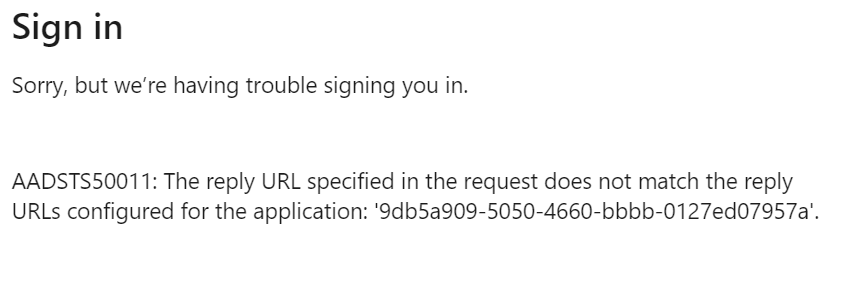
Request Id: bd4608ba-0794-44a3-a83c-d42215e90500
Correlation Id: 0b75e7bd-d336-4673-8113-df4c5373cf9d
Timestamp: 2021-02-09T06:27:40Z
Message: AADSTS50011: The reply URL specified in the request does not match the reply URLs configured for the application: '9db5a909-5050-4660-bbbb-0127ed07957a'.
' cx='32' cy='32' r='32' /%3E%3Ctext x='50%25' y='55%25' dominant-baseline='middle' text-anchor='middle' fill='%23FFF' %3EMT%3C/text%3E%3C/svg%3E)
Hi @Chandragiri, Anish (KTHYD) ,
Have you already made sure that the reply URL you have set up under App Registrations in the Azure portal matches the reply URL you have set up in the application code? It needs to exactly match and there can't be anything extra such as a slash or a space after one and not the other.
If you're testing locally it should be the local reply URL but if you've published the app you can use the published app URL where you want the user to be redirected. Just make sure that the references match in both the portal and the code.
Also make sure that the Tenant ID and application ID are set correctly. If you registered the app under one tenant and are referencing a different tenant ID or different application ID in the code, it will also throw this error.
Please check under Azure Portal > Azure Active Directory > App Registrations > All apps > Search with client ID (aka app ID) > Under Authentication blade of the application > reply URL
' cx='32' cy='32' r='32' /%3E%3Ctext x='50%25' y='55%25' dominant-baseline='middle' text-anchor='middle' fill='%23FFF' %3EVS%3C/text%3E%3C/svg%3E)
I just wanted to check in and see if you had any other questions or if you were able to resolve this issue?
If you have any other questions, please let me know.
Thank you for your time and patience throughout this issue.
----------
Please remember to "Accept Answer" if any answer/reply helped, so that others in the community facing similar issues can easily find the solution.