Microsoft Security | Microsoft Entra | Microsoft Entra ID
A cloud-based identity and access management service for securing user authentication and resource access

This browser is no longer supported.
Upgrade to Microsoft Edge to take advantage of the latest features, security updates, and technical support.
' cx='32' cy='32' r='32' /%3E%3Ctext x='50%25' y='55%25' dominant-baseline='middle' text-anchor='middle' fill='%23FFF' %3ESH%3C/text%3E%3C/svg%3E)
I'm trying to follow along with the sample AAD Role Based Authorization.
(1) Is it necessary to call Microsoft Graph in this example? When I look at the source code (AccountController.cs line 42), it appears that Microsoft Graph could be any sample API whose access could be denied for some users. Is this true?
(2) I'd like to follow along and call Microsoft Graph but the instructions at step 10 don't seem to match what I am seeing in the portal.azure.com.
(2a) I click on API Permissions and "Add Permissions" and I see a blade with Microsoft APIs.
(2b) I select the "Microsoft APIs tab and then click on the "Microsoft Graph" (with the nice blue icosahedron icon) and then click on the box "delegated". I don't see the "Commonly Used Microsoft APIs" section.
(2c) I click on the "Delegated Permissions" box and I see check boxes for "offline_access" and "openid". I don't see "User.Read, User.ReadBasic.All & Directory.Read.All". I use the search box but it does not help.
(3) What is the best place for queries like this? I I started to post here, but this looked more like a place for bugs..
(4) Looks this other example of group authorization has the same issue with step 10. There is no GroupMember.Read.All.
Wed Feb 10 2021 Evening Update:
OK, I see the problem. I'm trying to re-use the client I created with 4-2-B2C and I get these results:
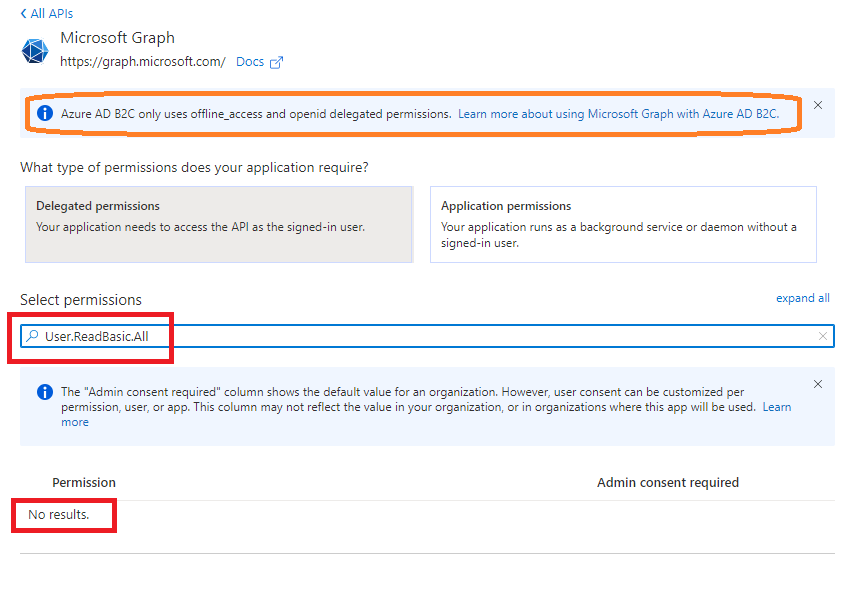
However, when I create a new client following the instructions in the link in the orange rectangle, everything is good: I can add User.ReadBasic.All.
So apparently I need to use this new client to follow along with the exercise... OK... I'll do that.
However, the new question is: how can I enhance 4-2-B2C to incorporate Role/Group authorization? In this example I need to select the green rectangle. But then I cannot add User.ReadBasic.All.
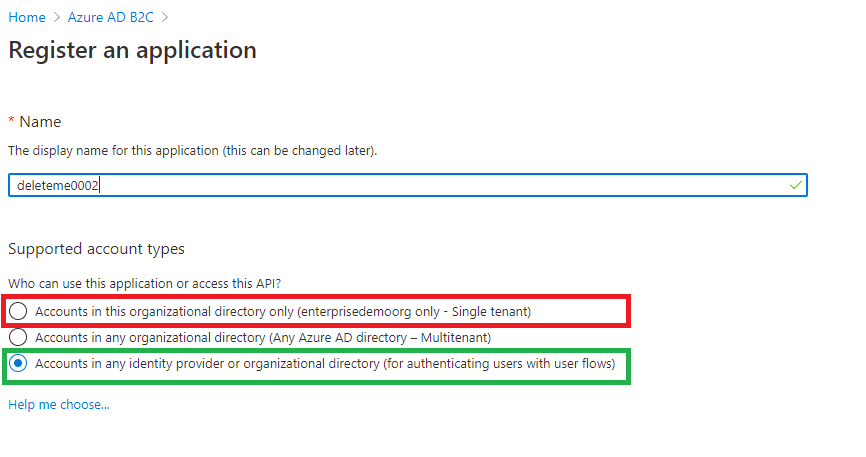
If I select the red rectangle (as per the instructions for Role Based Authz), then I cannot have the flows for authenticating users).
How can I have both?
A cloud-based identity and access management service for securing user authentication and resource access
' cx='32' cy='32' r='32' /%3E%3Ctext x='50%25' y='55%25' dominant-baseline='middle' text-anchor='middle' fill='%23FFF' %3EA%3C/text%3E%3C/svg%3E)
Hi, we are investigating your issue and will update you shortly.
Best,
James
Answer accepted by question author
' cx='32' cy='32' r='32' /%3E%3Ctext x='50%25' y='55%25' dominant-baseline='middle' text-anchor='middle' fill='%23FFF' %3ESL%3C/text%3E%3C/svg%3E)
Use of groups or appRole based auth is not supported in Azure AD B2C.
For the issue that you have raised related to Microsoft Graph's permissions, B2C only uses offline_access and openid as delegated permissions when Supported Account Types is "Accounts in any identity provider or organizational directory (for authenticating users with user flows)". You can go through Register a Microsoft Graph application document to get more information about it.

Any code sample on asp. Net core on how to authorize resources based on user roles or which security group it belong to? In other words, how to achieve what we achieve in entrat tenant but in B2C? Or how to manage user authorization based on roles?
Any sample project using asp. Net core? To give authorization access to user based on roles and how to configure it in B2C tenant? Graph
Please find the response for your queries as below:
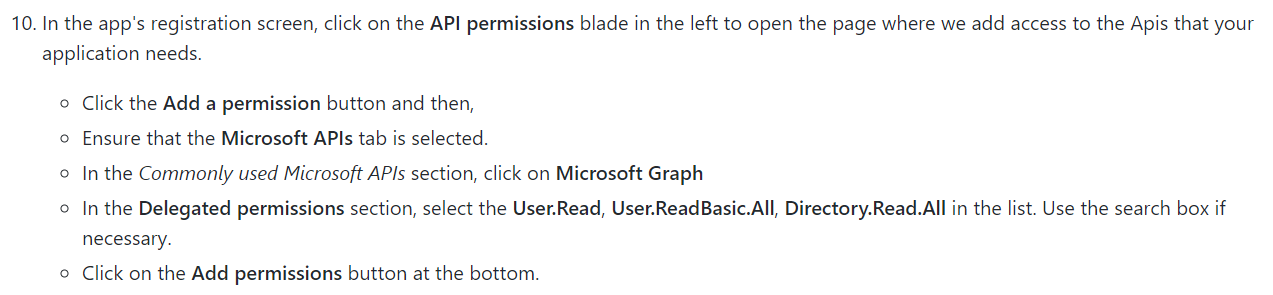 Below are screenshots from the Portal:
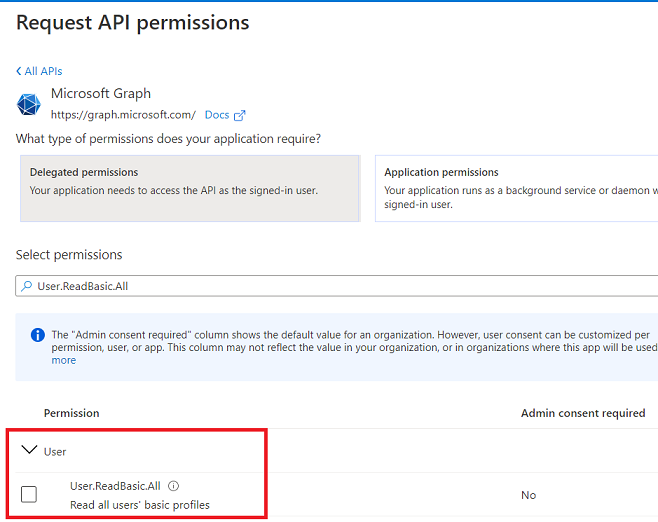
 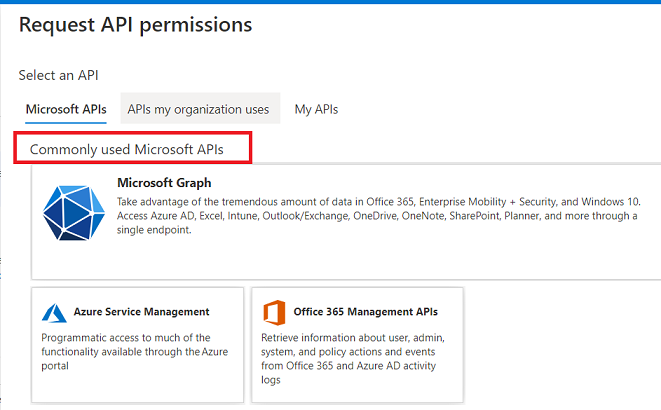 Here are some of the permissions: User.ReadBasic.All
  GroupMember.Read.All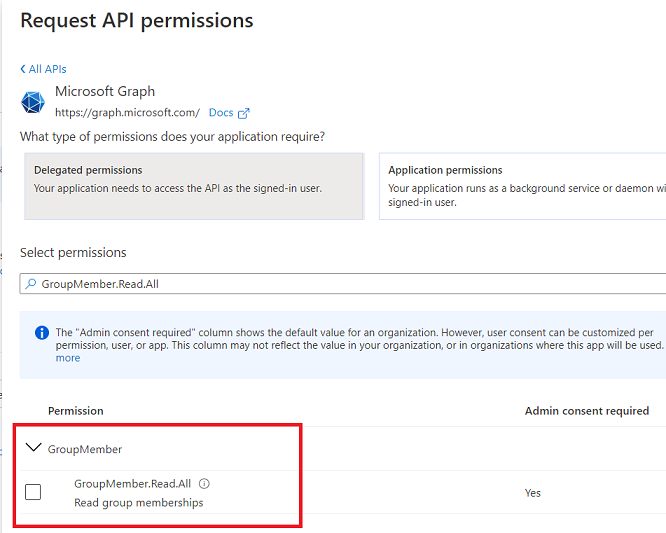
Please share if it helps to resolve the issue.