Foundry Tools
Formerly known as Azure AI Services or Azure Cognitive Services is a unified collection of prebuilt AI capabilities within the Microsoft Foundry platform
This browser is no longer supported.
Upgrade to Microsoft Edge to take advantage of the latest features, security updates, and technical support.
' cx='32' cy='32' r='32' /%3E%3Ctext x='50%25' y='55%25' dominant-baseline='middle' text-anchor='middle' fill='%23FFF' %3ECC%3C/text%3E%3C/svg%3E)
Here is an example:
What it looks like when editing:

And here is what it looks like saved (and how it responds in the bot):
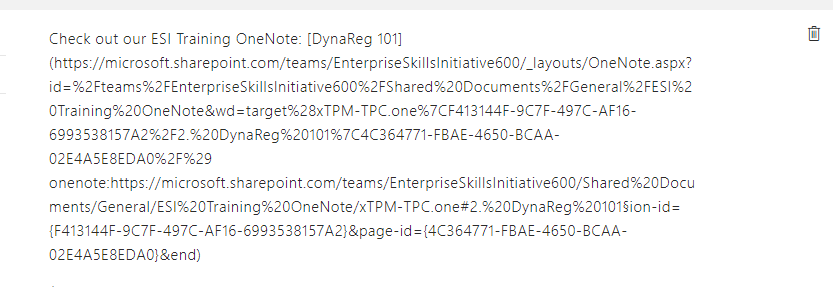
Any ideas as to what is causing this and how I can resolve / prevent this in the future?
Formerly known as Azure AI Services or Azure Cognitive Services is a unified collection of prebuilt AI capabilities within the Microsoft Foundry platform

@Chris Cooley Are you copy/pasting the links directly from source into the editor? I think this might be causing the text to display this way. I have tried adding the links in the answers and they are displayed as links in KB and test chat.

QnAMaker uses simplified markdown, similar to what github uses, for URLs. The text you want the link to show as between [ and ] and the link itself immediately after between ( and ) should work.
@Chris Cooley Did you get a chance to review the above response and try to add a link in KB manually?