I have recently been experiencing numerous Blue Screen related crashes on my Windows 7 Desktop VIBOX PC since updates for windows 10 have come about (It has been a good few months).
Blue Screen crashes experienced:
NO_MORE_IRP_STACK_LOCATIONS
*** STOP: 0x00000035 (0xFFFFFA800F3DE310, 0x0000000000000000, 0x0000000000000000, 0x0000000000000000) - I have not experienced this one again since I have updated my hardware Drivers.
DRIVER_IRQL_NOT_LESS_OR_EQUAL
*** STOP: 0x000000D1 (0x0000000000000008, 0x0000000000000002, 0x0000000000000000, 0xFFFFF88000C01C4C)
*** ataport.SYS - Address FFFFF88000C01C4C base at FFFFF88000C00000, DateStamp 51fef9b5
IRQL_NOT_LESS_OR_EQUAL
*** STOP: 0x0000000A (0x000000000030c655, 0x0000000000000002, 0x0000000000000001, 0xFFFFF800030E2B88)
I have researched online on the Blue Screen Crashes, what causes them to be triggered and numerous ways to fix the problem, and I have just started to feel brave enough to attempt a fix.
After logging each of the blue screen crashes with photographs, I resorted to purchasing AVG Driver Updater to fix my out of date drivers, as well a AVG PC TuneUp. Using AVG Driver Updater it had found 5 out of date drivers that needed updating:
Realtek PCIe GBE Family Controller (Network Adapters)
VIA High Definition Audio (Sound, Video, and Game Controllers)
Standard Duel Channel PCI IDE Controller (Storage Controller)
Standard Duel Channel PCI IDE Controller (Storage Controller)
ATI I/O Communications Processor (System Devices)
I proceeded with the updates but one of the updates ran into an error - 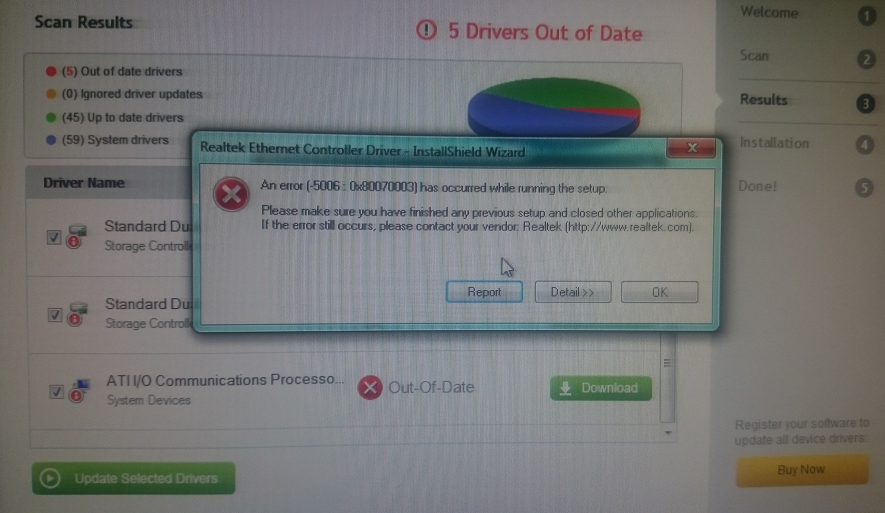
This error did not appear again after selecting OK, and restarting my computer. Which left the remaining Storage Controller drivers to be updated. Once all processes for the Driver updates were complete I scanned to check for any remaining Driver updates. There
being none. (I have photographs of the Driver Installation report for AMD Radeon Graphics if needed to be viewed. which were all a success.)
I did not have another blue screen crash until this evening after work. Not giving me any error information except for the STOP Error Codes:
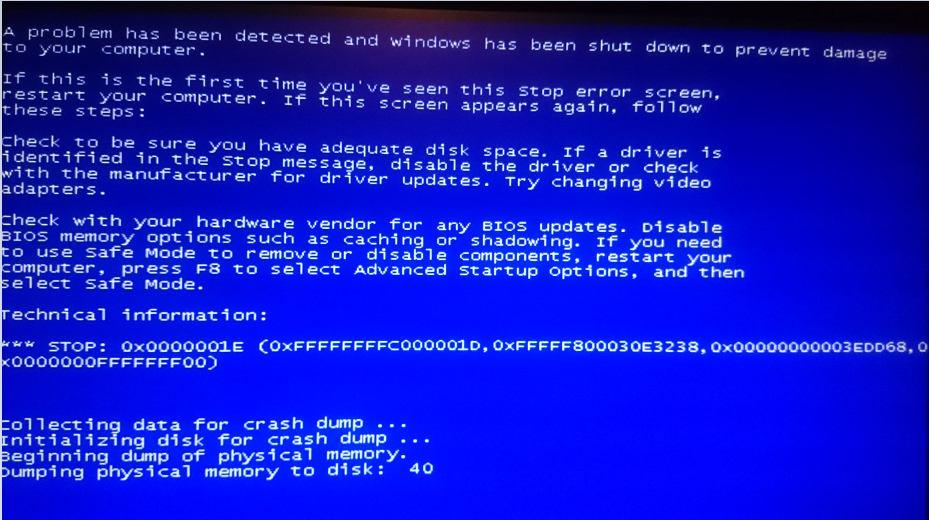
Once I had logged on afterwards however I received an unexpected shutdown report:
Windows has recovered from an unexpected shutdown
Problem signature:
Problem Event Name: BlueScreen
OS Version: 6.1.7601.2.1.0.256.1
Locale ID: 2057
Additional information about the problem:
BCCode: 1e
BCP1: FFFFFFFFC000001D
BCP2: FFFFF800030F3238
BCP3: 00000000003EDD68
BCP4: 0000000FFFFFFF00
OS Version: 6_1_7601
Service Pack: 1_0
Product: 256_1
Files that help describe the problem:
C:\Windows/Minidump/010516-29250-01.dmp
C:(myname)\AppData\Local\Temp\WER-70528-0.sysdata.xml
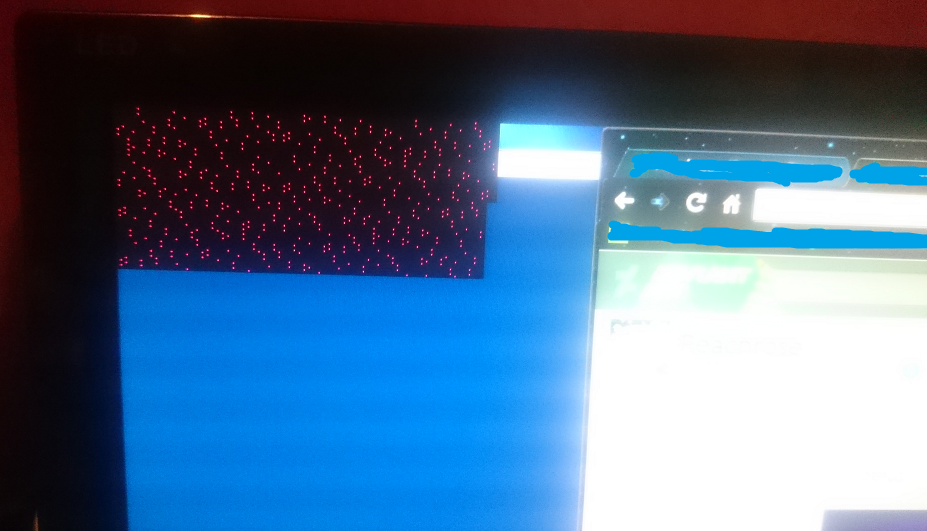
I regularly clean most junk files with CCleaner and check for problems with the registry, As well as regular Malware Checking with Malwarebytes. Which have helped to some degree. But Blue Screen crashes still persist. (I have had one crash which was most
peculiar pictured below. This hasn't happened again since however.)
My System Specs and Summary:
Microsoft Windows 7 Ultimate Service Pack 1
Storage: 2TB
Processor: AMD FX(tm)-6350 Six-Core Processor 4.20GHz
Installed Memory (RAM) 16.0GB
System type: 64-bit Operating System
Graphics GeForce GTX 660
I would really appreciate some assistance with my current Blue Screen Crash. Thank you for all of your time and assistance you may bring. :) x
' cx='32' cy='32' r='32' /%3E%3Ctext x='50%25' y='55%25' dominant-baseline='middle' text-anchor='middle' fill='%23FFF' %3EA%3C/text%3E%3C/svg%3E)
