Hello,
I'm having problems with my Nvidia Video Card since my computer updated to Windows 10 Fall Creators Update on last december (2017).
It made my video card useless. Now some programs that uses Directx 11 or up are not working anymore.
Games not working after update:
- Rainbow Six Siege (Ubisoft): Shows error messages (error 0xc00000147) and crashes.
- The Division (Ubisoft): Can't install the directx on the instalation proccess (most games now days try to install directx on the instalation proccess)
- Epic Games Laucher (Unreal Engine 4): Sometimes shows error messages (error 0xc00000147) and crashes.
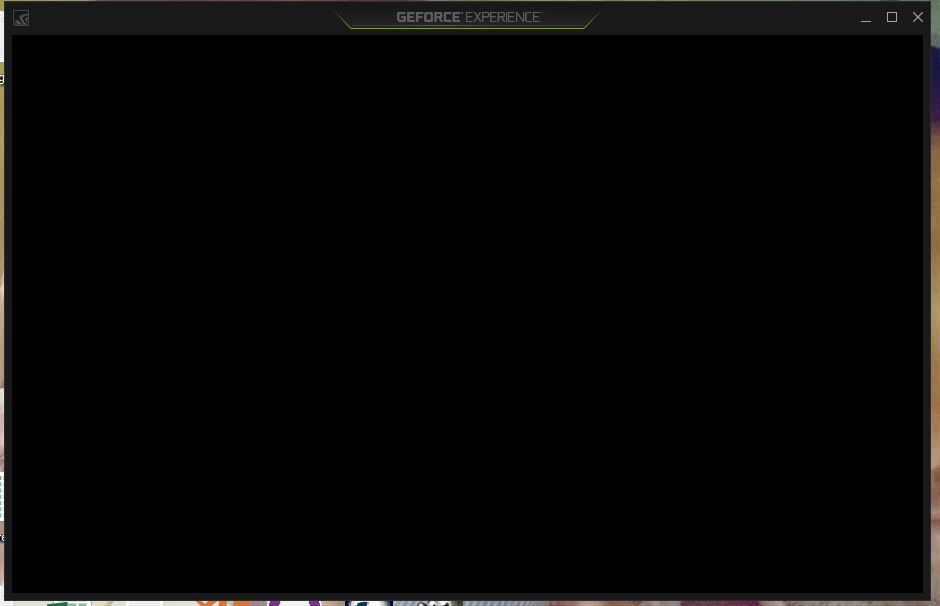
- GE FORCE Experience (Nvidia): Render the border of the screen and the mouse pointer, but shows black screen on the middle (content).
Now every time i try to install any directx version I got and error (the error is sent to directx log files, but I have no idea where the installer saves the error log).
If i install the OLD manufacturer driver the black screen problem is solved, but the games I mentioned before show a message saying that the computer "don't support the Directx 11 features".
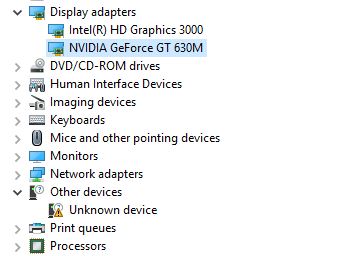
On Device Manager the video card seems working ok, but I don't know why on "Intel Driver & Support Assistant" the video card appear as running ok, but the Availability is "offline" and there's a unknown device (maybe is not related to Nvidia) on device manager.
When I try to use the Nvidia GPU, it says "1 program running, 0 screens".
I'm not the only one who is having this problem, as you can see here, also with people who have Amd Radeon and Intel integrated graphics card.
https://forum.kodi.tv/showthread.php?tid=322761
https://forums.geforce.com/default/topic/1033236/gt-630m-black-screen-after-windows-fall-creators-update/?offset=7#5271267
https://forums.geforce.com/default/topic/1033024/multiple-issues-after-upgrading-to-the-fall-creators-update/#5269678
https://forums.geforce.com/default/topic/1030216/geforce-drivers/no-video-signal-after-windows-10-fall-creators-update/?offset=9#5271464
https://forums.guru3d.com/threads/video-stutter-after-win10-fall-creators-update.417796/
I wish I could revert windows version to before the Fall Creators Update or go back to windows 8.1, but I need windows 10 running on my PC because I'm creating a game for windows store (UWP).
Please release a update fix for this problem that is affecting a lot of people!
I wish theres a solution where i don't need to install windows from zero again and lose hundreds of Gigabytes of programs that were installed on this Notebook.
My notebook spec is:
Notebook HP DV6 7017sf
Windows 10 Pro x64 (1709) Build 10.0.16299
.NET Framework Versions - 2.0.50727.4927, 3.0.30729.4926, 3.5.30729.4926, 4.0.0.0, 4.7.02556
Intel HD Graphics 3000
Core i5-2450M CPU @ 2.50GHz
8GB RAM
Nvidia GEFORCE GT 630M (2GB) (Log from Intel Driver & Support Assistant )
| Adapter Compatibility |
NVIDIA |
| Video Processor |
GeForce GT 630M |
| --- |
--- |
| Driver Provider |
NVIDIA |
| --- |
--- |
| Driver Version |
23.21.13.8871 |
| --- |
--- |
| Driver Date |
12/15/2017 |
| --- |
--- |
| Adapter DAC Type |
Integrated RAMDAC |
| --- |
--- |
| Adapter RAM |
2.00 GB |
| --- |
--- |
| Availability |
Offline |
| --- |
--- |
| Status |
This device is working properly. |
| --- |
--- |
| Location |
PCI bus 1, device 0, function 0 |
| --- |
--- |
| Device Id |
PCI\VEN_10DE&DEV_0DE9&SUBSYS_181B103C&REV_A1\4&275AD0CC&0&0008 |
| --- |
--- |
Moved from: Windows / Windows 10 / Windows update, recovery, & backup
' cx='32' cy='32' r='32' /%3E%3Ctext x='50%25' y='55%25' dominant-baseline='middle' text-anchor='middle' fill='%23FFF' %3EA%3C/text%3E%3C/svg%3E)
