I believe that this was a bug introduced with Windows 10 Pro 64bit build 1803, but it may have been just before it and I just didn't catch it previously...
Basically, I first used this setting for our Windows 7 systems to prohibit user from jumping to the All Users Programs directory, and then navigating the file structure. However, in Windows 10, that functionality was prohibited by simply removing the All
Programs list from non-administrative users. However, this option now ALSO removes the All Users' Desktop icons (from C:\Users\Public\Desktop) as well...which it shouldn't be doing as the setting label clearly states "START MENU".
I realize that these desktop icons are still under the classification of ALL USERS' Programs, but they are NOT directly linked to the start menu, but rather are shortcut from the working directory.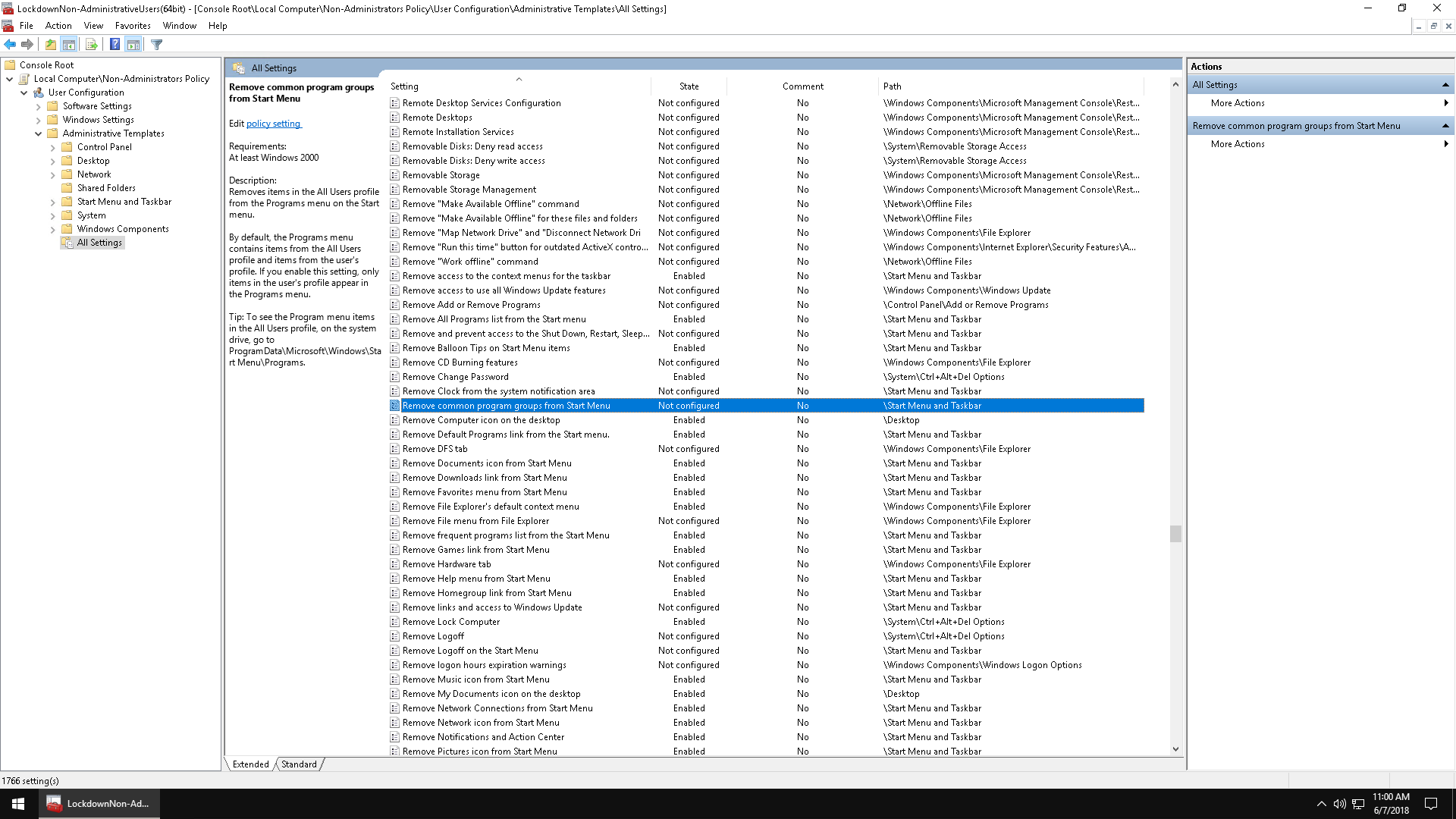



Can this be resolved?
Moved from: Windows /Windows 10 /Desktop, Start,
& personalization /Desktop
' cx='32' cy='32' r='32' /%3E%3Ctext x='50%25' y='55%25' dominant-baseline='middle' text-anchor='middle' fill='%23FFF' %3EA%3C/text%3E%3C/svg%3E)
