' cx='32' cy='32' r='32' /%3E%3Ctext x='50%25' y='55%25' dominant-baseline='middle' text-anchor='middle' fill='%23FFF' %3ERI%3C/text%3E%3C/svg%3E)



Hi @Ricardo Ito ,
Increase timeout on IIS server (both downstream and upstream end) by editing web.config maxRequestLengty. It defaults to 2048 or so, we could bump it up to 8192. Please refer to following screenshot:
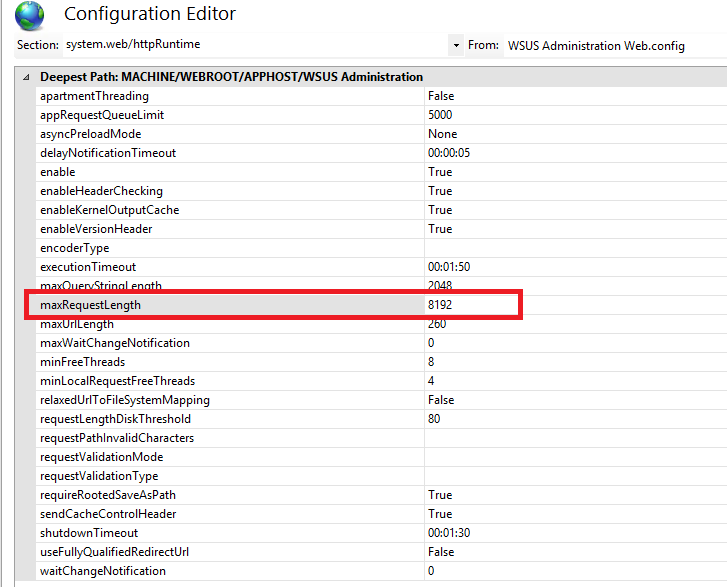
Please run WSUS cleanup tasks on the downstream server, then on upstream server. Kindly clean out superseded updates to cut down on the amount of data that has to be synced.
Besides, we could try downstream server to obtain content directly from Microsoft. This way is to check if there is connection wrong with downstream and upstream servers.
If the response is helpful, please click "Accept Answer" and upvote it.
Note: Please follow the steps in our documentation to enable e-mail notifications if you want to receive the related email notification for this thread.