So,
This is strange.
Im almost up to the point to buy new hard drive and start from scratch. But there must be a simple solution im just not seeing.
The problem:
When ever I "shutdown" computer and start computer up again I get a winload.efi error code 0xc00000e9 "An unexpected I/O error has occurred"
This does not happen if I restart the computer.
So if I get the error , all I have to do is hit CTRL+ALT+DEL and the computer will start into windows normally.
But if I do shutdown computer then it comes up with this strange problem.... Or if I do hard-shutdown(hold down power button few seconds) I get this error.........
Or if the computer runs out of battery, then I get the problem :-)
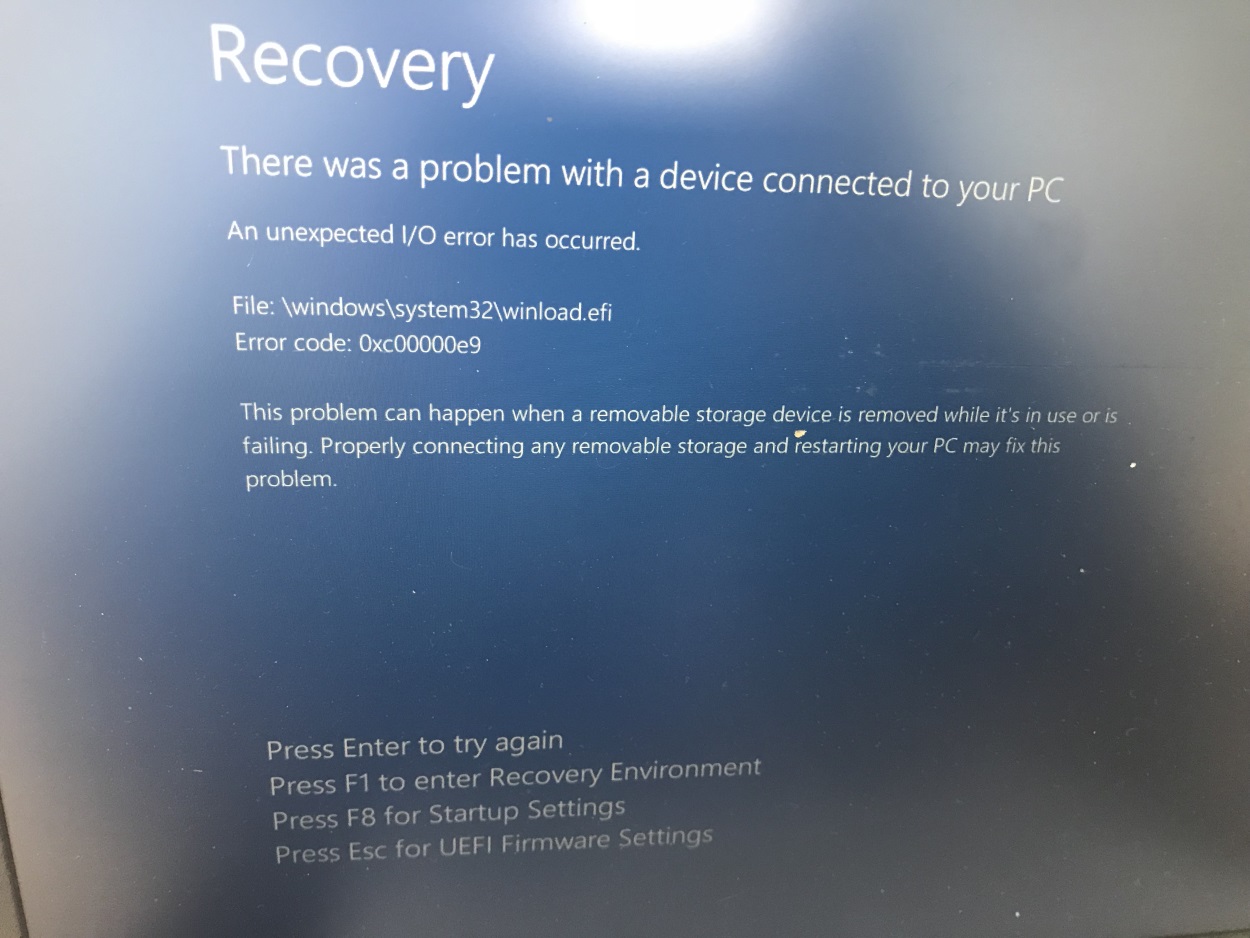
Solutions tried:
I have deleted windows.old to start with.
I have disabled Secure boot.
chkdsk /f c: (no issues)
sfc /scannow (no issues)
DISM.exe /Online /Cleanup-image /Restorehealth (finished with success..)
windows update to most recent
ran DELL support for all kinds of tests and updates
I have booted into recovery env. and issued the following commands (see image for results)
- bootrec /scanos
- bootrec /rebuildbcd
- bootrec /fixmbr
- bootrec /fixboot
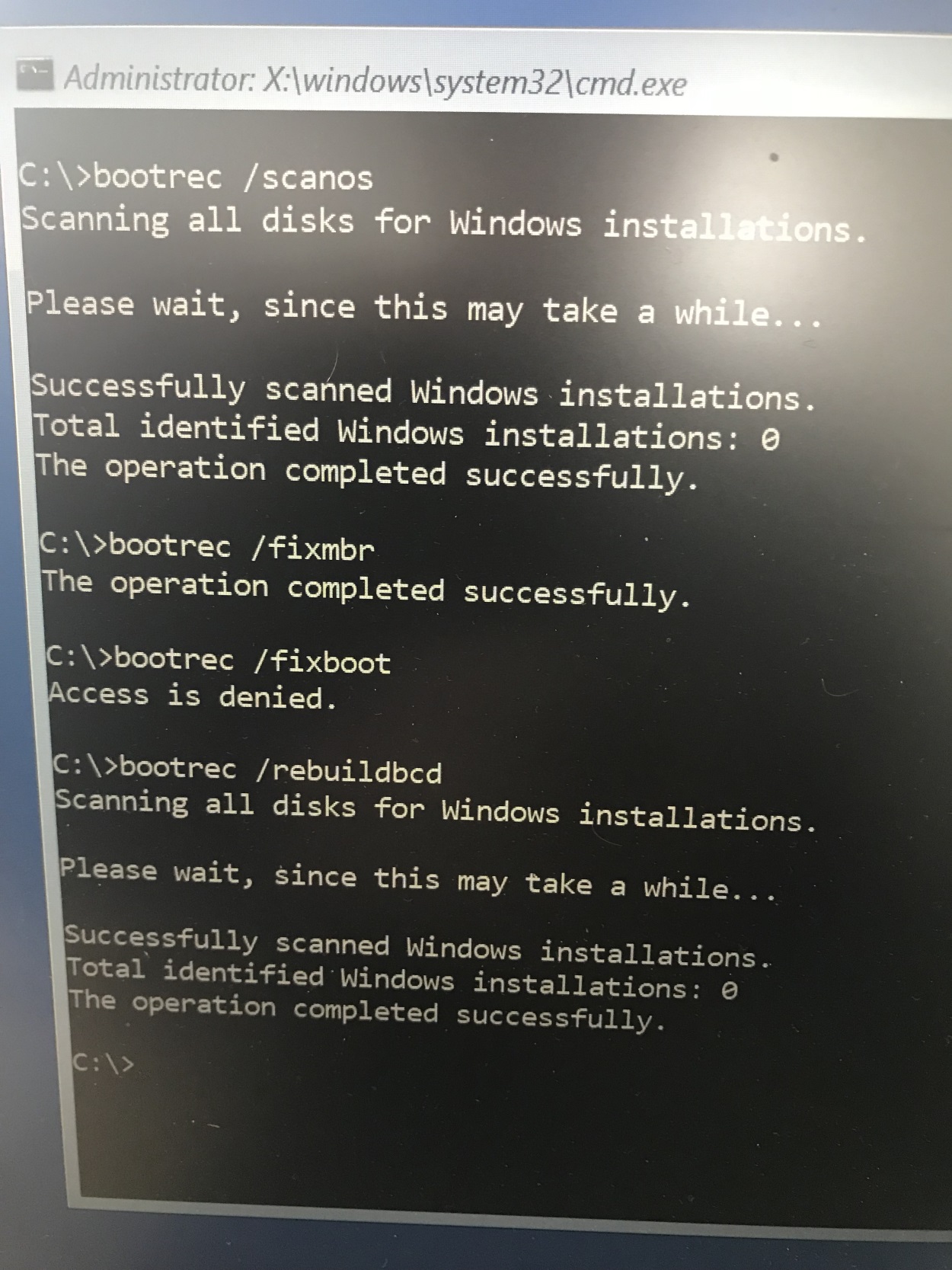
its strange that it does not find any windows installations, because I can c: into the drive and browse all the windows files....
When I do fixboot, it gives me Access Denied.
This is a company computer and the user does not use it for anything else than work related so I don't think this is a virus.. Its a brand new Dell 5580 with M.2 disk if that is relevant.
The computer only has one disk and there are No usb devices attached...
There are no see'able errors when using the computer on a day to day basis....
But the user has had this happen to him few times and i wasnt able to help him over the phone .. this is the second time he brings in the computer. First time I thought I had fixed everything , but now I really need to fix this permanently :-)
So.... im running out of ideas.... Has anyone any kind of solutions.... ?
I can boot into windows and fetch any kind of logs if required.
Thank you in advance :-))
' cx='32' cy='32' r='32' /%3E%3Ctext x='50%25' y='55%25' dominant-baseline='middle' text-anchor='middle' fill='%23FFF' %3EA%3C/text%3E%3C/svg%3E)
