Microsoft 365 and Office | SharePoint | For business | Windows
A group of Microsoft Products and technologies used for sharing and managing content, knowledge, and applications.

This browser is no longer supported.
Upgrade to Microsoft Edge to take advantage of the latest features, security updates, and technical support.
' cx='32' cy='32' r='32' /%3E%3Ctext x='50%25' y='55%25' dominant-baseline='middle' text-anchor='middle' fill='%23FFF' %3ESP%3C/text%3E%3C/svg%3E)
Hello, I have a Shared One Drive account that multiple users use. I want to move that to a SharePoint online site. I wanted to move the data easily while retaining as much of the metadata and permissions as possible. I assume for the files that have been shared externally,, they will have to be re-shared. Pretty much what is the easiest way to accomplish this. Also is there an easy way to have users redirect to the new SharePoint site? I know there's an add a shortcut option on OneDrive, but I wanted to see what options are out there.
' cx='32' cy='32' r='32' /%3E%3Ctext x='50%25' y='55%25' dominant-baseline='middle' text-anchor='middle' fill='%23FFF' %3EED%3C/text%3E%3C/svg%3E)
@Some person
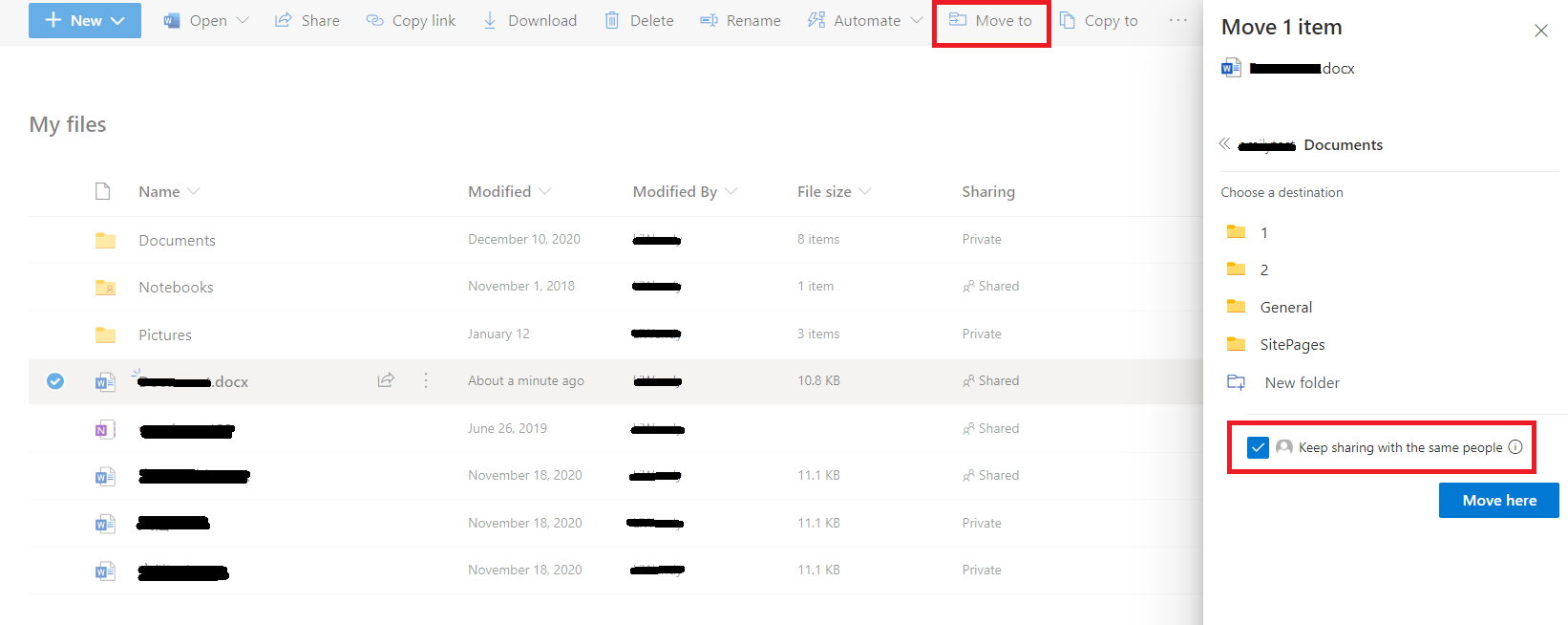
You could use "Move to" action to move files from OneDrive to SharePoint. When use "Move to" action, you should remember to click the box "Keep sharing with the same".
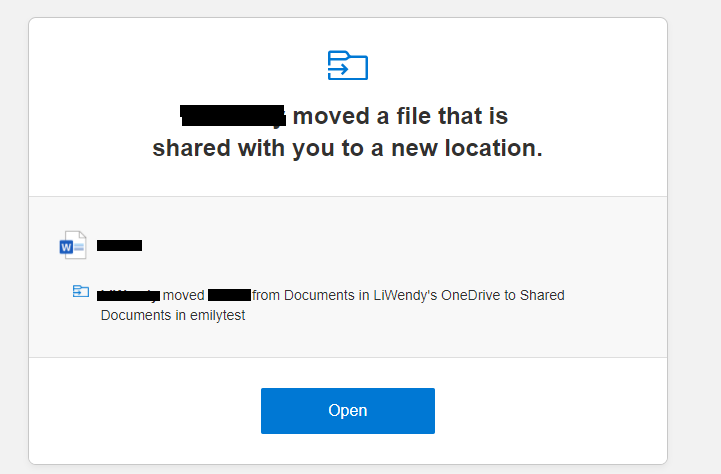
After moving the file, external users will receive an email to remind them that the file has been moved. External users can access the file through the email.
If an Answer is helpful, please click "Accept Answer" and upvote it.
Note: Please follow the steps in our documentation to enable e-mail notifications if you want to receive the related email notification for this thread.