Microsoft 365 and Office | SharePoint Server | For business
A family of Microsoft on-premises document management and storage systems.

This browser is no longer supported.
Upgrade to Microsoft Edge to take advantage of the latest features, security updates, and technical support.
' cx='32' cy='32' r='32' /%3E%3Ctext x='50%25' y='55%25' dominant-baseline='middle' text-anchor='middle' fill='%23FFF' %3ES%3C/text%3E%3C/svg%3E)
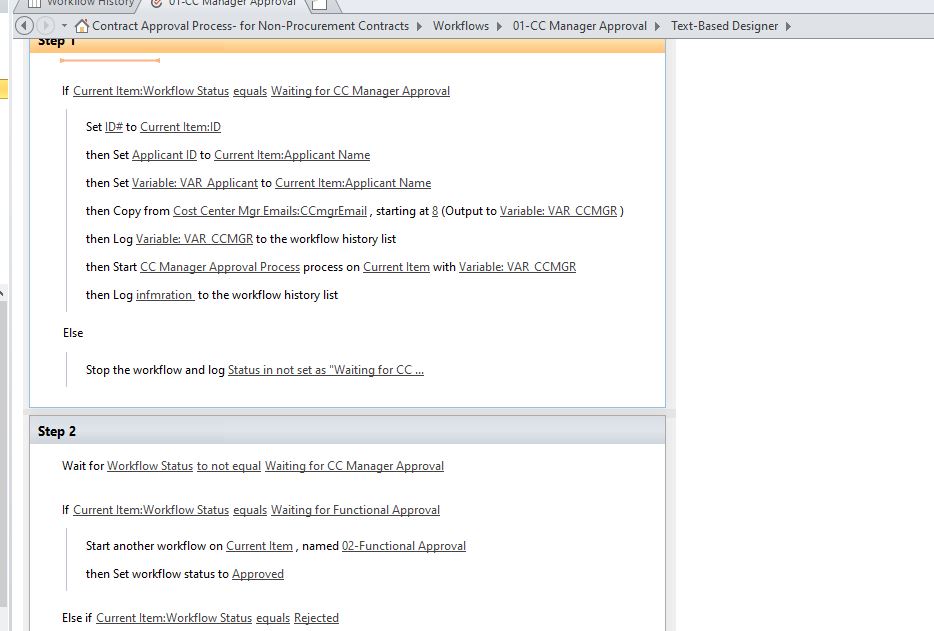
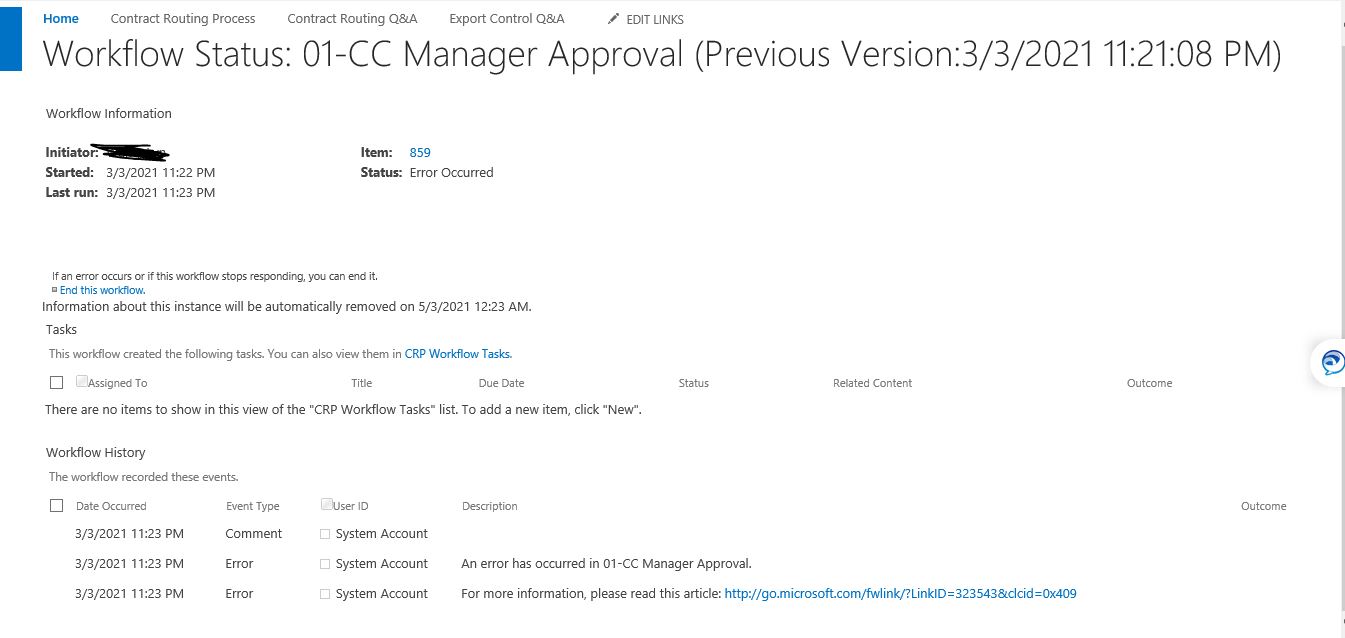
Please help, when tried to start the workflow coming up with above error
it is happening with out system account also
A family of Microsoft on-premises document management and storage systems.
Hi Elsie Lu,
74621-logsss.txt
I attached the ULS logs captured
And workflow history showing 2014 data. how to get latest data?

Workflow history list is also a list. By default, the data is sorted in ascending order, you can modify the view and set the descending order.

HI ELsie Lu,
Yes I Could see messages now from workflow history
please suggest now what I can do from these messages and also does it giving any information from ULS logs?

attached 2 screenshots
Is this workflow able to run normally before or is it a new one?
According to the log, it seems that the group is not found. Check if group is used.
And per my understanding,there should be some information in the history if this step is normal, however it is now empty.

You could check whether there is any issue with the settings of these steps. Can Variable: VAR CCMGR get the value correctly?

Hi Elsie,
Here is the information when log to history is added
 and marked one is mail id
and how do we know which group not found? and where to find?
and below is the modfifed code littile bit based on log from workflow log status above

Hi @sns , sorry for the delay, is there any update?
Hi Elsie Lu,
still figuring out..
any suggestion from your end?
Hi @sns ,
Per my understanding ,you could:
1.Try to check workflow history list>description to see if there are more error messages:
http://sharepoint/mysite/lists/Workflow%20History/AllItems.aspx

2.Check whether all lists, items, and users related to the workflow are normal. For example, whether there is a spelling error, or the column does not exist. I find a spelling error here, however I am not sure how you set it up.

3.Check ULS log for more information.
If the answer is helpful, please click "Accept Answer" and upvote it.
Note: Please follow the steps in our documentation to enable e-mail notifications if you want to receive the related email notification for this thread.