I can connect to Teams with the Powershell V2.0.0 module installed using snapd on Ubuntu v19.10 and Ubuntu 20.04.2 LTS:

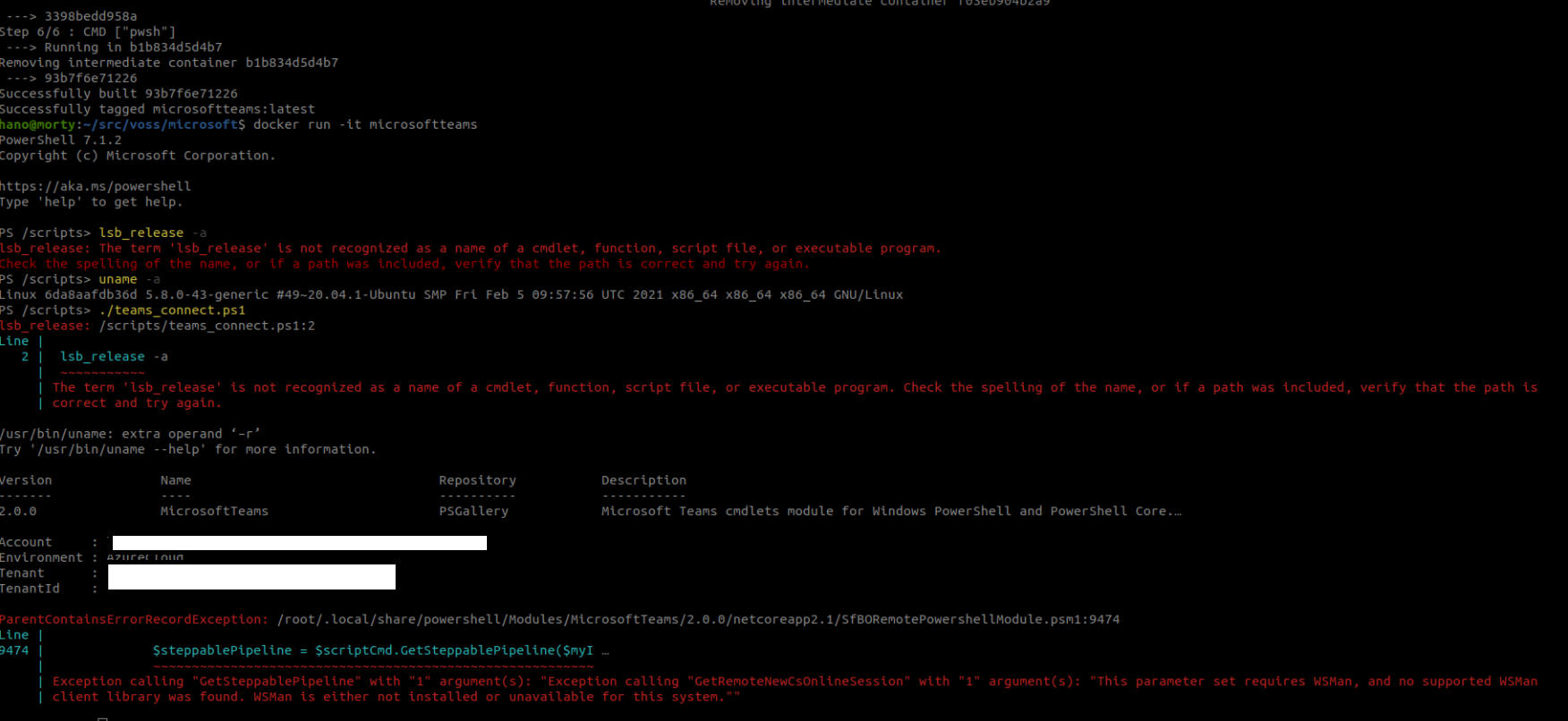
I can install the MicrosoftTeams module using the official powershell image on Docker, but when I try to do Get-CsOnlineUser, I get an error:
In Text:
ParentContainsErrorRecordException: /root/.local/share/powershell/Modules/MicrosoftTeams/2.0.0/netcoreapp2.1/SfBORemotePowershellModule.psm1:9474
Line |
9474 | $steppablePipeline = $scriptCmd.GetSteppablePipeline($myI …
 |              ~~~~~~~~~~~~~~~~~~~~~~~~~~~~~~~~~~~~~~~~~~~~~~~~~~~~~~~~~

 | Exception calling "GetSteppablePipeline" with "1" argument(s): "Exception calling "GetRemoteNewCsOnlineSession" with "1" argument(s): "This parameter set requires WSMan, and no supported WSMan

 | client library was found. WSMan is either not installed or unavailable for this system.""
Docker file:
from mcr.microsoft.com/powershell
RUN /opt/microsoft/powershell/7/pwsh -command "Set-PSRepository -InstallationPolicy Trusted -Name PSGallery"
RUN /opt/microsoft/powershell/7/pwsh -command "Install-Module -Name MicrosoftTeams -AllowPrerelease -Force -AllowClobber"
CMD ["pwsh"]
Script to execute:
$teams_username = 'XXXXXXXXX.onmicrosoft.com'
$pword = ConvertTo-SecureString -String 'XXXXXXXXX' -AsPlainText -Force
$credential = New-Object -TypeName System.Management.Automation.PSCredential -ArgumentList $teams_username, $pword
Connect-MicrosoftTeams -Credential:$credential
Get-CsOnlineUser -ResultSize 10 | fl SamAccountName
' cx='32' cy='32' r='32' /%3E%3Ctext x='50%25' y='55%25' dominant-baseline='middle' text-anchor='middle' fill='%23FFF' %3EHB%3C/text%3E%3C/svg%3E)

' cx='32' cy='32' r='32' /%3E%3Ctext x='50%25' y='55%25' dominant-baseline='middle' text-anchor='middle' fill='%23FFF' %3EJM%3C/text%3E%3C/svg%3E)