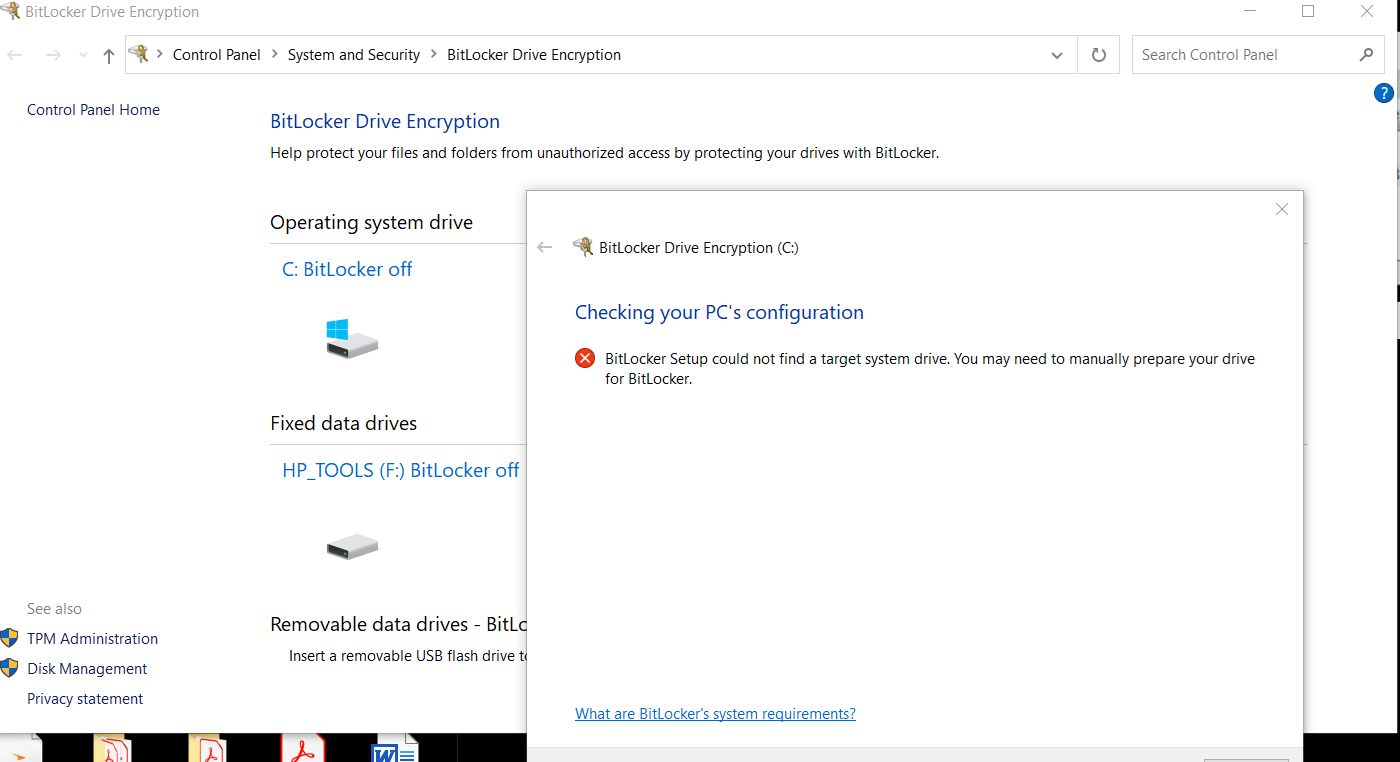
Bitlocker Encryption error Bitlocker setup could not find a target system drive. You may need to manually prepare your drive for Bitlocker

Mike McFarland 1 Reputation point
2021-03-05T13:52:40.107+00:00

We have a remote user that we discovered does not have bitlocker enabled. She does appear to have a partitioned logical drive(f) called HP_TOOLS. Our main concern is to bitlocker protect the C drive. The machine is a HP ZBook 15 G3 laptop. we do not image our machines, and in searching for this error, I'm not finding any recent resolutions that fit for Windows 10. This user could possibly bring her laptop in, she is about to be on leave for a while and says she might be able to bring her machine in. I'm open to listen to any/all suggestions about this.

attachment:
74845-amber-encryption-error-03052021.png

I

Windows for business | Windows Client for IT Pros | Devices and deployment | Configure application groups
{count} votes

2 answers

Sort by: Most helpful
  1. Teemo Tang 11,496 Reputation points
    2021-03-08T06:34:20.393+00:00

    Make sure her disk doesn’t have any unallocated partition. Then refer to this link for solution
    Enabling BitLocker fails with “BitLocker Setup could not find a target system drive. You may need to manually prepare your drive for BitLocker”
    http://adriank.org/enabling-bitlocker-fails-bitlocker-setup-find-target-system-drive-may-need-manually-prepare-drive-bitlocker/

    -------------------------------------------------------------------------------------

    If the Answer is helpful, please click "Accept Answer" and upvote it.
    Information posted in the given link is hosted by a third party. Microsoft does not guarantee the accuracy and effectiveness of information.
    Note: Please follow the steps in our documentation to enable e-mail notifications if you want to receive the related email notification for this thread.

    0 comments No comments

  2. Kapil Arya 36,451 Reputation points Volunteer Moderator
    2021-03-10T11:46:53.75+00:00

    Hello,

    Also, see if this fix helps you:

    https://www.kapilarya.com/bitlocker-setup-could-not-find-a-target-system-drive-windows-10

    Let us know if this helps!

    Note: Included link in this reply refers to blog post by a trusted Microsoft MVP.

    0 comments No comments

Your answer

Answers can be marked as 'Accepted' by the question author and 'Recommended' by moderators, which helps users know the answer solved the author's problem.