Developer technologies | .NET | Xamarin
A Microsoft framework for building cross-platform mobile apps using .NET and C# with native performance and user interfaces.
This browser is no longer supported.
Upgrade to Microsoft Edge to take advantage of the latest features, security updates, and technical support.
' cx='32' cy='32' r='32' /%3E%3Ctext x='50%25' y='55%25' dominant-baseline='middle' text-anchor='middle' fill='%23FFF' %3EKK%3C/text%3E%3C/svg%3E)
I have created a simple ListView with a context menu:
    <ListView x:Name="listview" SelectionMode="Single">
        <ListView.ItemTemplate>
            <DataTemplate>
                <ViewCell>
                    <StackLayout Orientation="Horizontal" >
                        <Label Text="{Binding item1}"></Label>
                        <Label Text="{Binding item2}"></Label>
                        <Label Text="{Binding item3}"></Label>
                    </StackLayout>
                    <ViewCell.ContextActions>
                        <MenuItem Text="Add" ></MenuItem>
                        <MenuItem Text="Delete"></MenuItem>
                        <MenuItem Text="Edit"></MenuItem>
                    </ViewCell.ContextActions>
                </ViewCell>
            </DataTemplate>
        </ListView.ItemTemplate>
    </ListView>
Development environment is Visual Studio 16.9.1, Xamarin Forms Nuget package is at 5.0.0.2012 which I believe are the latest. Pictures below are of the Android Pixel2 Emulator.
Selecting an item works ok:
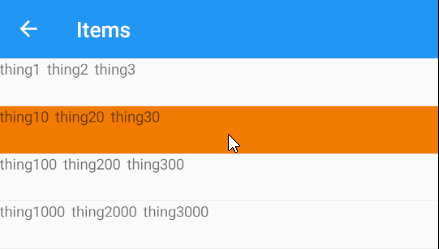
A long press on the selected rows activates the menu but disables the selection background. Which row is the operation on?:
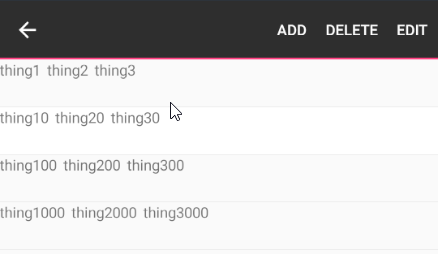
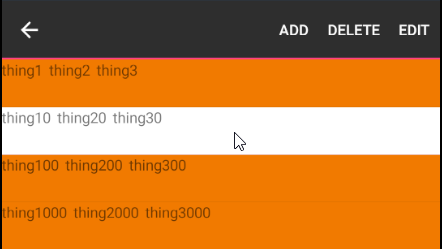
If I tap around randomly on other rows they may select or may deselect:
When I click the back button to exit the context menu the selections change again (notice the selections are different than the above image):
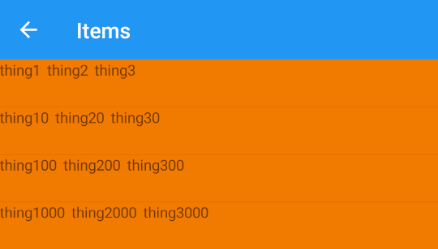
If I tap on each item they will deselect and return to a single selection.
I have SelectionMode="Single" and still seem to get multiple selections. What am I doing wrong?

Hello,
Welcome to our Microsoft Q&A platform!
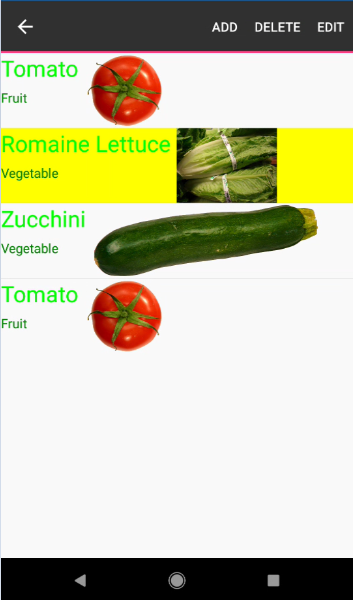
In android, you can simply add following tag(s) to styles.xml (location: Android project > Resources > values > styles.xml)
<item name="android:colorLongPressedHighlight">@color/ListViewHighlighted</item>
And add color in file colors.xml:
<color name="ListViewHighlighted">#FFFF00</color>
The result is:
Best Regards,
Jessie Zhang
---
If the response is helpful, please click "Accept Answer" and upvote it.
Note: Please follow the steps in our documentation to enable e-mail notifications if you want to receive the related email notification for this thread.