Azure Functions
An Azure service that provides an event-driven serverless compute platform.
This browser is no longer supported.
Upgrade to Microsoft Edge to take advantage of the latest features, security updates, and technical support.
' cx='32' cy='32' r='32' /%3E%3Ctext x='50%25' y='55%25' dominant-baseline='middle' text-anchor='middle' fill='%23FFF' %3EAS%3C/text%3E%3C/svg%3E)
In the below mentioned link (https://learn.microsoft.com/en-us/learn/modules/monitor-github-events-with-a-function-triggered-by-a-webhook/5-exercise-setup-webhook-for-github-repo) it says that the message generated will be "The webhook will indicate that the message was not processed correctly; it will generate an HTTP 400 error."
But it doesn't gives HTTP error 400 , rather it gives 200 as a result but at the same time mentions that the request was missing "name" as a input . 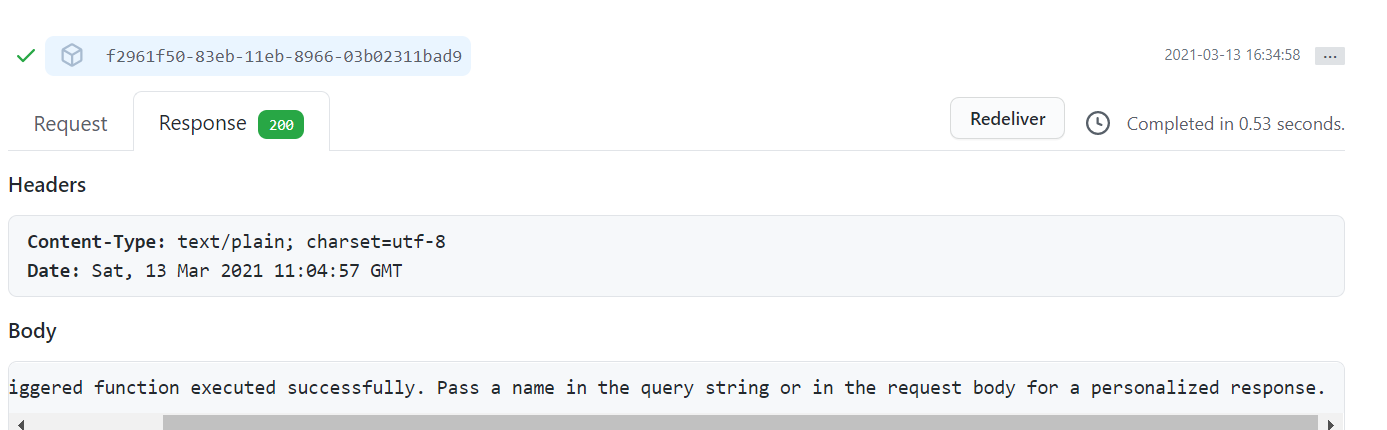
An Azure service that provides an event-driven serverless compute platform.
Answer accepted by question author

Welcome to Microsoft Q&A! Thanks for posting the question.
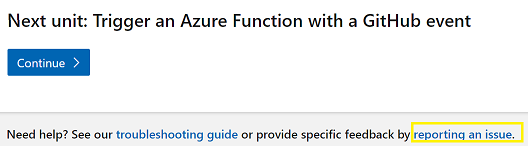
MS Learn is currently not supported in Microsoft Q&A. I have looked into the module and as per the function app code if you are not passing the name in the query string or the request body then the function will return 200 response along with the message that you have received. Looks like there is a content issue in the note. You can always navigate to the end of your page and click on reporting an issue to report this issue. I have reported this issue to the MS Learn team following the Report an Issue link. Let me know if you have any queries or concerns.
module.exports = async function (context, req) {
    context.log('JavaScript HTTP trigger function processed a request.');

    const name = (req.query.name || (req.body && req.body.name));
    const responseMessage = name
        ? "Hello, " + name + ". This HTTP triggered function executed successfully."
        : "This HTTP triggered function executed successfully. Pass a name in the query string or in the request body for a personalized response.";

    context.res = {
        // status: 200, /* Defaults to 200 */
        body: responseMessage
    };
}
Please 'Accept as answer' and ‘Upvote’ if it helped so that it can help others in the community looking for help on similar topics.