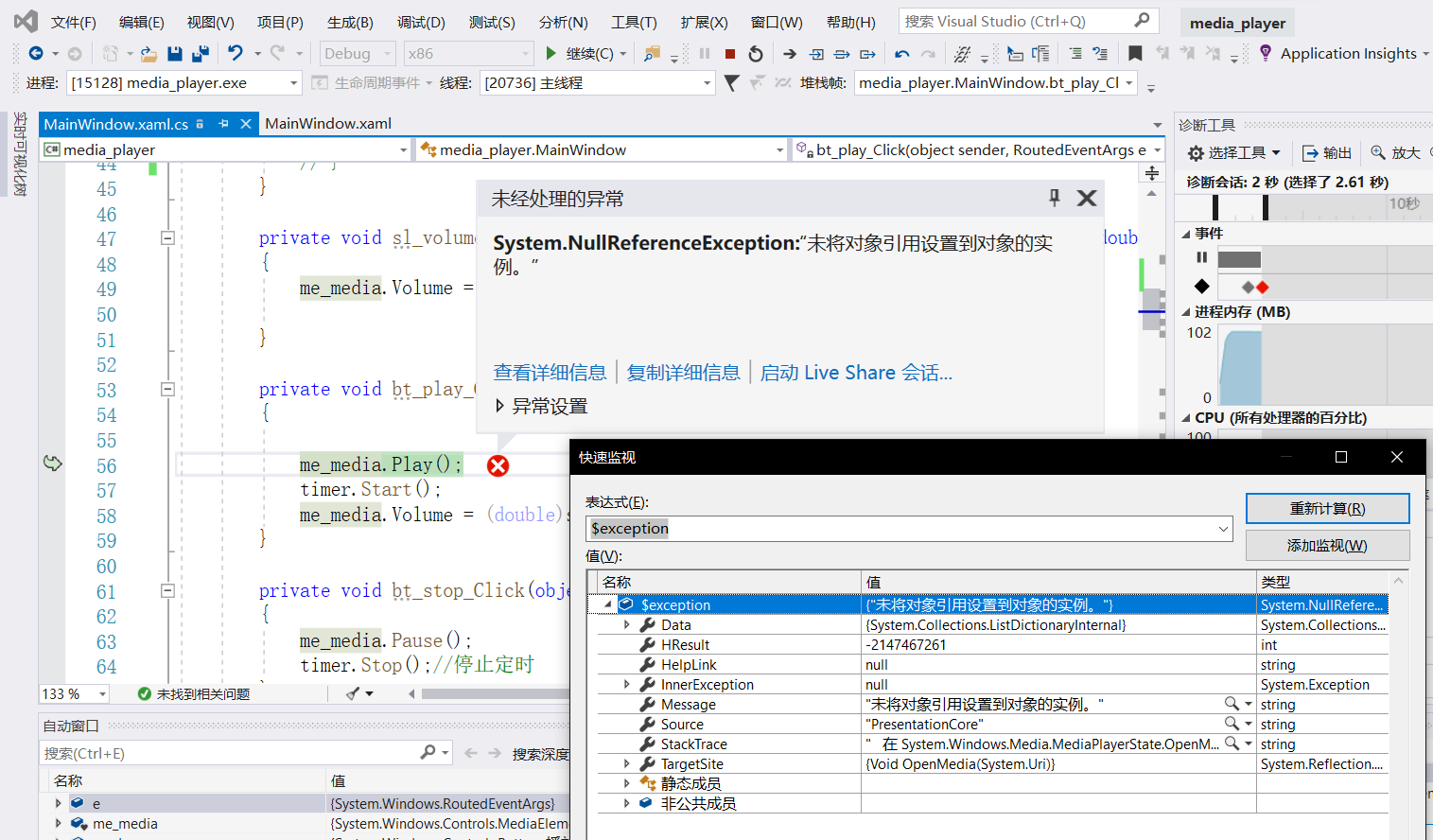
When I use WPF MediaElement loaded a https mp3 resource,and call Play(),error appeared

Lakeside Knight 1 Reputation point
2020-06-03T01:38:24.963+00:00

When I use WPF MediaElement loaded a https mp3 resource,and call Play(),error appeared
(when load a http mp3 resource, nothing happened)
test link:
https://lgresv57.obs.cn-south-1.myhuaweicloud.com/lgRs/5cb46c128156422a97686475b0b645e5/dae926d641e143d79c1a4690bf0149a1.mp3
9041-ec3b2809-14ad-4ac2-9a16-680ee32a0c21.png

Developer technologies | Windows Presentation Foundation
{count} votes

1 answer

Sort by: Most helpful
  1. Peter Fleischer (former MVP) 19,346 Reputation points
    2020-06-03T09:02:09.963+00:00

    Hi, mediaelement in WPF does not have support to play audio/video stream. Download stream to local file like this:

      WebClient client = new WebClient();
      string url = @"https://lgresv57.obs.cn-south-1.myhuaweicloud.com/lgRs/5cb46c128156422a97686475b0b645e5/dae926d641e143d79c1a4690bf0149a1.mp3";
      client.DownloadFile(url,@"c:\temp\x.mp3");
      Uri path = new Uri(@"c:\temp\x.mp3");
      MediaPlayer me_media = new MediaPlayer();
      me_media.Open(path);
      me_media.Play();
    
    1 person found this answer helpful.

Your answer

Answers can be marked as 'Accepted' by the question author and 'Recommended' by moderators, which helps users know the answer solved the author's problem.