' cx='32' cy='32' r='32' /%3E%3Ctext x='50%25' y='55%25' dominant-baseline='middle' text-anchor='middle' fill='%23FFF' %3EA%3C/text%3E%3C/svg%3E)


Hi PhilNoon,
I am Vijay, an Independent Advisor. I am here to work with you on this problem.
A: Use third party tools
- Download and run OemKey from https://neosmart.net/OemKey/
OR
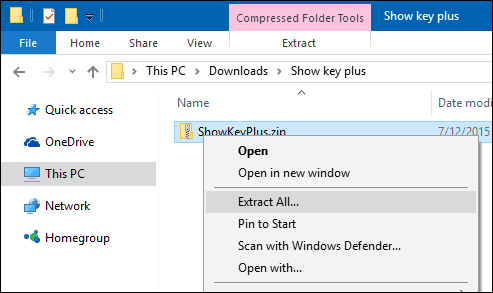
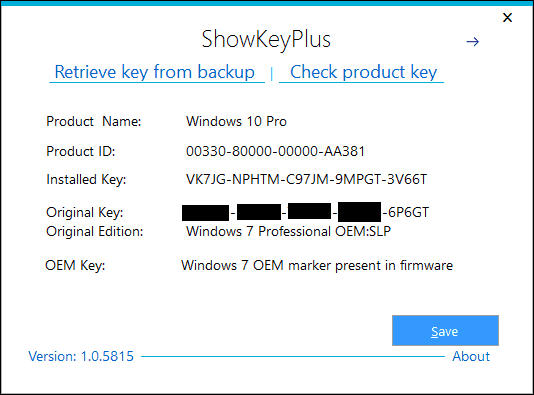
- Download and run Showkeyplus from https://github.com/Superfly-Inc/ShowKeyPlus
B: Windows 10 was preinstalled
Right click on Windows Start > Click Windows PowerShell (admin)
Copy below and Paste & Enter
wmic path SoftwareLicensingService get OA3xOriginalProductKey
The product key will be revealed, copy the product key
C: Microsoft Help on product key finding
https://support.microsoft.com/en-us/help/10749/...
Source - https://answers.microsoft.com/en-us/windows/for...
Do let me know if you require any further help on this. Will be glad to help you.
Disclaimer 1 - Using Third Party Software is completely at your own risk. This advice is in my personal capacity as a volunteer.
Disclaimer 2 - This is a non-Microsoft website. The page appears to be providing accurate, safe information. Watch out for ads on the site that may advertise products frequently classified as a PUP (Potentially Unwanted Products). Thoroughly research any product advertised on the site before you decide to download and install it.