I am trying to deploy a printer that is connected to my laptop via USB. I am trying to use local group policy to accomplish this. I have done the following in the admin account:
- Connected the printer Cannon MG3500 to my laptop and installed the drivers.
- Shared this printer on my home network which is of type Private.
- I see the printer connected in my admin account.
Now my laptop has three non-admin users; Test, Test1 and Test2. I want to deploy this printer only to Test and Test1 users. Test2 should not be able to install the printer drivers and use them.
Now, while logged in as admin, I open group policy editor and make sure that the following setting are enabled:

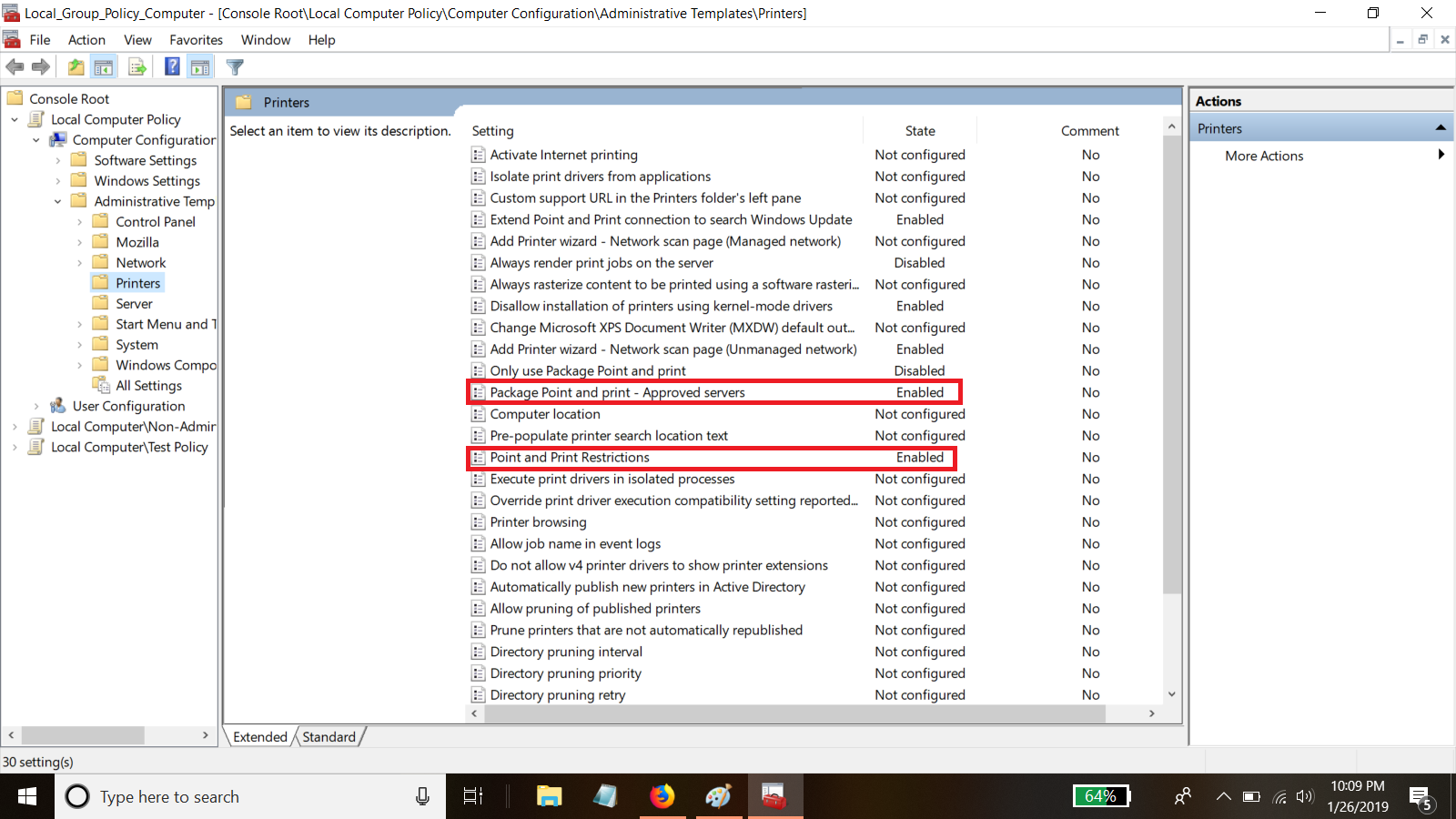
In the approved servers I am defining the print server that I created on my laptop (\x.x.x.x\printer_name)
I verified that network discovery and file and printer sharing is turned on for private network.
Now I can deploy the printer for the whole computer in the GPO local computer policy and the printer gets deployed, no problem.
When I try to go deploy the printer in the GPO Local Computer\Test Policy (Test user policy) it always shows the printer status pending, I don't know why.
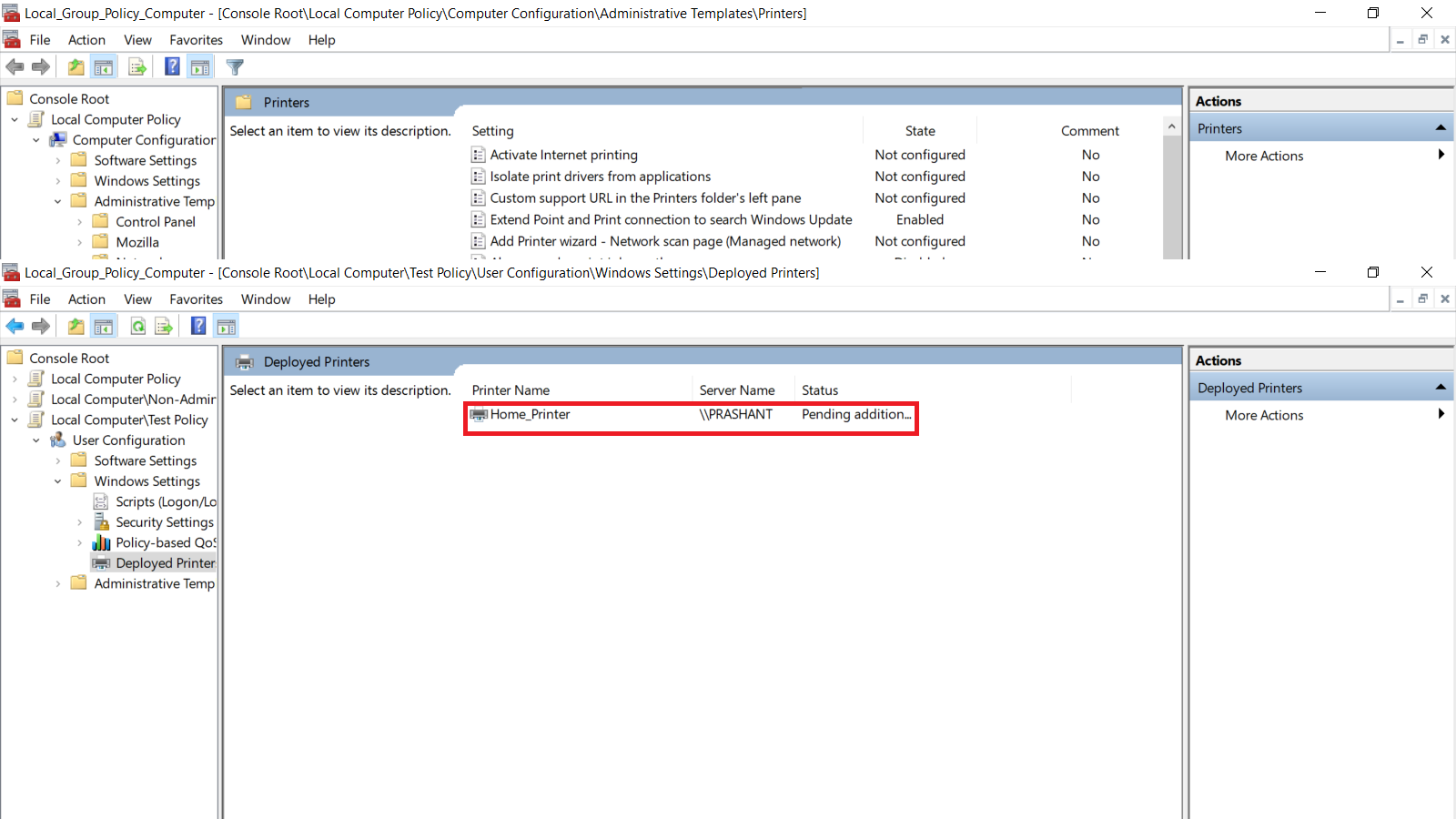
So does this mean that I can deploy the printer, I have to deploy it for the whole computer and cannot do it for specific users? (non-admin)
Also I tried deploying the printer using print management, right-click on the printer and select deploy with group policy. This did not work as well.
I am trying to do this on a laptop that is running Windows 10 Pro and is not connected to a DC.
Can someone please help me with my dilemma ?
Thank you
Prashant Desai
' cx='32' cy='32' r='32' /%3E%3Ctext x='50%25' y='55%25' dominant-baseline='middle' text-anchor='middle' fill='%23FFF' %3EA%3C/text%3E%3C/svg%3E)
